This function is intended for BDM reading of EDC16XX/MED9.XX ECU memory. In order to read the ECU memory in BDM you will need ZN130 ABPROG programmer, ZN073 BDM adapter and an external power supply for working on bench.
-
Warning: Please adhere to the provided sequence of operations. Failure to do so may lead to unintended consequences, the least of which is a bricked ECU.
-
Note: The BDM Programmer requires the ECU to be removed from the vehicle, as the programming needs to take place on a workbench.
-
Тools needed: 12/24V power supply, soldering iron, double-row 1.27mm pitch PCB headers
Please ensure you follow the steps below when connecting or disconnecting the ECU:
-
Ensure both AVDI and the ECU are powered off.
-
Remove ECU from vehicle and open it on workbench.
-
Solder 14-pin header on BDM test points, as indicated in example picture (picture coming soon)
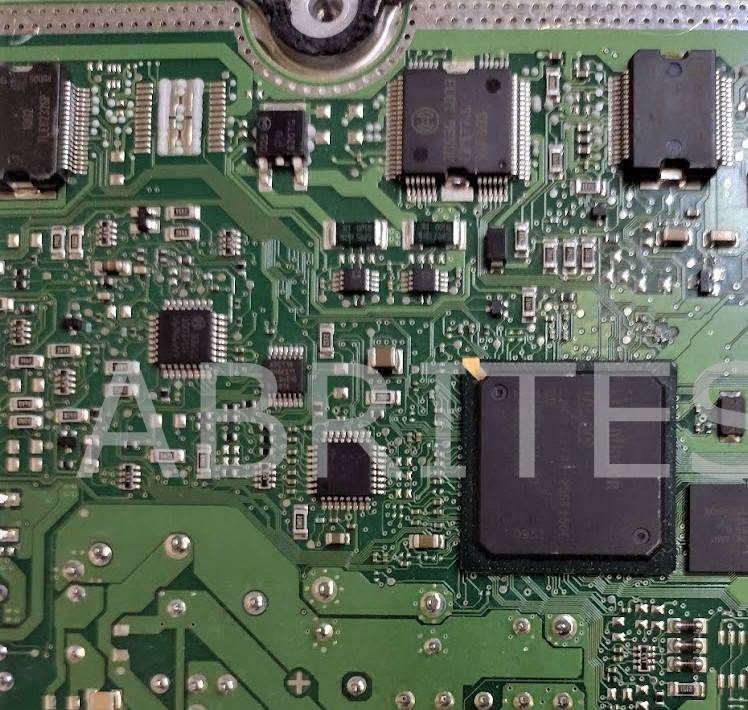
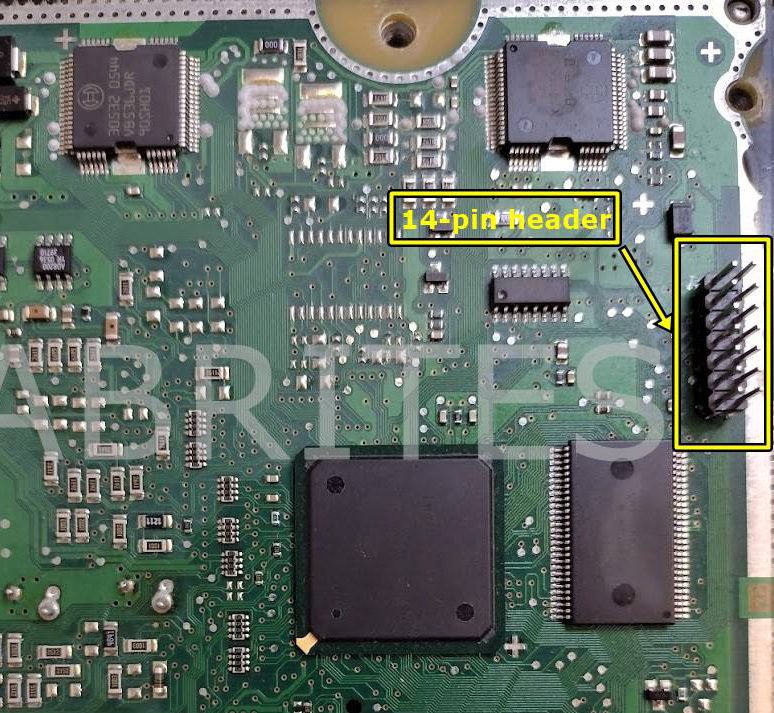
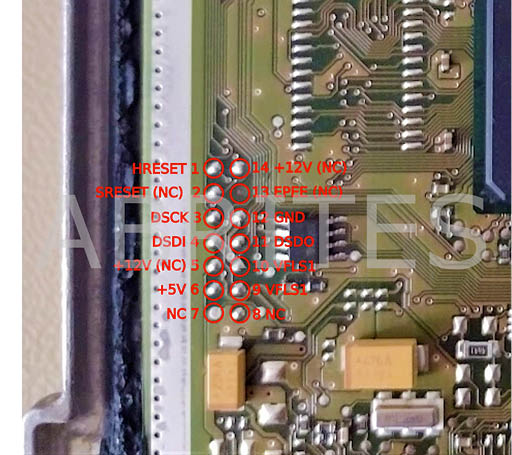
-
Connect the BDM adapter to the ECU using a ribbon cable. Warning: incorrect wiring may cause permanent damage to the adapter and/or the ECU.
-
Connect the BDM adapter(ZN073) to ABProg(ZN130).
-
Connect the ABProg(ZN130) to AVDI.
-
Connect AVDI to PC.
-
Power on AVDI.
Ensure orange LED on BDM adapter is ON
-
Power ON the ECU – it should immediately enter Debug mode *This is achieved by connecting the ECU to an external 12V power source using the ECU’s connector, specifically its B+ and GND pins, with options like ZN151 and ZN074 for power supply. Ensure green LED on BDM adapter is ON
-
Launch the Abrites programming software
-
Select the desired ECU memory from the software menu
-
Select desired operation (read/erase/program). Note: If you want to program the ECU, the selected memory must first be erased
-
When finished, exit the user application
-
Power off the ECU
-
Power off AVDI and disconnect BDM adapter from target ECU
IMPORTANT NOTE: Do not write anything in the first 8 bytes of the MPC processor shadow rows, unless you are completely certain in what you do. The shadow rows contain censoring information, and fiddling with it may lead to locking out the processor without possibility for unlocking.