Often times BMW vehicles are harder to work with than other makes. For example in the cases where the car has no working key or the DME needs to be replaced with a second hand unit the Individual Serial Number (ISN) needs to be read. This task is made harder by the vehicles because they have the tendency to “fall asleep” constantly. This causes the Abrites diagnostics for BMW to appear “stuck” in one place – seemingly nothing happens. What needs to happen is to make sure that the car does not fall asleep during our work with it. There are two ways of doing this.
The first option is to constantly turn the lights on and off, click the locking and other buttons. In most cases this, combined with having a constant feed of 14V external power supply to the vehicle should be sufficient for us to read the ISN.
The next step, in case the above does not help is to make a temporary transponder in order to keep the car awake. To do this you need to read the ISN from the CAS module and program it to a blank transponder, place this blank transponder in an empty BMW key box. When you try to start the car with this transponder – it will not start, it will only crank. This is not important because the car will be awake, as if the ignition is ON. This will allow you to read the ISN easily.
An alternative is to shorten pins 1 and 16 on the OBD II connector, but unfortunately not all cars can have this method applied to keep it awake.
Below you can see a sample of what a DIY DB25 ignition shortener looks like. It basically shortens PINs 1 and 16 on the OBD, where the DB25 shorts PINs 2 and 17.
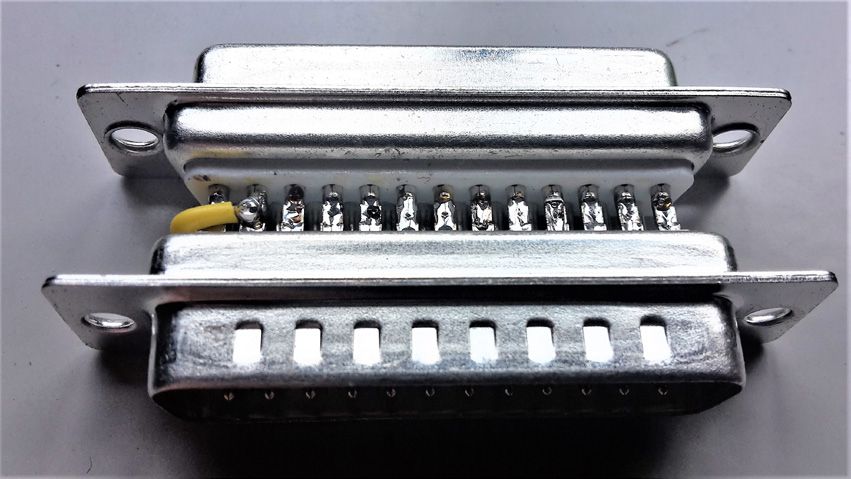
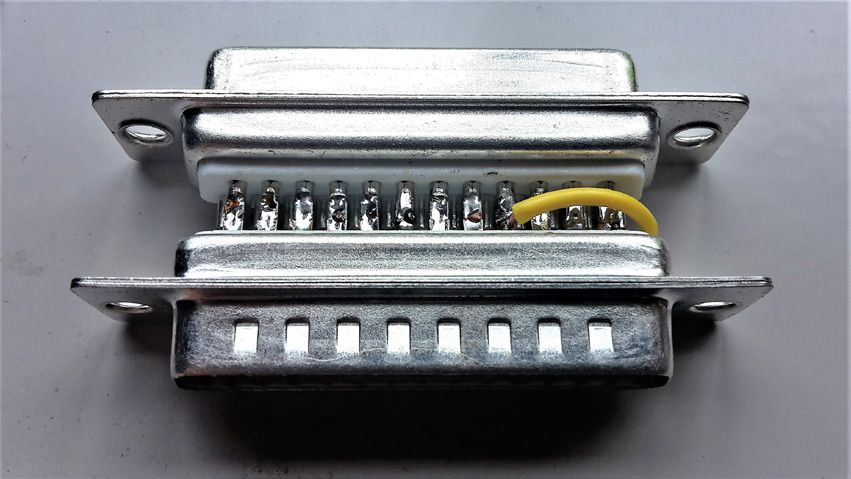
To proceed with making the temporary transponder, you can follow these steps:
1. Read the ISN from the CAS and write it down.
2. When you enter the “Cas Keys” , please save the keys in a file as a backup.
3. In “Cas Keys” on position 9 (last position), write the last byte from the config as “00” (zero zero) and write it into the CAS - (using the “Write CAS EEPROM” button)
4. Please proceed with programming a transponder on any free position and when asked for an ISN, please enter the one from the CAS .
5. After this is done, as soon as you turn the IGN on with this transponder, the car should wake up and the dash will light on.
6. Read the ISN from the ECU and the re-flashing procedure will continue and you will be able to read the ISN - write it down somewhere.
7. Delete the temporary transponder with clicking “Clear Key and CAS” , while having the transponder placed into the programmer.
8. After you obtain the ISN from the ECU, revert the last byte of the config to position 9 (how it was before) and write the CAS (using the “Write CAS EEPROM” button), or it is easier to click on “Load from File” and choose the file you wrote earlier. Then, click on “Write CAS EEPROM”
9 Once this is done, you can program a new key and when asked for ISN, please enter the one you read from the ECU.
Note: If the CAS has 4 bytes ISN you will need to write the last two bytes at step 4.
Note: If the PCF is either 7942 or 7944 it is not necessary to renew it before programming.
Important notes
- If the read still stops at 10%, the cause may not be the car sleeping at all — see 17.7 Downgrading or ISN reading stops at 10%.