Requirements
- AVDI Interface
- ZN095 Cable
- ProTag Programmer
- Spare Key(s)
- ZN151 DS Box (Hardware Revision 2.4 Required)
- Working key
Step of the procedure
Remove the BDC2 Module.
Note : Bench procedure is mandatory before any OBD operation.
- Disconnect the vehicle battery.
- Carefully remove the BDC2 module from the vehicle.
- Detach the plastic covers to expose the module’s PCB (Printed Circuit Board).
Below you will see all needed connections
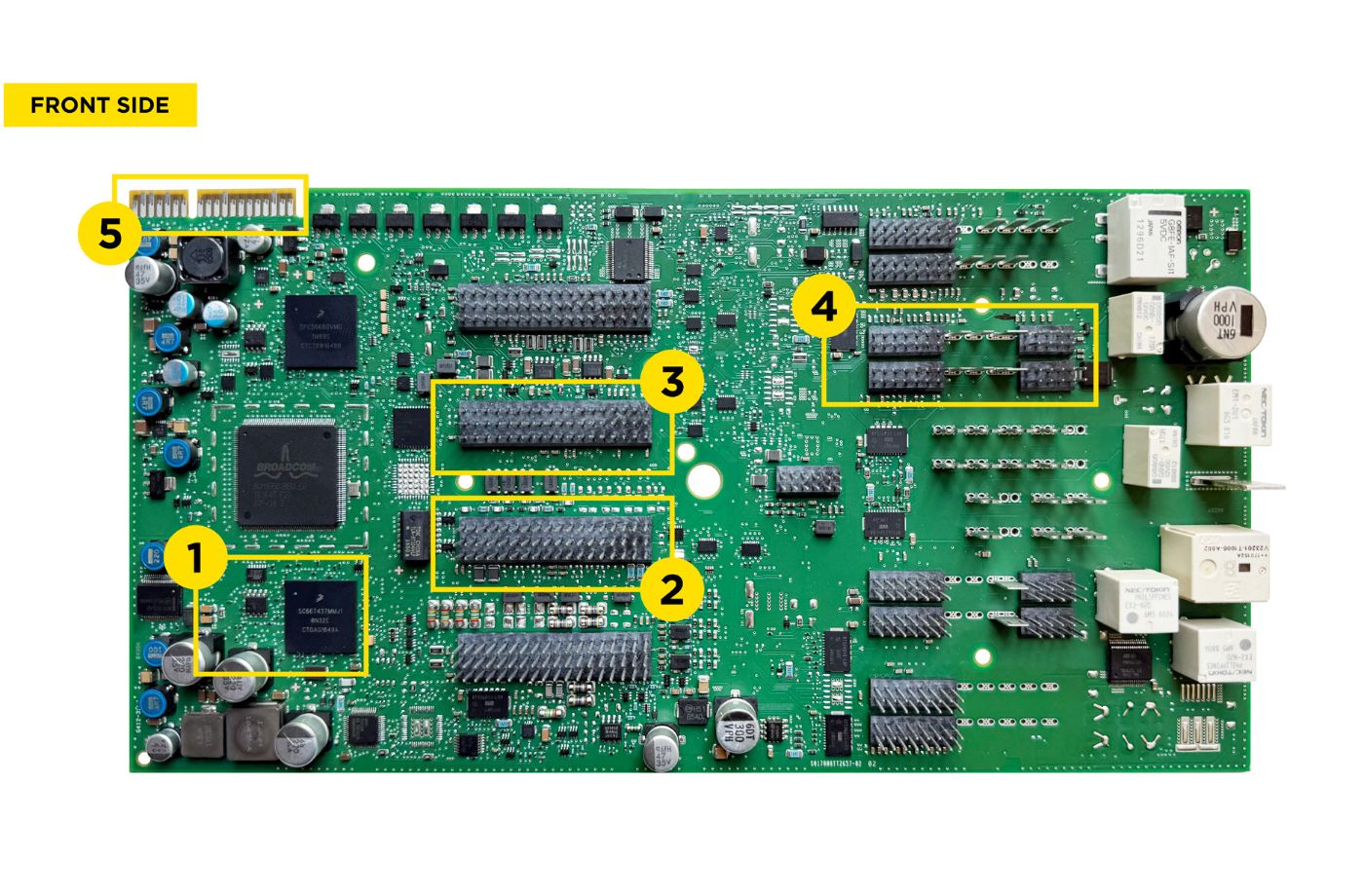
Connect the ZN095 Cable to the BDC2 Module
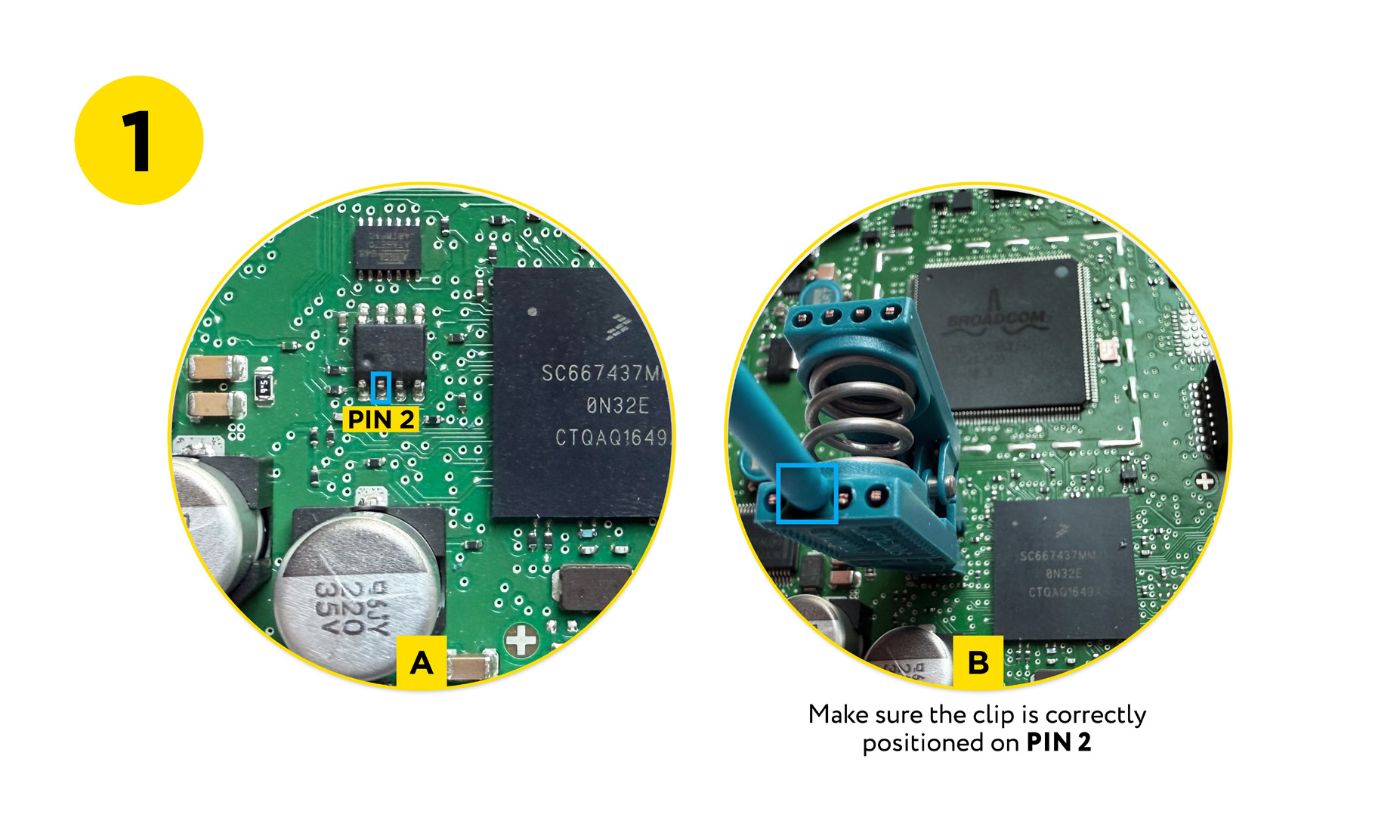
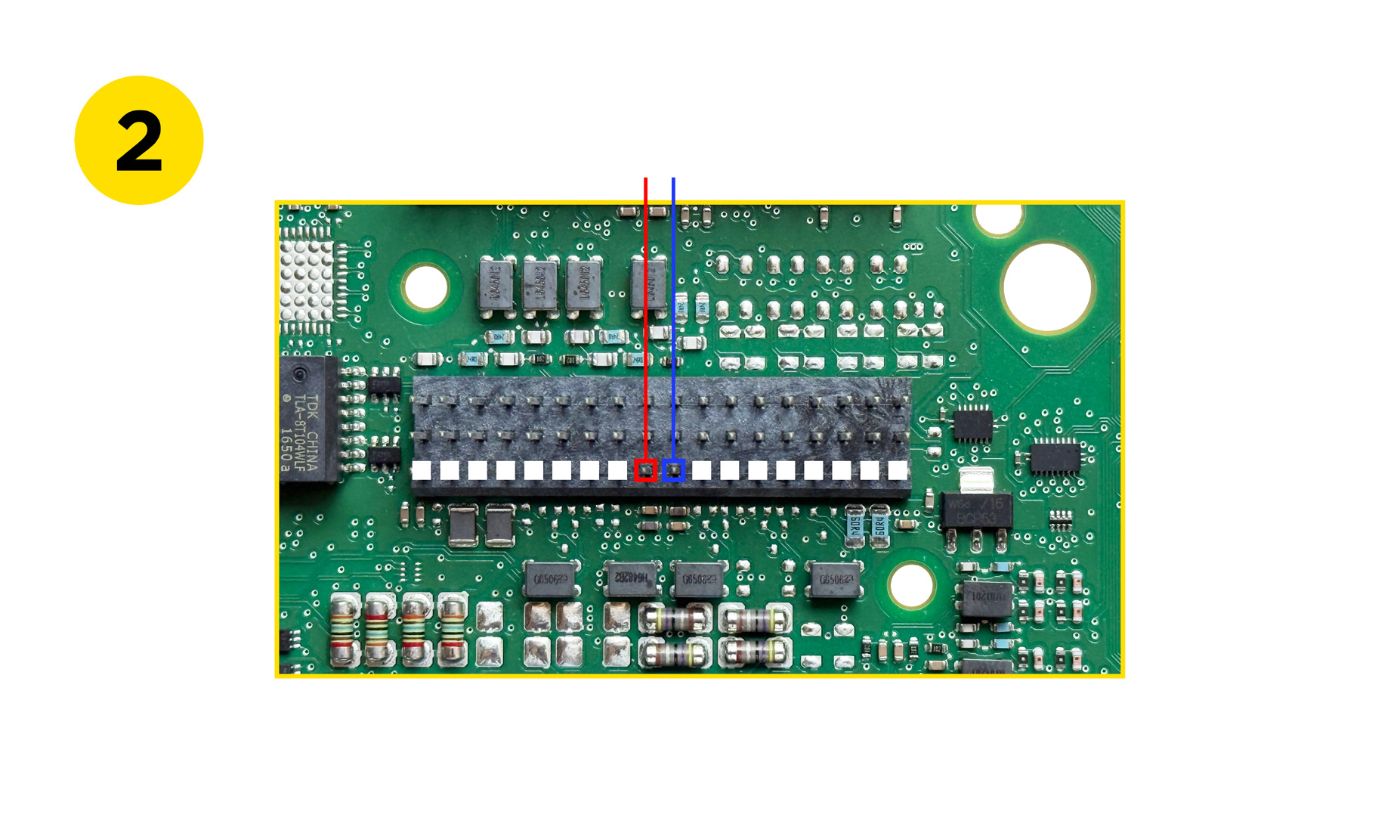
Make the following connections precisely
-
- EEPROM Clip → ensure to provide contact with pin 2 of the Eeprom
-
- Red/Blue cable → PIN 46 / PIN 45 of CON8
-
- Orange cable → PIN 36 of CON7
-
- Brown cable → PIN 35 of CON7
-
- ZN095 main connector → Board-edge connector of the BDC2 PC
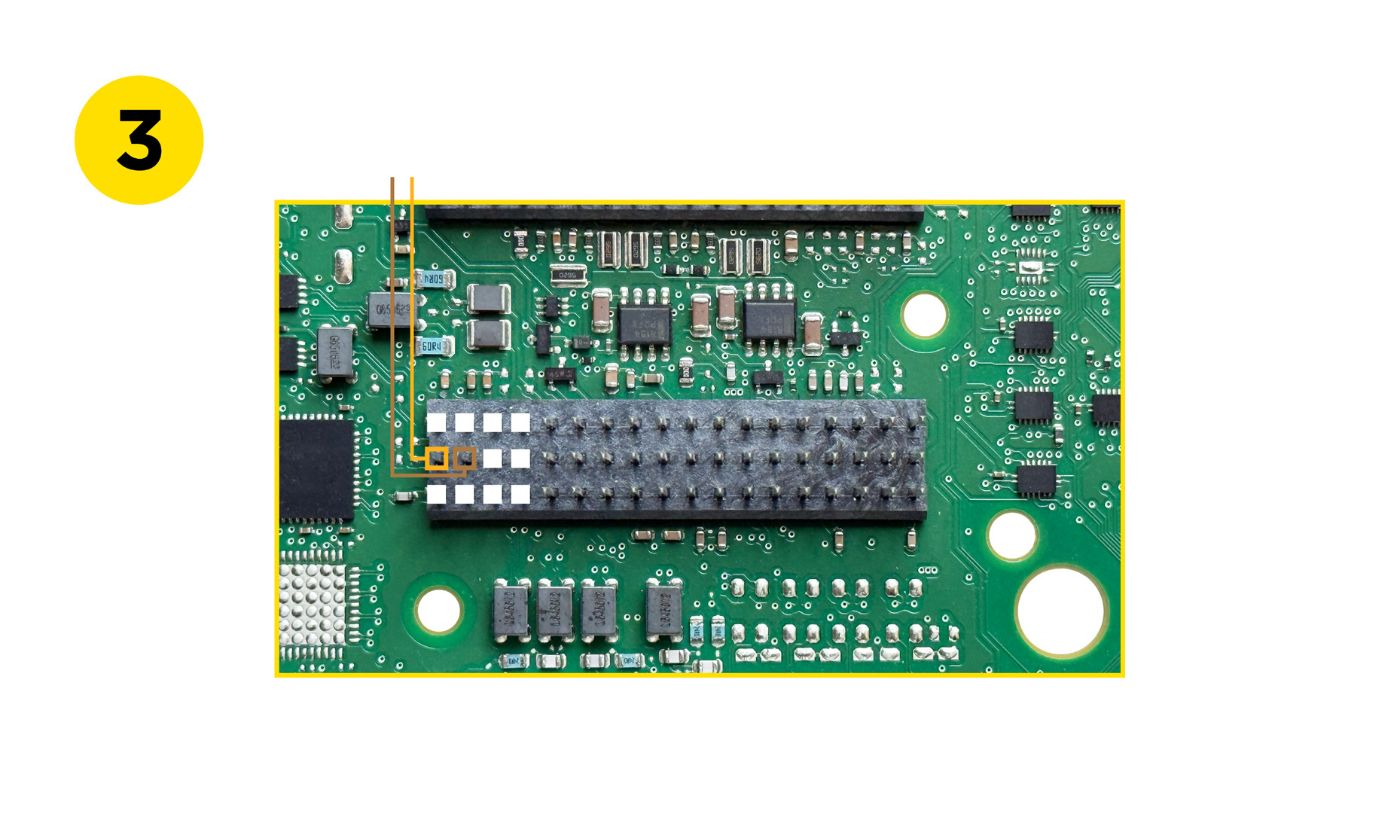
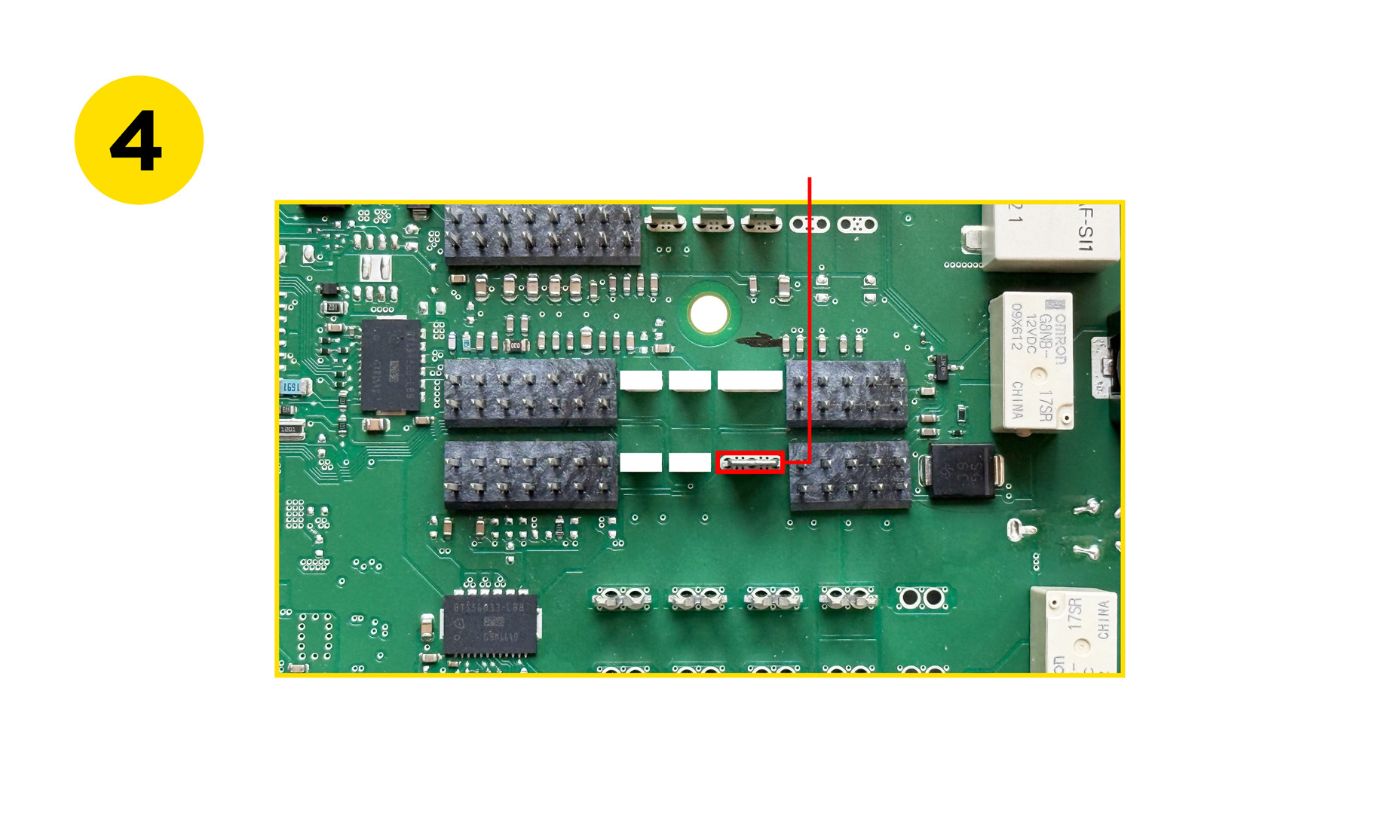
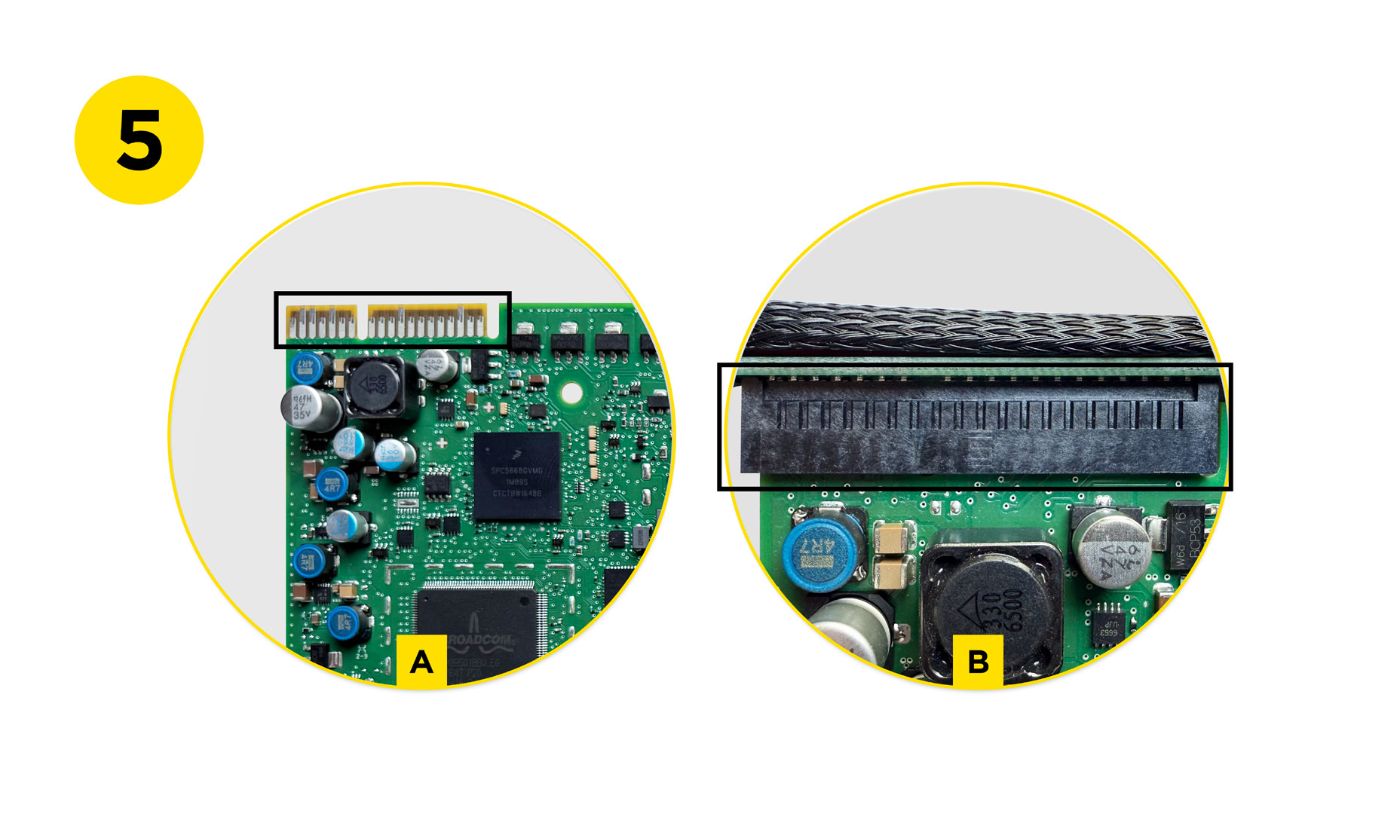
Once all connections are in place
Connect the ZN095 Cable to the ZN151 (DS Box).
Ensure DS- Box is HW revision 2.4.
Step 3: BDC2 Reading
- Launch the BMW Online Software.
- Select your vehicle model (G-Series).
- Navigate to Keys & Start Synchronization → Select BDC2.
- Follow all on screen instructions carefully.
Important : Do not disconnect power or unplug any device during the procedure.
During the procedure, the software will
- Prompt you to save *.NCD Coding files (4 in total).
- Create and name a new folder clearly (e.g., BMW_G30_BDC2).
- Save all files in this folder as prompted.
- Ask you to reload the saved coding files before proceeding. (You should select all 4 files at once.)
When the reading and upload process is complete, reassemble the BDC2 module and return it to the vehicle.
Note : Once this step has been completed using the Abrites BMW Online Software, you will be able to program a key via OBDII in the future, even if no keys are currently available.
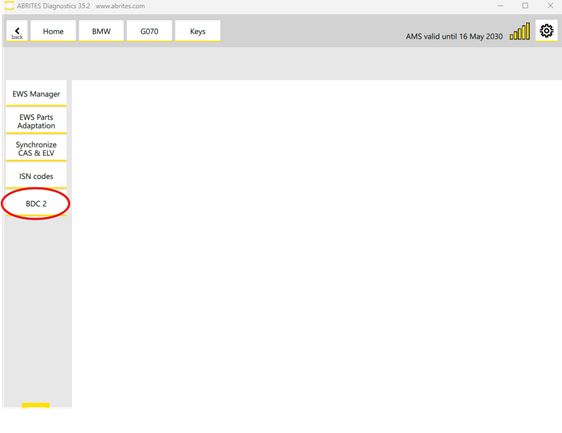
Step 4: Key Learning
- With the BDC2 module reinstalled, proceed with the key programming via OBD.
- Use the software to:
- Check compatibility of the new key.
Note: Both original and after-market keys are supported.
NB! Second hand original keys can also be used after being reset using the ABPROG.
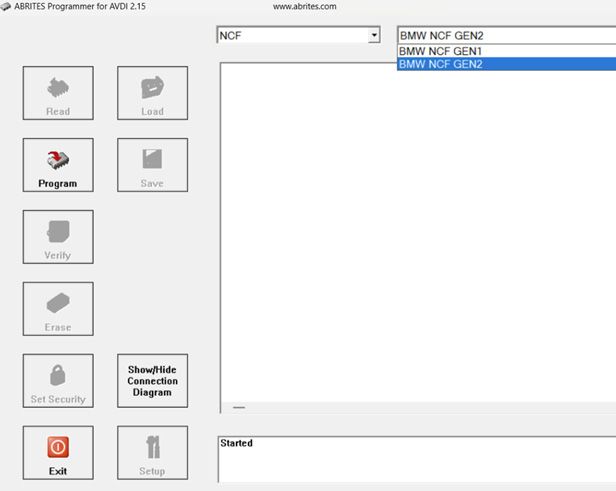
Wiring diagrams and detailed photos are available in the User Manual and the ABPROG Classic software > NCF >BNW NCF GEN 1/2 > “Show/Hide Connection Diagram” button.
Program the key into a free/available slot.
Note: To complete the procedure, hold the new key against the ring aerial (emergency slot) on the steering column and press the Start/Stop button for approximately 30 seconds to activate the key.