After the ABRITES Software is installed on the VM and you have connected the AVDI interface to an USB port of your PC you should redirect this port to the VM, otherwise you cannot use the AVDI interface on the VM!
This can be done in the following way (example with VMware)
From the main menu of the VMware player, select “Virtual Machine” → “Removable devices” →
“Future devices avdi interface 17xxxx(or 16xxxx)” → “Connect (Disconnect from host)”.
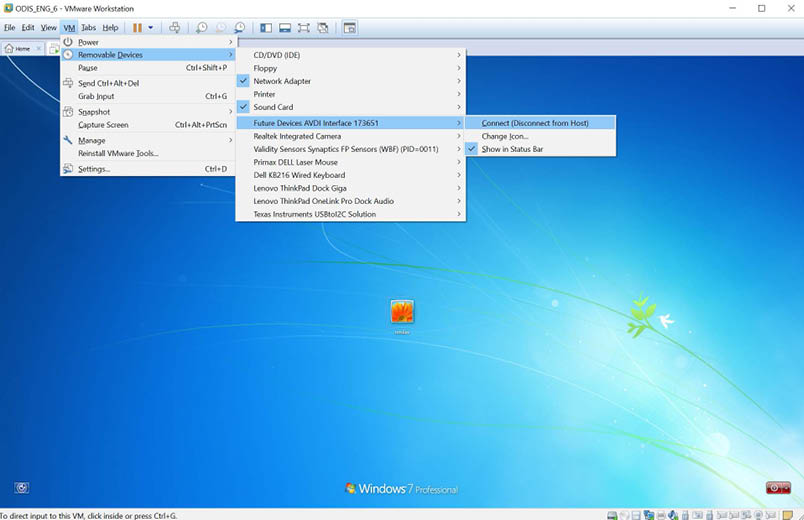
Here 17xxxx(or 180xxx) is your interface identification number.
You will be shown a message informing you that the USB device will be unplugged from the host machine and connected to the virtual machine.
If you like to disconnect the AVDI interface from the VM (so you can use it on the host PC) you can either close the VM Player or do it through the VMWare menu “Virtual Machine” → “Removable devices” → “future devices avdi interface Vvxxx” → “Disconnect (Connect to host)”.