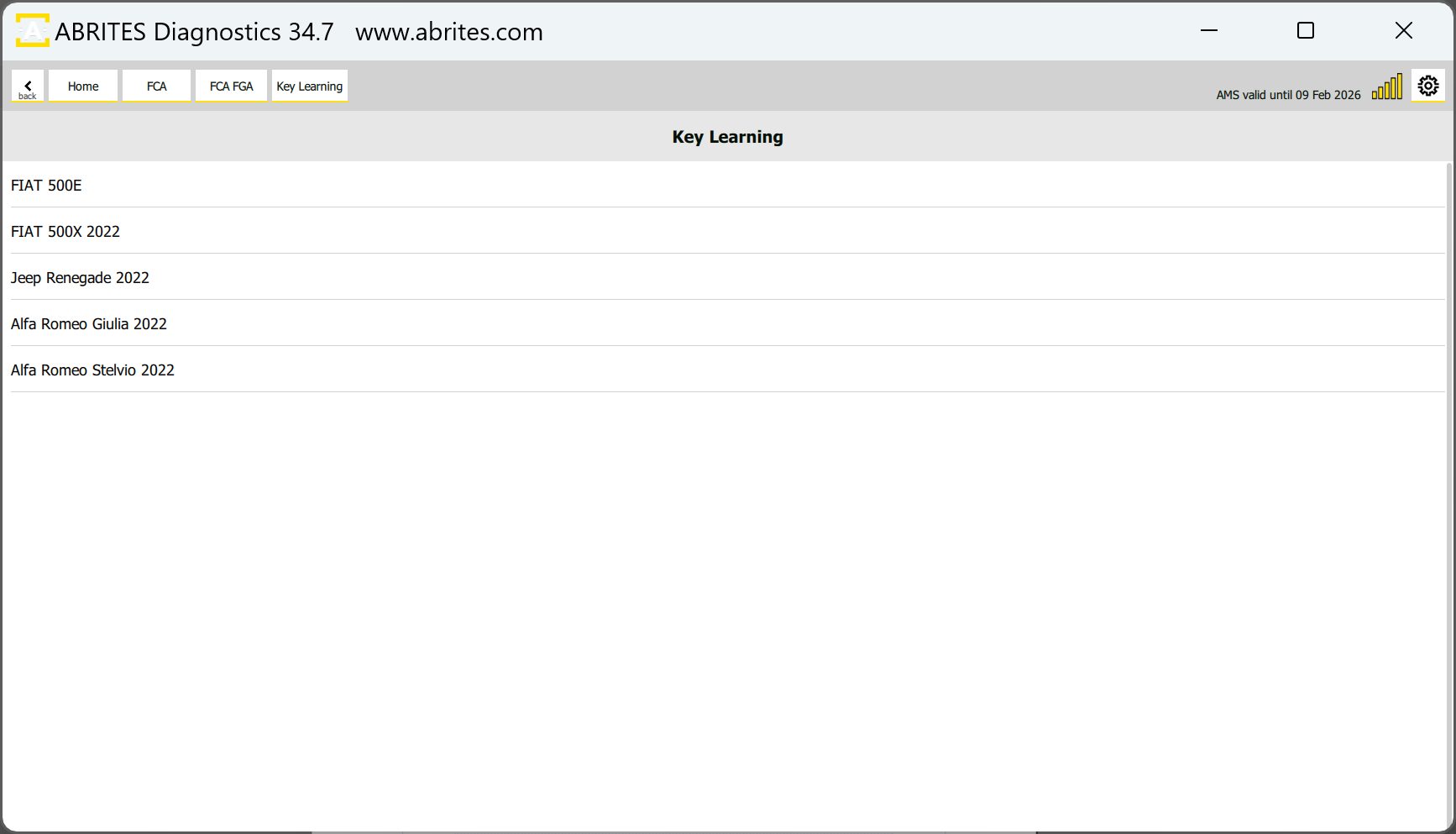
Key learning special function allows you to perform key learning procedures to multiple FCA platforms listed below, and allows PIN code reading and key programming, transponder preparation, and remote control programming:
-
BCM Unit with RH850 mcu
-
Magneti Marelli BCM (MCU Fujitsu MB91Fxxx)
-
Megamos AES mechanical keys (Fiat Pandina 2025+)
6.1 BCM Unit with RH850 MCU
This special function allows you to perform key learning procedures to FCA platform vehicles, which have BCM unit with an RH850 MCU and Atmel-type keys. Abrites TA70 - Key for FCA vehicles is recommended.
Functionalities
-
PIN code reading and Key programming
-
Transponders/Keys preparation
-
Remote control programming
This special function works together with the ZN085 ABRITES RH850/V850 Programmer. The process of key programming includes reading the dump using the ZN085 Programmer and the corresponding software, then preparing the key via the ABRITES Diagnostics for FCA Online and with the help of the ZN103 PROTAG Programmer and finally, learn the key.
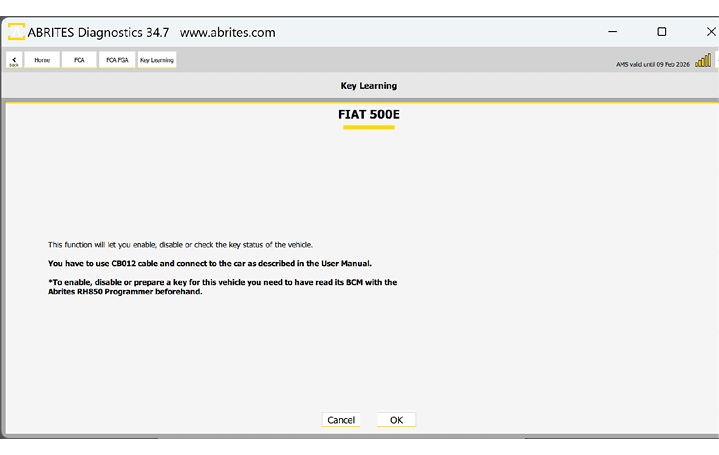
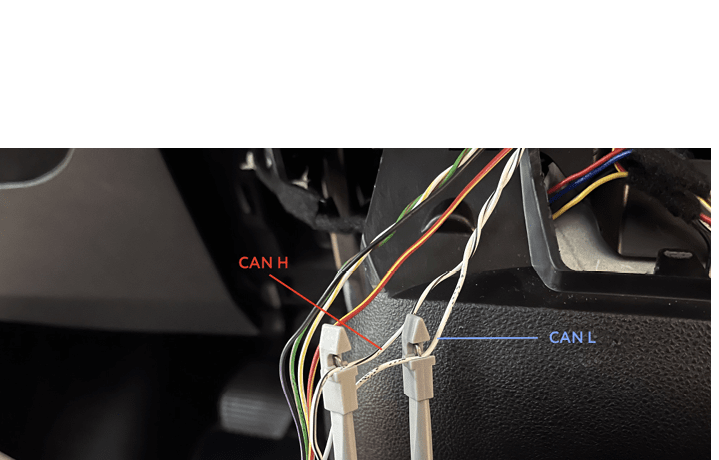
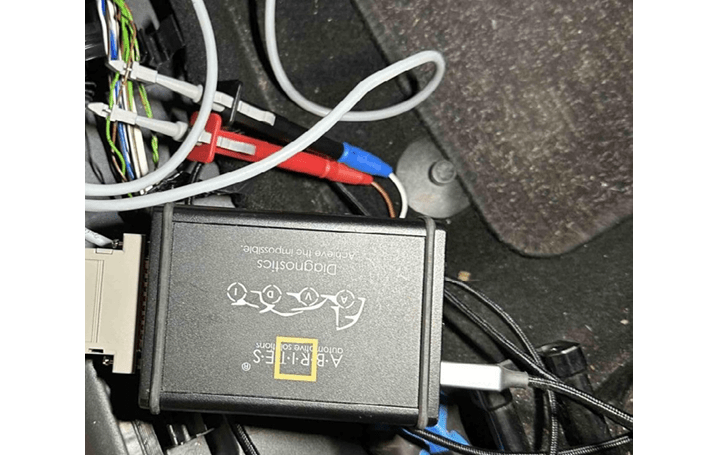
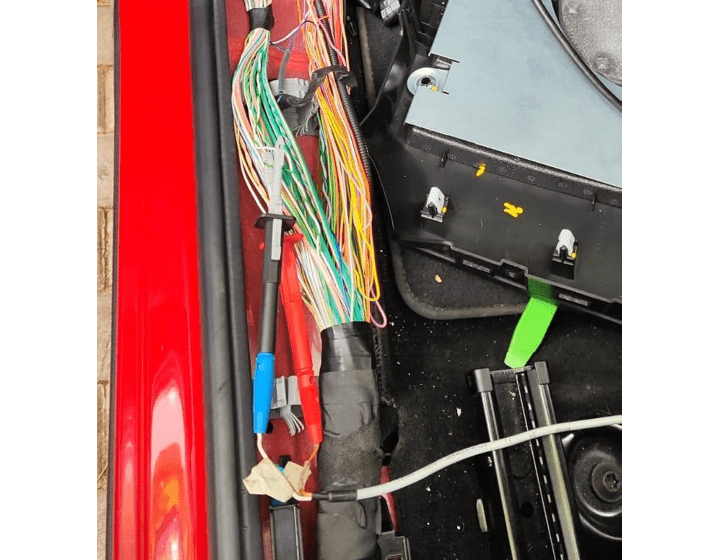
CB012 - Direct CAN-BUS Connection Cable Set is required to establish connection to the internal CAN wires, where the BCM is also connected, and execute the procedure, picture with example available on the next page.
First, you need to have the unit read with the ZN085 programmer, once this step is done, you can install the unit back in the vehicle and proceed to the FCA Online software.
All procedures are guided and with on-screen messages, please make sure you pay attention to what the software is asking for.
-
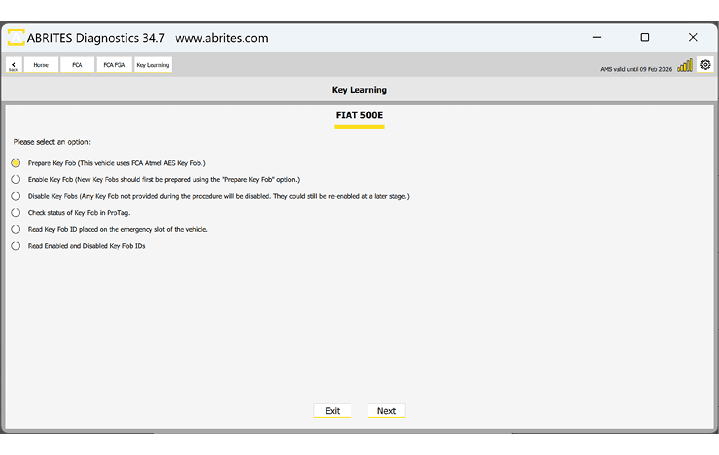
Prepare Key Fob - prepare the transponder with the use of ZN103 ProTag programmer. If the key is order from an FCA dealer by VIN it should be prepared, so you can skip this step.
-
Read Key Fob ID placed on the emergency slot of the vehicle - you can read the information from the key in the vehicle.
-
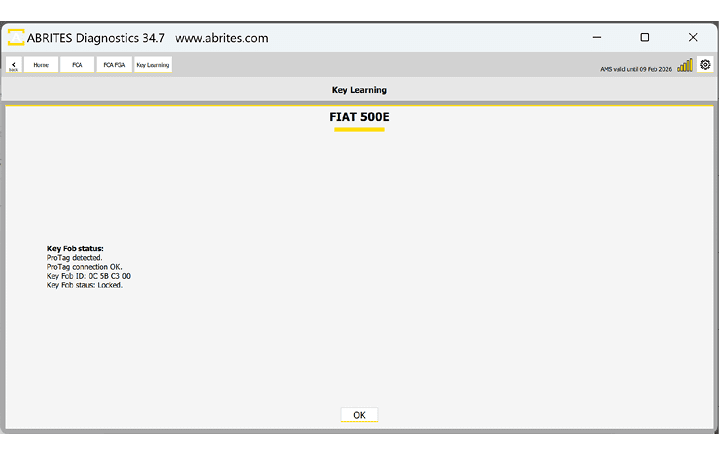
Check Status of Key Fob in ProTag - check the status of the key before proceeding to key learning.
-
Disable Key Fobs - Any key fob that is not used in this procedure will be disabled, you will remain only with the present keys working for the vehicle.
-
Enable Key Fobs - before this step, make sure you prepare the key with the ZN103 programmer, or use a dealer’s key - this step will complete the key learning procedure.
These are the wires that go to the gear selector module, example is in FIAT 500E
Below you may see an example of CAN connection to Fiat 500X
Alfa Romeo Tonale CAN connection example
Below you can see screenshots from the main key learning screen and the available options, as well as the status of a key in the ProTag programmer