2.1 Scope of the manual
This document describes the usage of Abrites Jaguar/Land Rover Online software. The document is applicable for the latest software version. In this manual we suppose that the software for your AVDI interface is already installed. Please refer the “AVDI Common User’s Manual” in case it is not.
2.2 System requirements
-
Minimum system requirements – Windows 10-64bit or later
-
(recommended 4GB)
The Abrites diagnostics for Jaguar/Land Rover Online provides dealer-level diagnostics, reading and clearing DTCs, and perform special functions described in this user manual. It can be installed on any Windows-based system higher than Windows 10 and requires an AVDI interface to operate.
Internet connction is also required for the application to work. We can suggest a connection to the Internet via 3G/ 4G from a mobile device as well as a WI-FI network. Please ensure that port 8443 is allowed by your Internet service provider to ensure the correct functionality of your Abrites diagnostics for Jaguar/ Land Rover Online.
When you open the Abrites Quick Start, you should select the Abrites diagnostics for Jaguar/Land Rover:

Using the icons in the top right of your software screen, you will be able to see the internet connectivity and signal strength, and the Gear icon will allow you to choose a language in which the software operates:

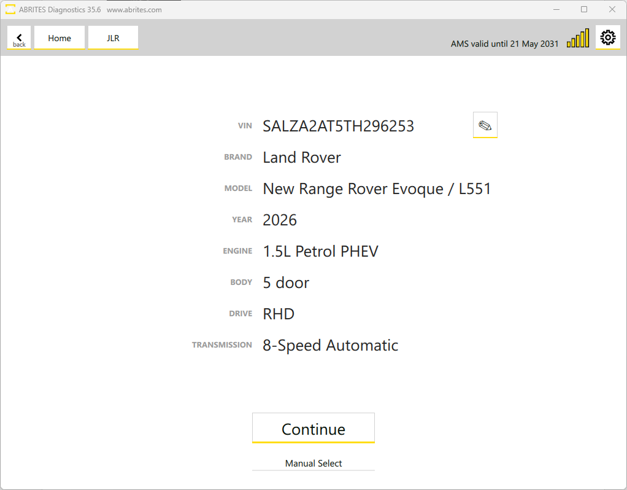
Upont starting the software, an Auto-detect button will appear. It will automatically scans the vehicle’s VIN, model, year of manufacture, etc., your AVDI is connected to. (If the vehicle cannot be automatically detected, you can select it manually by clicking the Manual Select button).
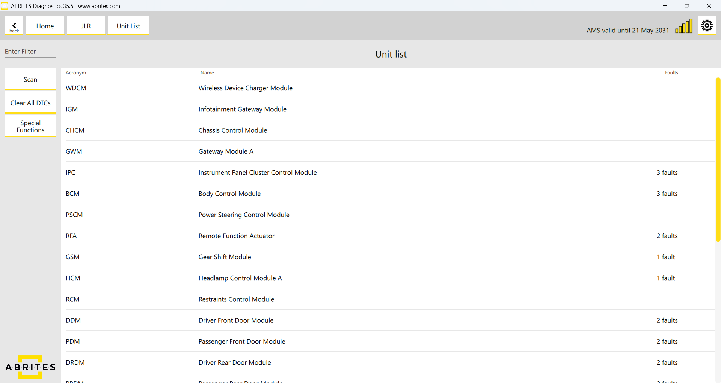
Once the vehicle has been autodetected, it will scan all available modules in the car and the DTC’s stored in them.
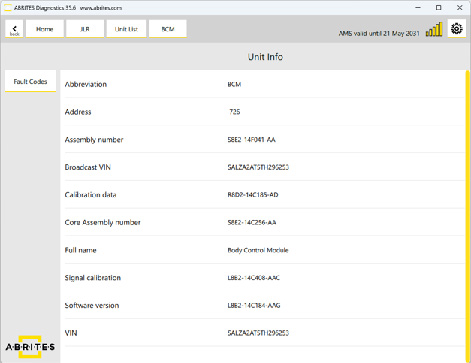
Once a unit is opened, you will be able to see the module’s identification, read and clear the fault codes stored in the unit using the “Fault Codes” button: