Preparation
When no original unit is not available, or completely damaged and not possible to read, you would need to do the following:
-
Connect to the vehicle via OBDII
-
Open the Mercedes FBS4 software and select Electronic Ignition Switch (EIS) press “Info”
-
Press “Save” to save personalization data file (EIS4 data file) to a location on your PC
Now set up the donor unit on bench, using ZN151 DS Box and CB403 - DS-BOX Extended Cable Set for direct connection. Connection information also on the next page
-
Open the Mercedes FBS4 software and select TCU
-
Press “Info” button to establish connection
-
Set the unit to “Virgin” state trough the dedicated button.
-
IMPORTANT : At this stage you need to set the VIN of the vehicle to the donor TCU
-
Once the VIN is set proceed to next step.
-
Press “Personalize” and select the file with the saved EIS4 data from the EIS
-
Once complete, software would ask you to turn IGN OFF and ON to finalize the procedure
N.B. Unit activation happens automatically after 100 ignition cycles.
Connection for
-
Read the unit (also available in the vehicle)
-
Virgin procedure ONLY done on bench
-
Personalization with previously saved data (it could also be done in the vhicle with OBDII and direct CAN Connection and active MN034)
-
Personalization without previously saved data only done on bench
To establish the proper connections follow the steps:
-
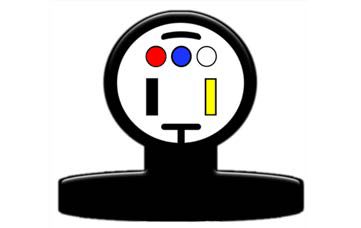
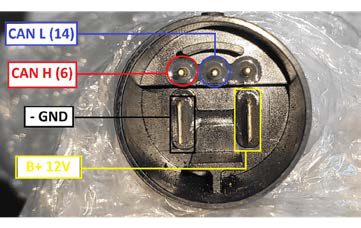
Connect CB403 to the TCUs connector, according to the diagram
-
Connect AVDI to ZN151 DS Box with the CB403 cable
-
Connect CB403 to ZN151 DS Box and provide power supply to the ZN151 DS Box