Models 164, 169, 171, 204, 211, 216, 219, 221, 245 and 251 are equipped with this control module. It automatically assigns to the next service the time and wear dependent maintenance items as well as the special equipment that should be maintained.
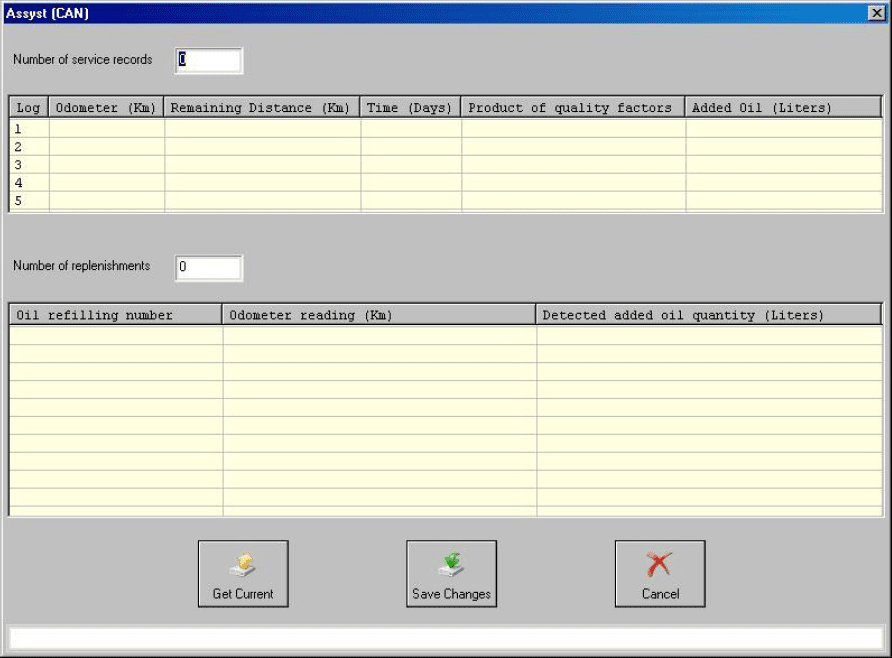
With the help of this special function you can view/modify the maintenance history that has been saved inside the ASSYST Plus control unit.
Service 2: Every 30 000 km/2 years. Vehicle front, vehicle rear. Check condition and operation of trailer hitch.
Service 3: Every 60 000 km/2 years. Engine compartment.
-
Check visible area of poly-V belt for wear
-
Replace compressor poly-V belt
-
Replace air-cleaner insert
-
Turn air filter element by 180 degrees around the longitudinal axis - once when performing ser vice 3 for the first time
Service 4: Every 60 000 km/2 years. Engine compartment.
- Replace combination filter
Service 5: Every 60 000 km/2 years. Engine compartment
-
Replace dust filter
-
Replace combination filter
-
Passenger compartment - replace activated charcoal filter
Service 6: Every 2 years
-
Check bodywork for paintwork damage
-
Underside of vehicle - check for damage and corrosion chassis and load-bearing body compo nents.
Service 7: Every 5 years. Passenger compartment
- Tilting/sliding roof: clean slide rails and slide shoes
Service 8: Every 3 years. Passenger compartment
- Panoramic sliding roof - clean and lubricate guide mechanism
Service 9: Every 80 000 km/4 years. Engine compartment
-
Replace air-cleaner insert
-
Replace fuel filter
-
Replace spark plugs
Service 10: Every 100 000 km/4 years. Engine compartment
- Replace spark plugs
Service 11: Every 120 000 km/4 years. Engine compartment - Replace air-cleaner insert
Service 12: Every 250 000 km/15 years. Engine compartment - Passenger compartment: Replace fuel filter
- Engine compartment: Replace coolant. Pay attention to coolant composition.
Service 13: At each service. Engine compartment
- Engine oil and filter change.
Service 20: Once at 60 000 km. Underside of vehicle.
-
Transfer case - oil change.
-
Automatic transmission - oil and filter change
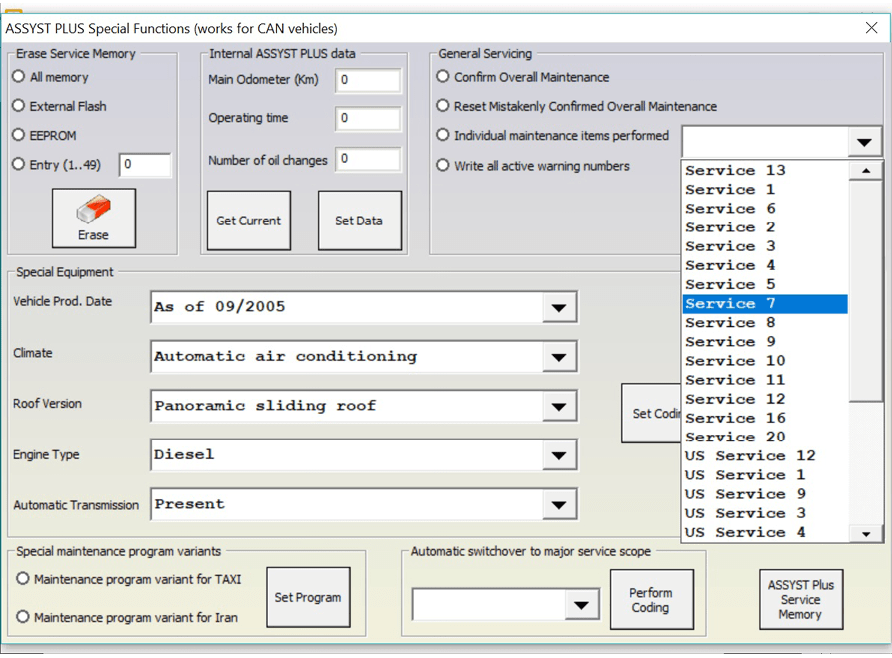
How to view and change service history, stored in ASSYST PLUS
-
Press the “Get Current” button. The currently stored information in the ASSYST PLUS should be displayed.
-
Set the information, which you want to be stored in the ASSYST PLUS device in the “Main Odometer (Km)”, “Operating time (days)” and “Number of Oil changes” fields.
-
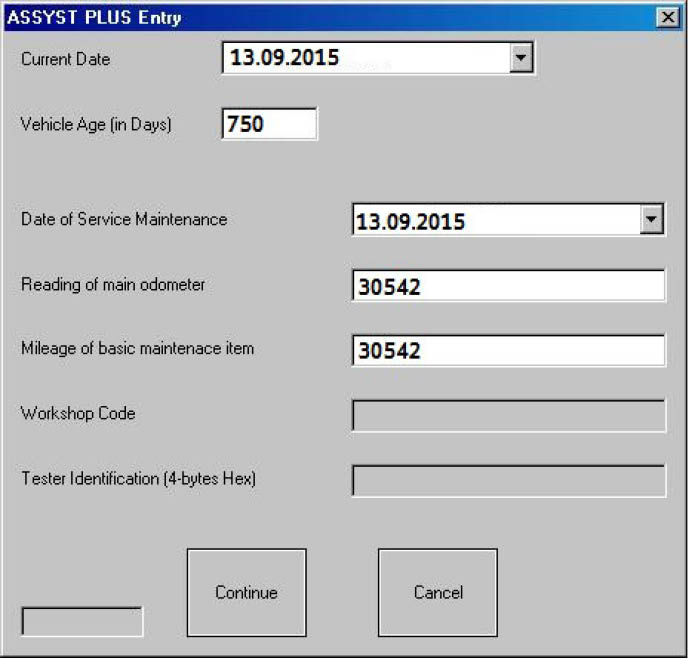
Press the “Set Data” button. If the number of oil changes that you have specified is more than 0, the following screen will appear:
-
Set the data for all individiual service maintenance items and press “Continue”.
-
If everything is OK, you should see a text message “Operation finished successfully”.
From this screen you can view/modify the service history records that are stored inside the ASSYST. There are up to 5 records in the ASSYST. The ASSYST device also keeps history of up to 16 times when oil has been added. All these records hold the main odometer at which the event happened. With the help of this special application it is possible to modify this history.
It is also possible to view/modify all service history related information, which is stored in the Configuration of Central Gateway. You can access this screen, by pressing the “CGW Explorer” button. From this screen you can change the history in both ASSYST and ASSYST PLUS devices.
Important: You can always verify the results from the changes you have made, by opening a standard diagnostic session with both ASSYST and ASSYST PLUS from the main screen and observing their “Actual Values”.