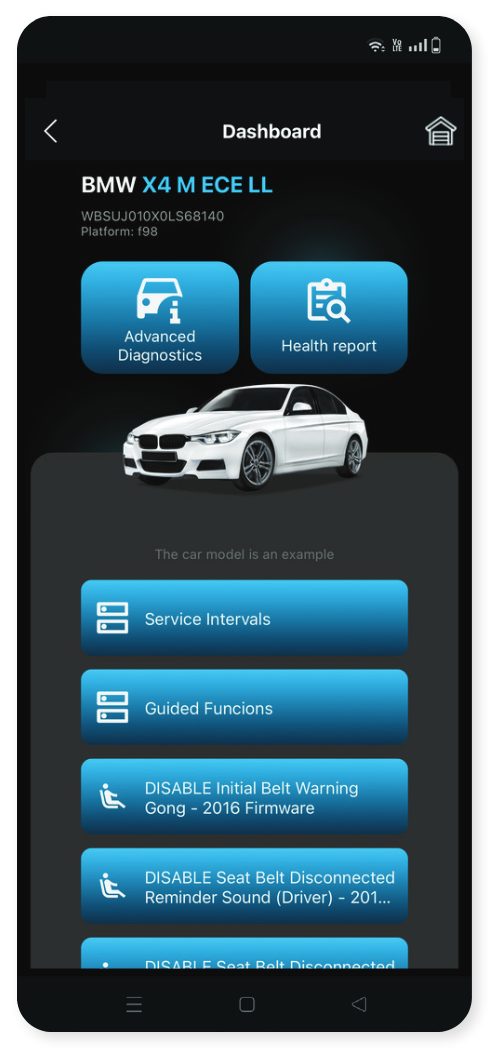
Advanced Diagnostics
- Scan all modules of the vehicle, gives the ability to read and clear all DTCs, module identification and monitor real-time data. Actuators testing are available depend on the brand and the model of the vehicle, also full coding lists are available in the supported electronic modules.
Fast Coding Options
-
Some brands and models have fast coding options available on the dashboard *Check compatibility on the website modiobd.com . They are like easy procedures to perform with just click of a button.
-
Please note If there are no fast coding options available for your vehicle model, please connect directly with the respective electronic module through the button Advanced diagnostics and check if there is special functions list available.
The Health Report
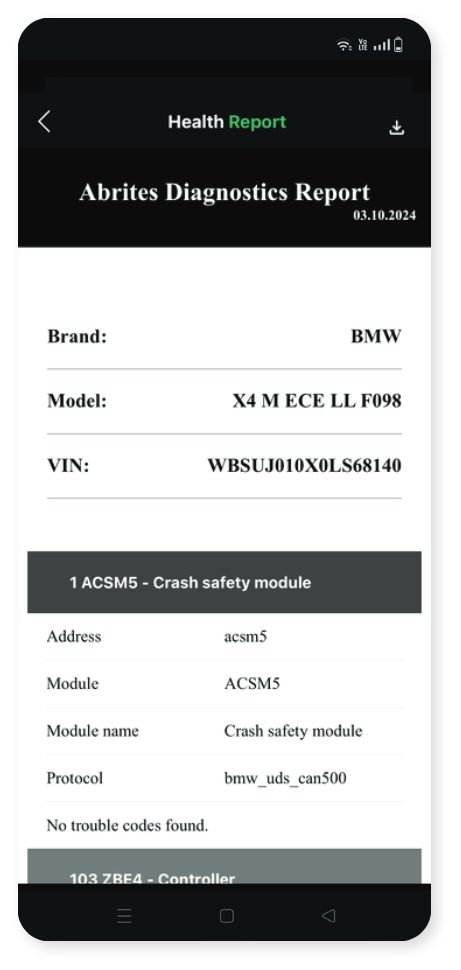
- Scan all modules from the vehicle and shows summarized information about the current state of the vehicle, showing all diagnostics trouble codes in all scanned modules sorted by condition and quantity. The report could be saved or exported.
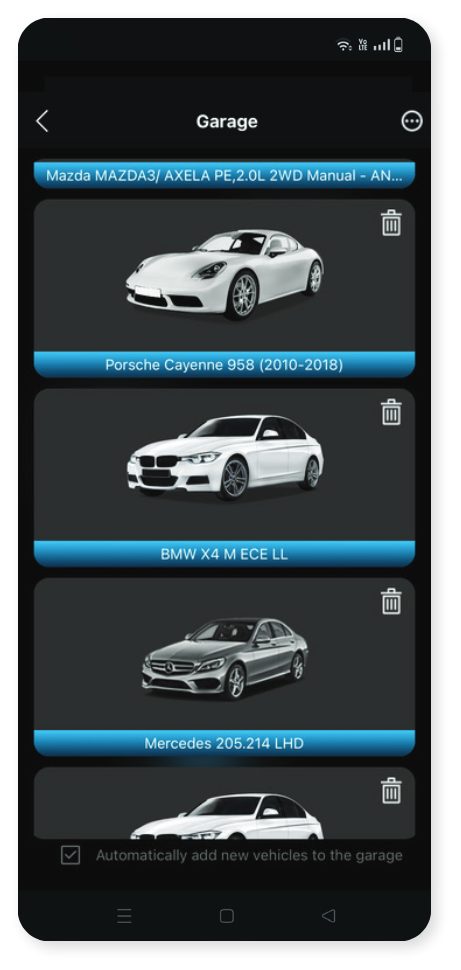
Virtual Garage
- Virtual space where you can manage all your cars any time. Option to add the car to the virtual garage or to open it directly.
*IMPORTANT INFORMATION!
For your safety, do not use MODI device or MODI Application while driving. MODI Abrites Ltd. is not responsible in case of overcoming the security measures of the technical equipment and would like to inform that this may result in injuries or any
other damages to you or third parties.
Health Report
- Scan all modules of the vehicle, gives the ability to read and store all the DTCs, to export or save them.
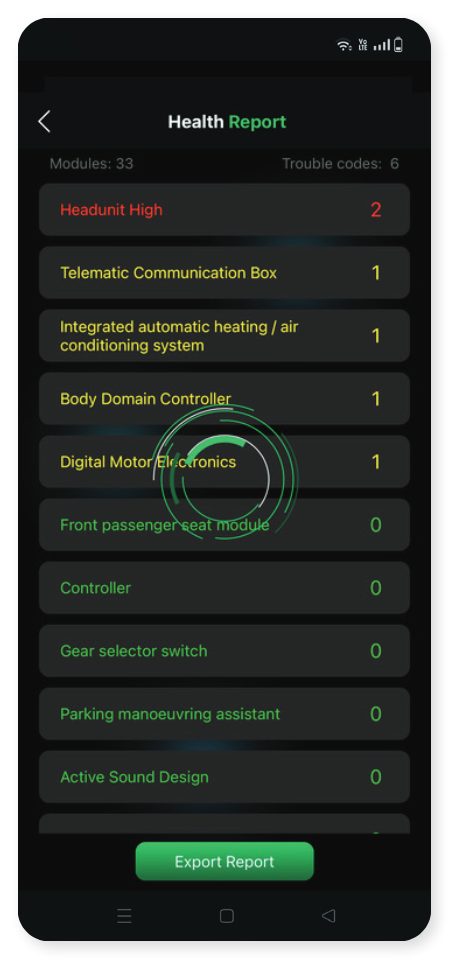
*IF you have added your car to the virtual garage, each generated health report will be automatically saved there.
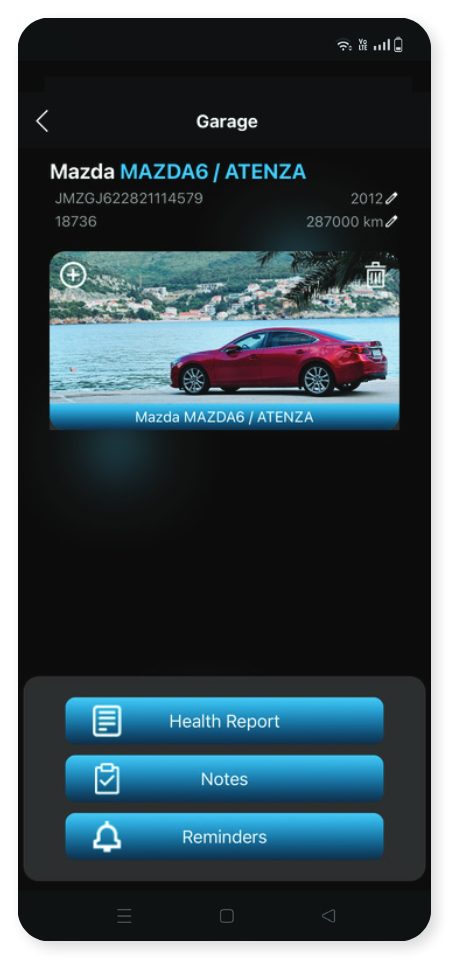
Virtual Garage
-
Virtual space where you can manage all your cars anytime, without the need to connect to the MODI device
-
You can store your cars there, manage their health reports, create digital notes and reminders for the important service intervals or other things. Also you could add your favorite photo of your car or use the default one
-
Virtual garage cars are stored locally on your mobile phone, you can backup or restore the garage if you change your phone, sell car,or buy another one - the old owner could transfer all the data for the vehicle from his MODI app to yours.
-
Mark the check box for automatically adding cars in the Virtual Garage after generating health reports for them.
Scan Modules, Read/Clear Trouble Codes, Live Data, Actuators and Coding Lists
From this point on, the MODI device is going to communicate via the bluetooth connection made with the mobile device.
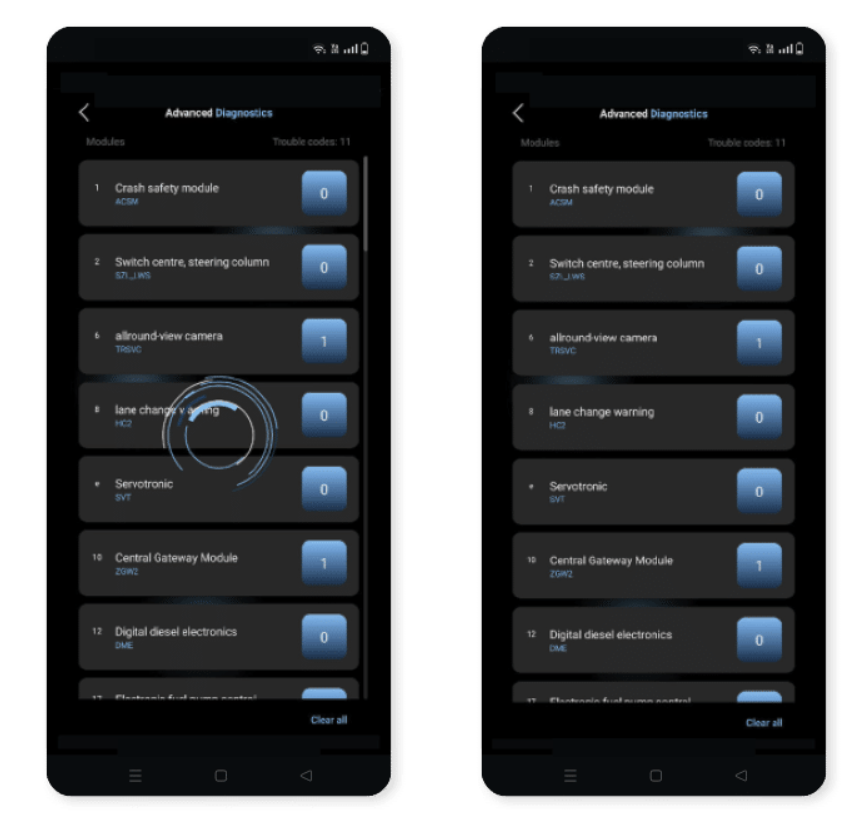
After the Advanced Diagnostics option is selected, the Mobile Diagnostics Interface is going to run a diagnostic on the vehicle, providing information concerning the number of fault codes in the system.
Additionally, the tool can also display information concerning the status of the modules in the
vehicle. From there on, in order for the processed fault codes to be cleared, the “Clear all” button should be pressed. This button should be essentially found on the bottom of the mobile device display.
Trouble codes
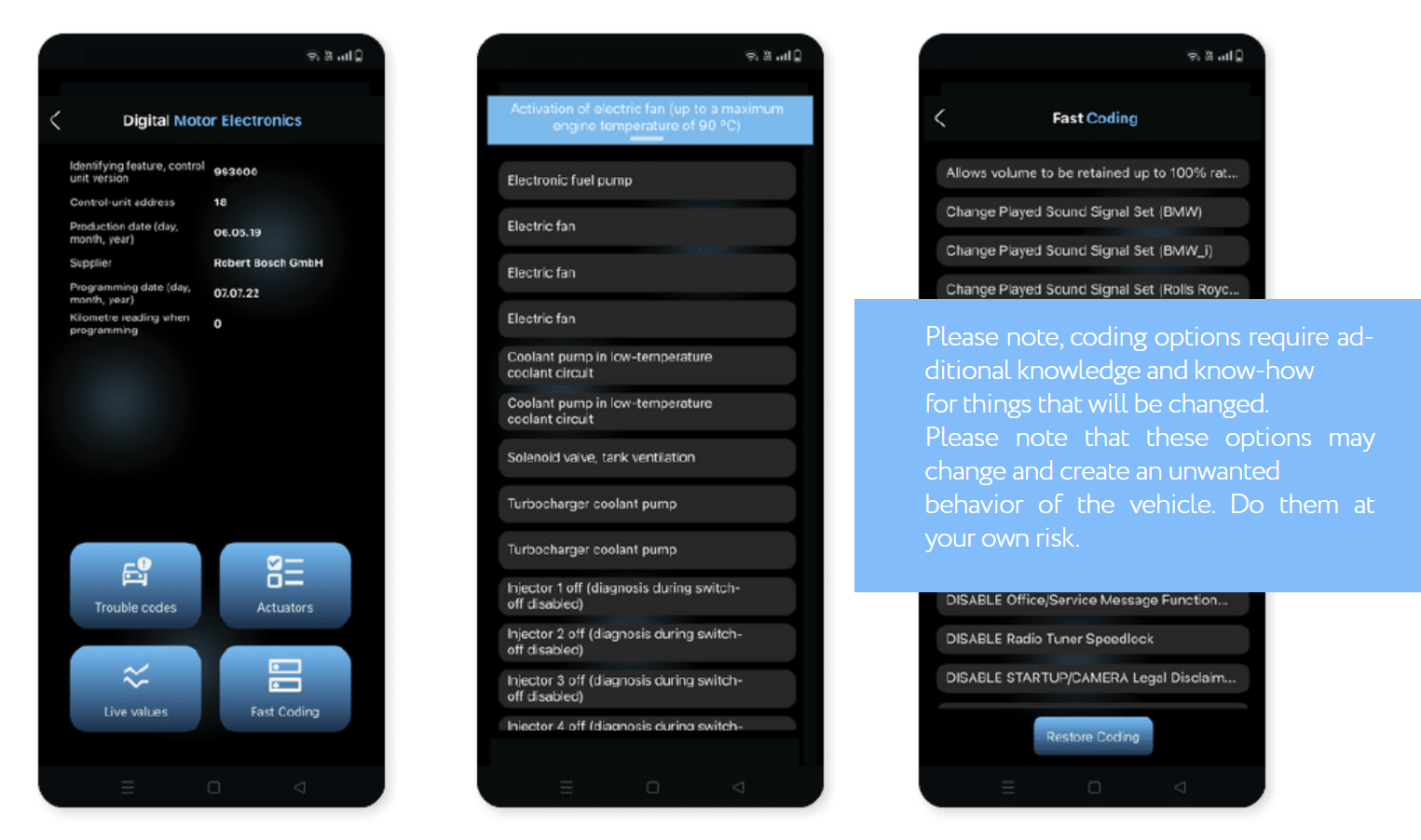
- Read the DTCs inside the selected module, gather additional info or clear them
Live values
- Are the data readings from the sensors of the vehicle in real-time. MODI App supports live values from almost all the scanned modules of the vehicle. You can monitor them in list view or in graph view, also you could save the values readings to a file.
Actuators Fast Coding
-
This button on the display should be pressed, and you will access a list with all the available components from which you can test by running a specific actuator, for example, the Electronic fuel pump.
-
Please note that some actuators have their own rules and conditions so they can be activated. MODI Abrites Ltd. is not responsible if some actuators are not working or activating.
-
Is an option which allows for the specific coding options in the module selected be seen and activated/disabled.
-
Restore coding could help your with restoring the default coding state of the module, or to access coding history and have the ability to roll back changes you have made.
-
You can select from the displayed options and press it
The listed features may not be available on every vehicle, depending on the specific configuration,factory options, and other factors. We do not assume responsibility if a particular feature is missing or does not function on a specific vehicle. If you want to ensure that specific functions are available for your vehicle, please fill out Our Contact Form - modiobd.com/contact-form/create