-
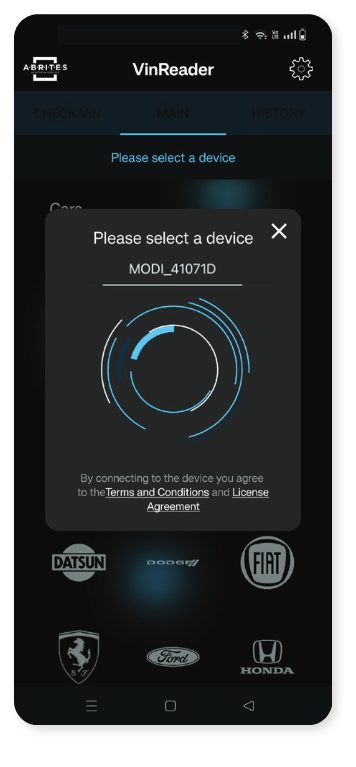
Once you connect the MODI device to the OBD port of the vehicle and your mobile phone Bluetooth is ON you can connect to the device. Now you can start using the VIN Reader App.
-
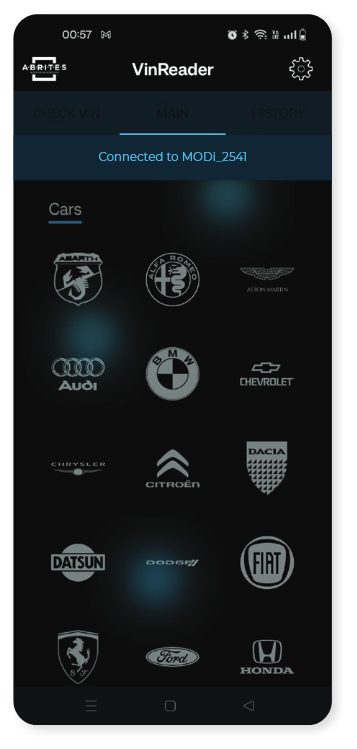
Select the brand you are about to work with and the app will start scanning the VIN numbers and odometer readings (turned on by default) of the electronic modules installed in the vehicle.
-
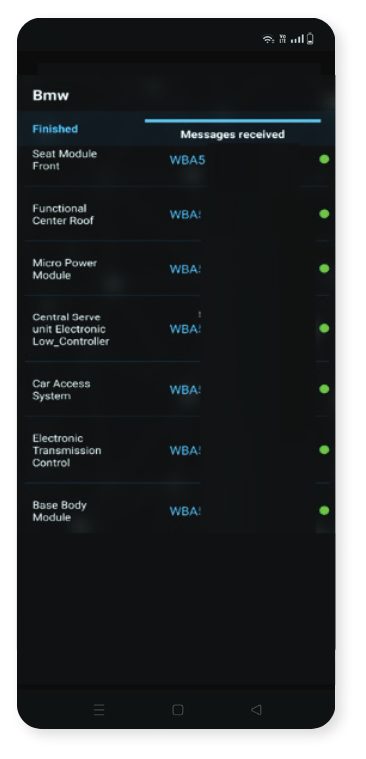
From this point on, the MODI device will communicate with your mobile device and use the vehicle’s OBD port to scan and display a list of modules installed in the vehicle. In this list, you will also see the VIN numbers of the individual modules
-
VINs highlighted in green have been automatically checked against the European stolen vehicle database ( www.stolencars24.eu ) and the South African stolen vehicle database ( coza.net.za ), and no records of theft were found.
-
If a VIN is highlighted in red , it means a record was found in one of the databases. In such cases, an additional pop-up will appear, providing more information about the stolen vehicle record
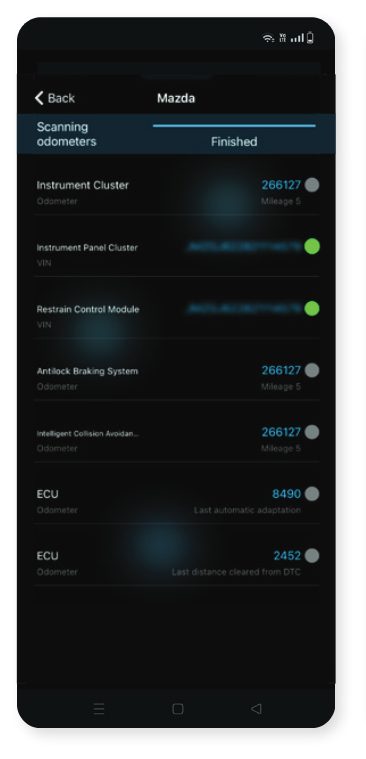
Odometer readings
- Odometer readings are activated by default. The VIN Reader application will first scan for VIN numbers and then proceed to retrieve odometer readings—if such data is available in the supported modules
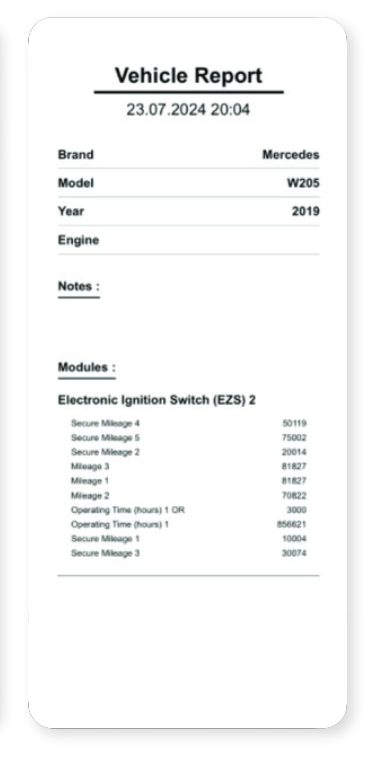
Vehicle Report
- By pressing the “Send Report” button, you can export the results in three different formats: PDF, HTML, or CSV. You can also add additional information about the vehicle in the provided empty fields before exporting. The file is saved locally on your mobile device
Settings
-
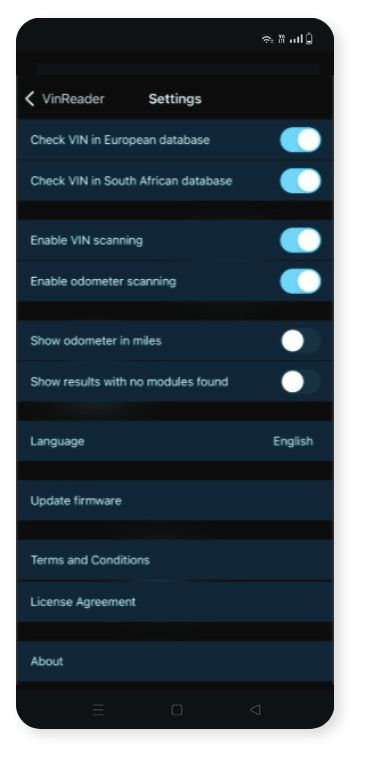
From the Settings tab, you can choose whether to check VIN numbers against stolen vehicle databases. If these options are enabled, internet access is required. If disabled, the entire application can run offline.
-
You can also select what to scan: only VINs, only odometer readings, or both
-
Odometer values are displayed in kilometers by default, but you can switch the unit to miles if preferred.
-
Additionally, you can change the language of the application from the Settings menu.
Please Note
- That we may not support all model variations from the supported brands, also we may not read all VIN numbers or mileage data you expect. Also, not all vehicle brands and models keep and process data as VIN numbers or mileage readings in their electronic modules. MODI Abrites Ltd. is not eligible for the truthfulness of the extracted VIN and mileage data. *Mileage data is a calculated value, a result of data extraction, which can differ from real values.