Key Learning in the Nissan/Infiniti vehicles is done via the OBDII port and only the latest models based on a Renault platform will require CB012 cable - additional details on that in a subsection later in this manual.
Supported Platforms
-
5 digit to 4 digit PIN code using HItag 2 keys
-
12 digit pre pin to 12 digit PIN using HItag 2 keys
-
20 digit pre pin to 20 digit PIN using HItag AES keys
-
22 digit pre pin to 20 digit PIN using HItag AES keys
The procedure is guided and provides all required details in each step, so that you are able to execute it only by following the on-screen messages. Procedure is started from the main screen of the software >
Key Learning button, and you will see the following
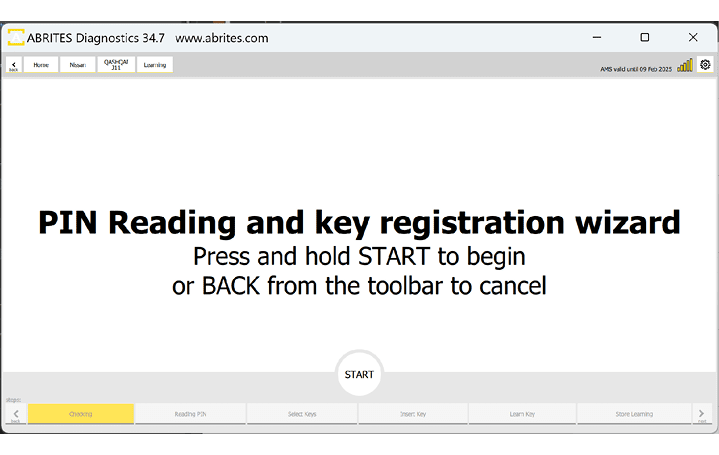
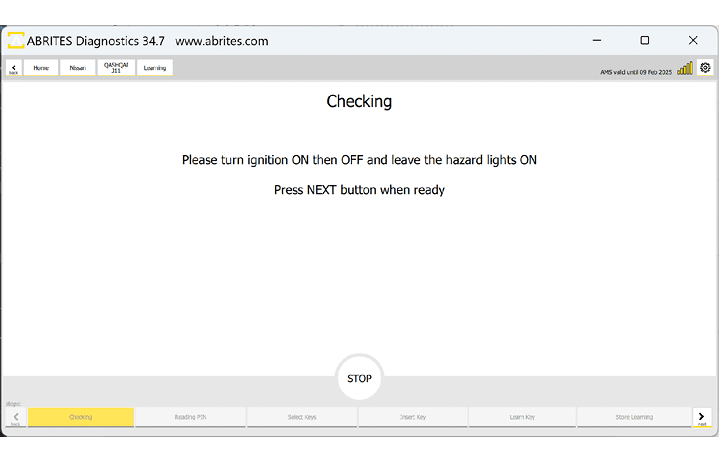
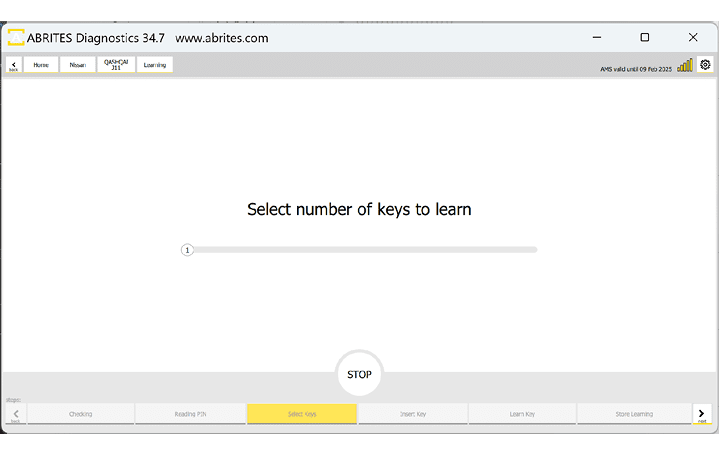
Below you can see more examples of screenshots from the procedure. On the first picture you can see the “Select number of keys yo learn” menu, where you need to drag the pointer to the required number of keys that you will be programming.
The next screen is giving you the required actions you need to complete for the key learning.
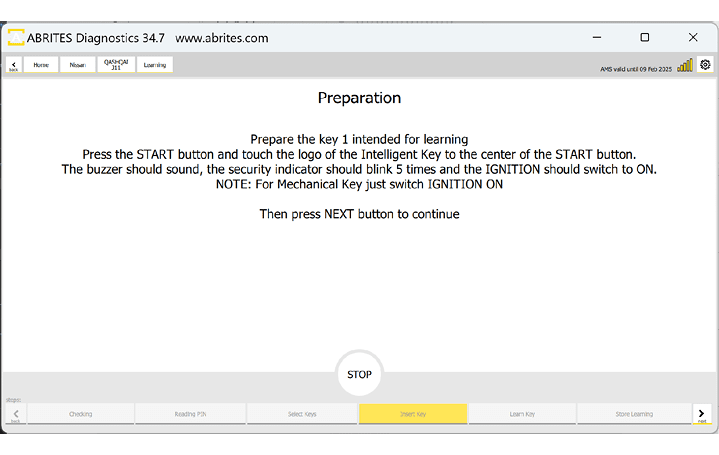
If everything is executed properly, you will see the following screens, and the procedure will be completed with success.
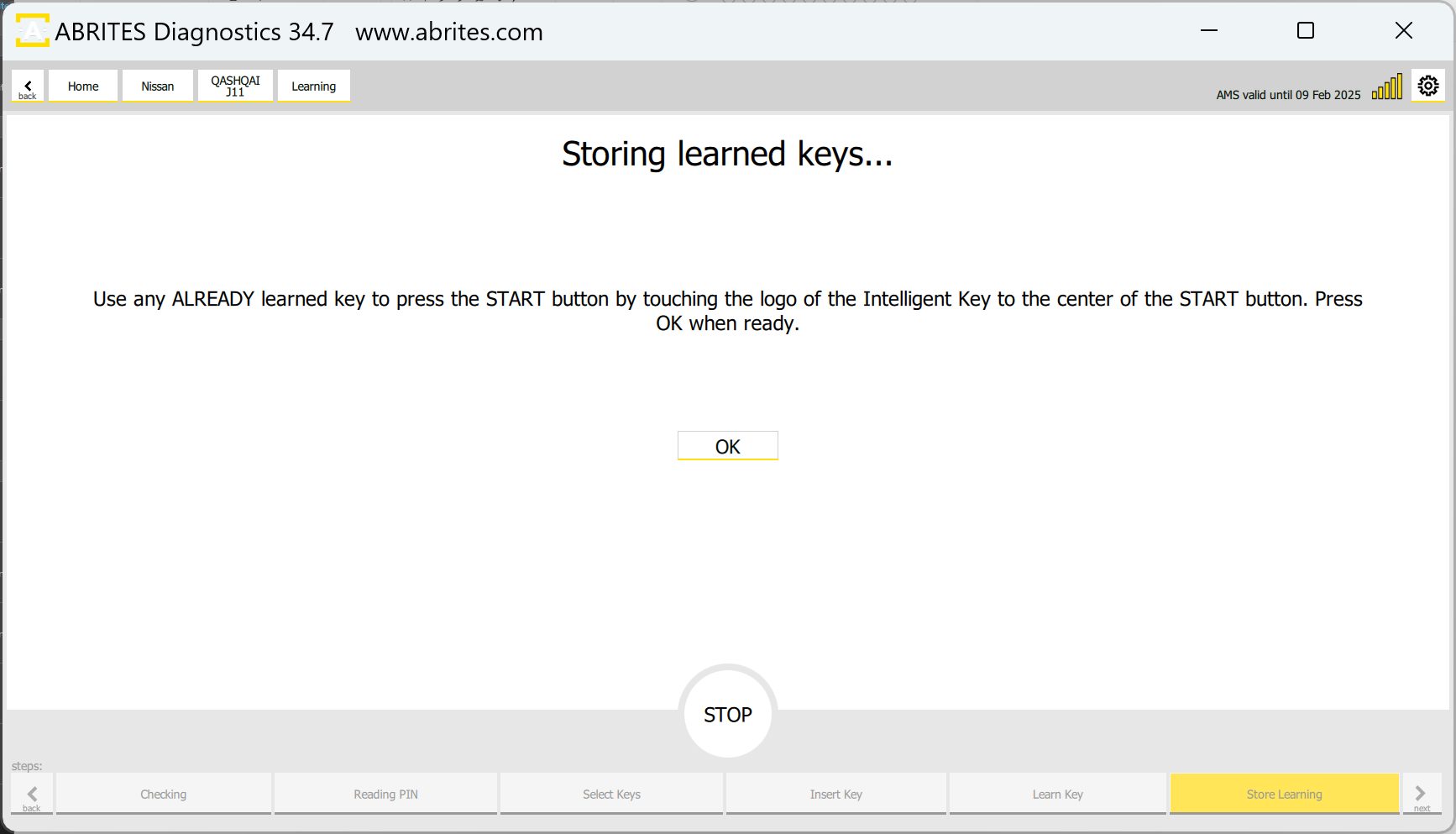
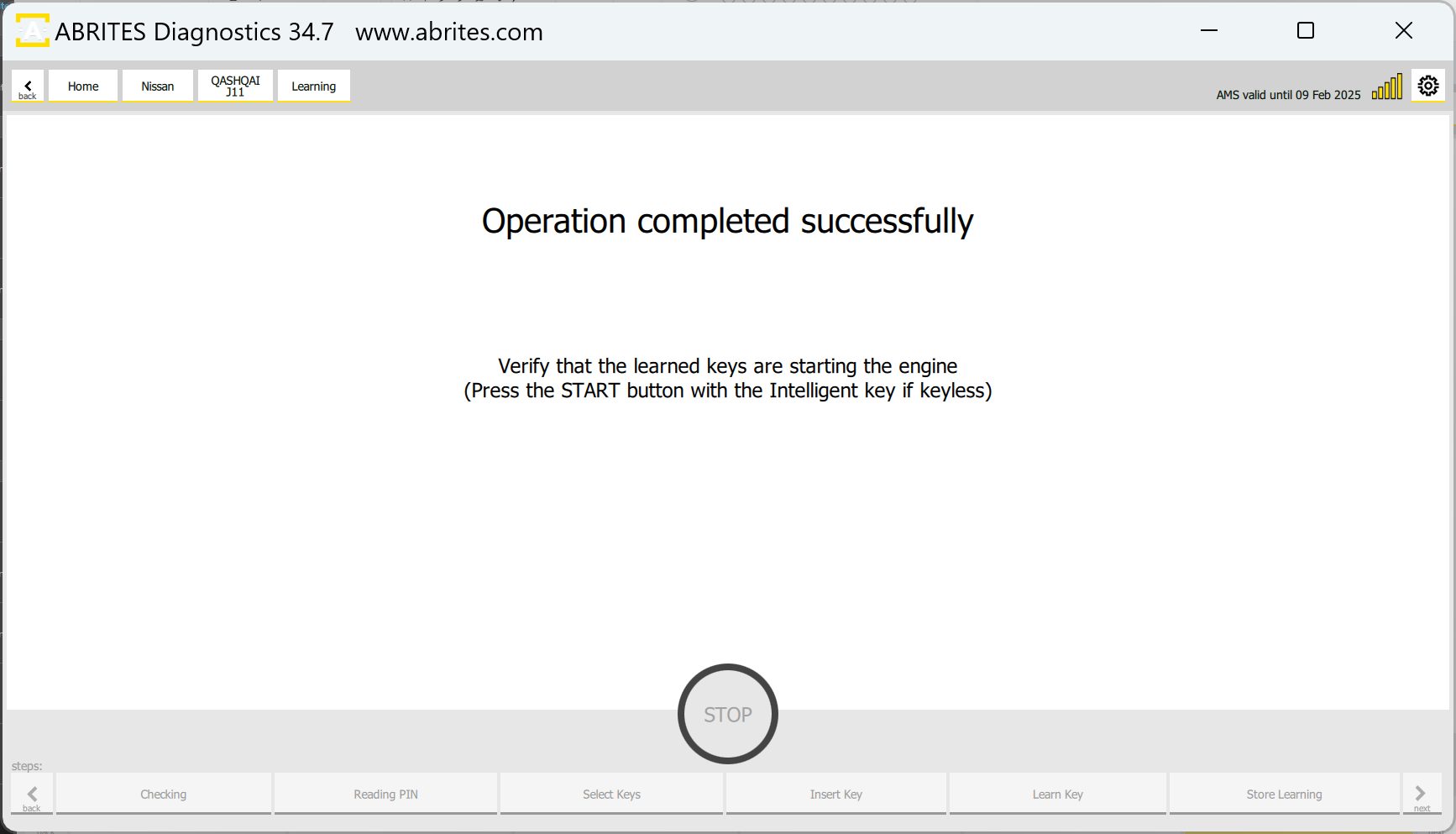
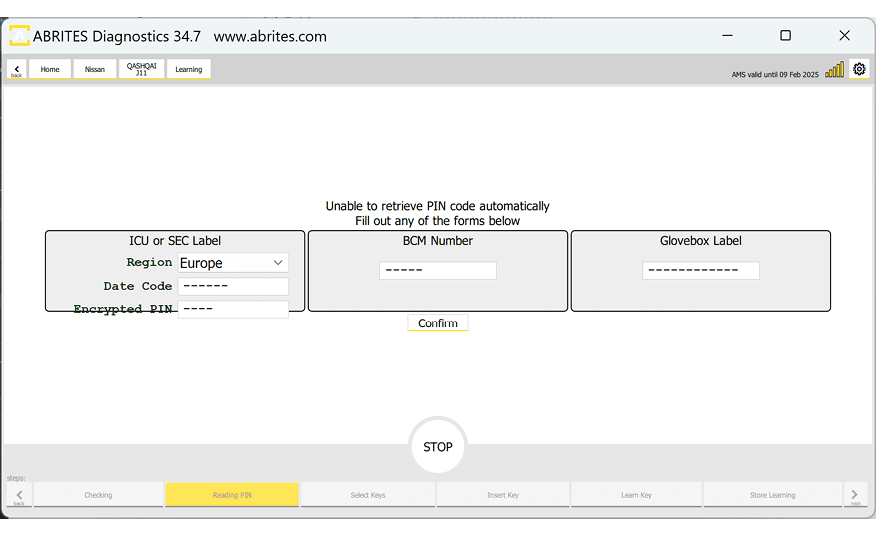
There are 3 main ways that the procedure can be executed.
-
If the software is able to read the BCM number via OBDII and calculate the PIN code, the procedure will go as in the screenshots above.
-
If for some reason the software is not able to read the BCM number, you will have to manually write the BCM number and let the software calculate the PIN. This number is visible at the label of the BCM unit.
-
Another option for using the PIN Calculator is to enter the glove box label number and let the software calculate the PIN
There is another option for older vehicles to calculate the PIN by ICU or SEC label.
PIN Code CALCULATOR covers the following platforms
-
5 digit to 4 digit PIN code using HItag 2 keys
-
12 digit pre pin to 12 digit PIN using HItag 2 keys
-
20 digit pre pin to 20 digit PIN using HItag AES keys