When “Next” is pressed the following window appears:
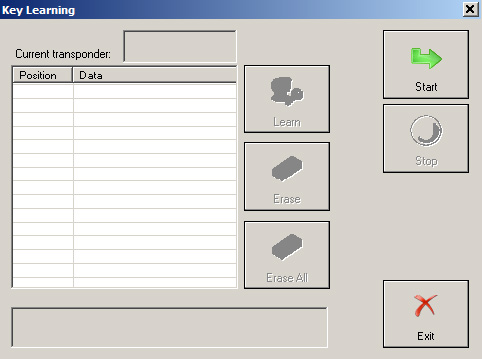
When button “Start” is pressed the “Abrites Diagnostics for Porsche” connects to the “Alarm” module and reads the keys which are currently accepted from the car. There can be up to four keys learned at positions correspondingly 1,2,3 and 4.
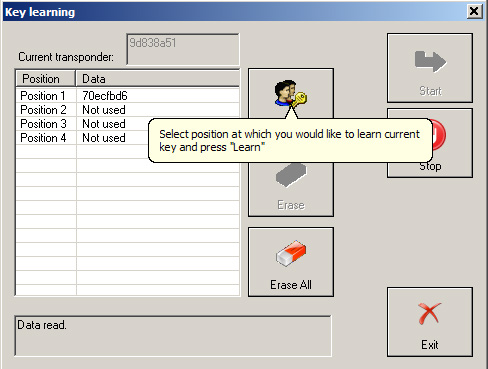
During reading the Diagnostics will ask you to specify the 3 bytes “Key learning code” of the alarm module. You will have the opportunity either to write down the code if it is available for you or to extract it by loading the alarm’s configuration data dump.

If you want to learn the key currently in the ignition lock, then you need to select a certain position (1 to 4) at which you like the key to be written. This is done by clicking over the corresponding position. By pressing button “Learn” the Diagnostics writes key’s ID at the corresponding position into the alarm module. Key is learned.
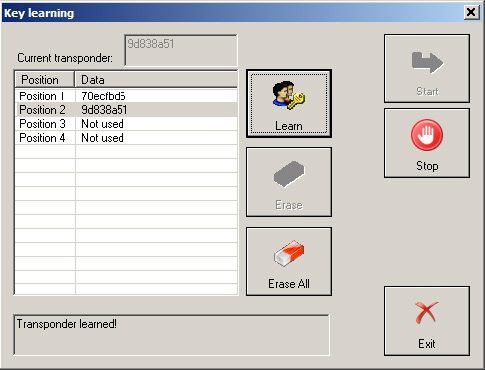
For to erase all the learned keys, press button “Erase all”.
For to disconnect from the alarm module press button “Stop”.
3.4.5.2 Teach remote control - GT2 996, GT3 996, 911 996, Boxster 986, Carrera GT
By selecting “Teach remote control - GT2 996, GT3 996, 911 996, Boxster 986, Carrera GT” the user can learn remote control for vehicle models GT2 996, GT3 996, 911 996, Boxster 986 and Carrera GT. When
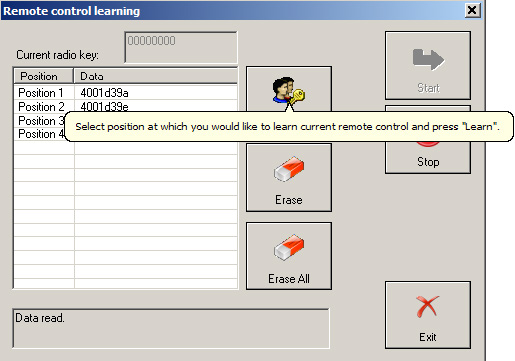
“Open” is pressed the following window appears
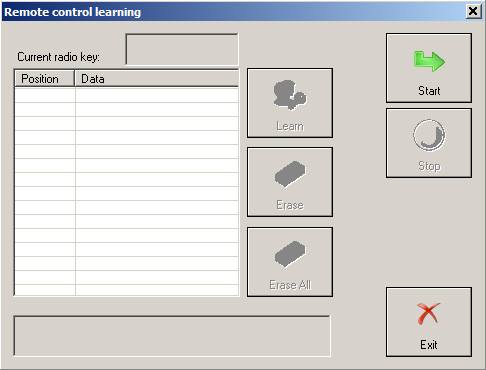
When button “Start” is pressed the “Abrites Diagnostics for Porsche” connects to the “Alarm” module and reads the remote controls which are currently accepted from the car. There can be up to four remote controls learned at positions correspondingly 1,2,3 and 4.
During reading the Diagnostics will ask you to specify the 3 bytes “Key learning code” of the alarm module. You will have the opportunity either to write down the code if it is available for you or to extract it by loading the alarm’s configuration data dump.

If you want to learn the remote control currently in the ignition lock, then you need to select a certain position (1 to 4) at which you like the remote control to be written. This is done by clicking over the corresponding position. By pressing button “Learn” the Diagnostics writes the remote control’s ID at the corresponding position into the alarm module. During writing the Diagnostics will ask you to specify the 12 bytes transmitter code of the remote (you can find it written over it).

Remote control is learned.
For to erase a remote control at certain position, first select the position by clicking over it and then press button “Erase”.
For to erase all the learned remote controls, press button “Erase all”.
For to disconnect from the alarm module press button “Stop”.