Since version 34.0 the Abrites Diagnostics for PSA Online is able to provide you full configuration or coding options.
These configurations are made for almost all modules installed in modern PSA vehicles.
The Config options allow you to change the configuration within the modules by changing the values within them. The system has been designed in such a way that is very understandeable and easy to use.
You can set modules in such a way so as to change their current configuration with alternative available.
You can use it to perform retrofit and will allow the modules to be programmed in such a way that the car will behave as if your modifications have been there from factory.
Our procedure goes in the following way. Enter the module you are interested in and press the Config button:
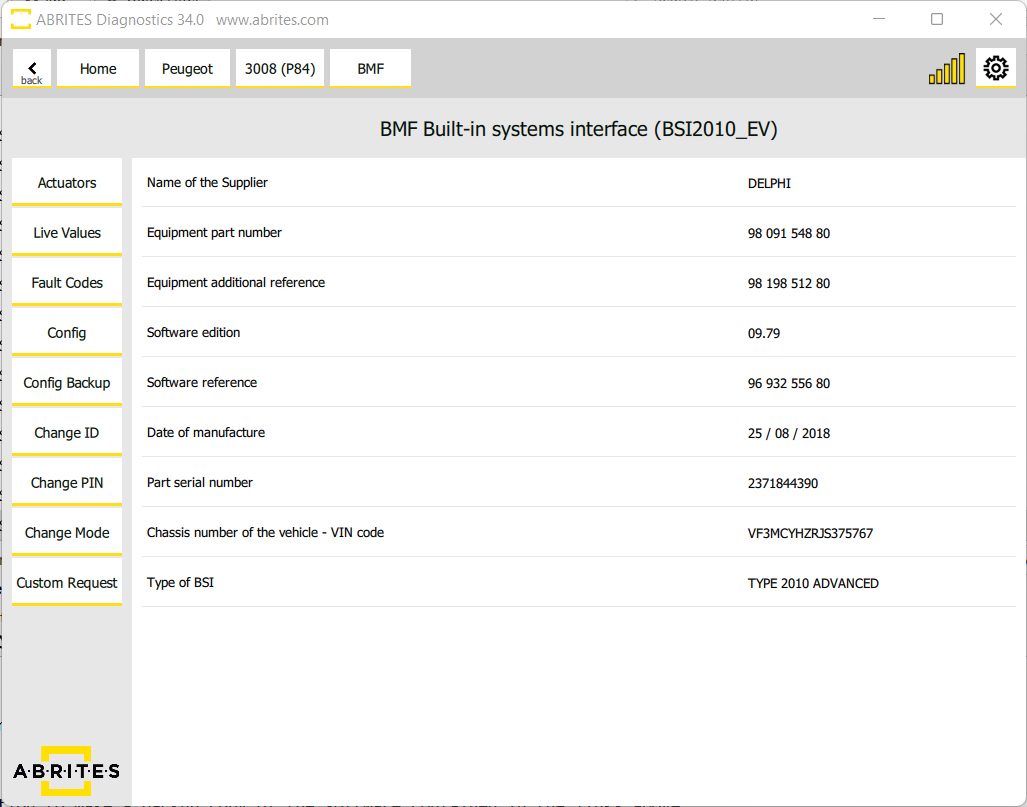
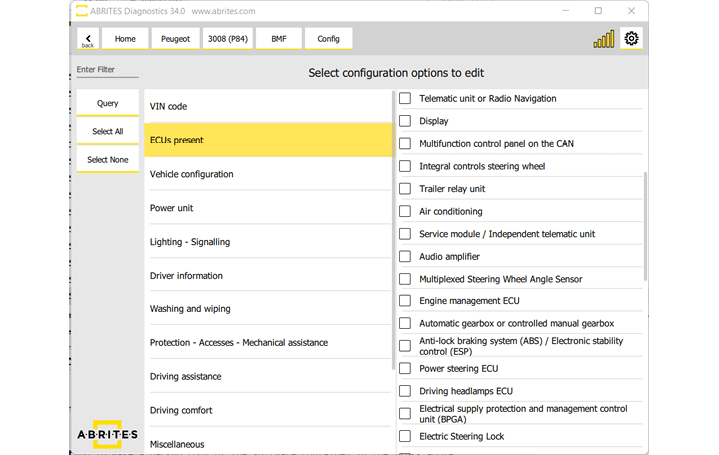
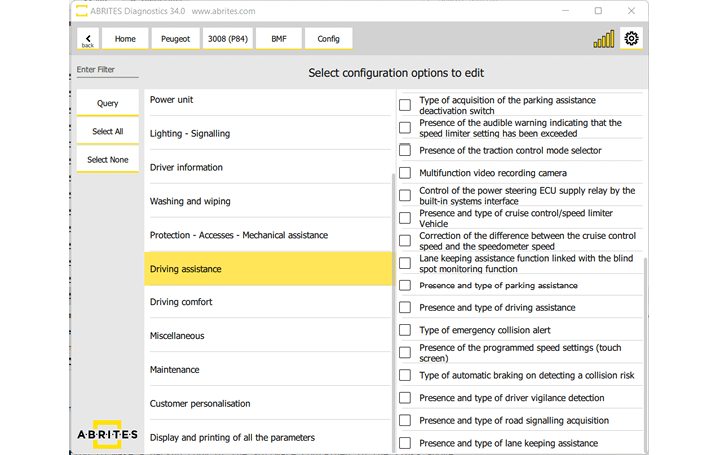
On the left side of the screen you will see a list of groups of functionalities operated by the confguration of this module and once you select one of them - on the right side you will see a detailed list of what exact features you can configure.
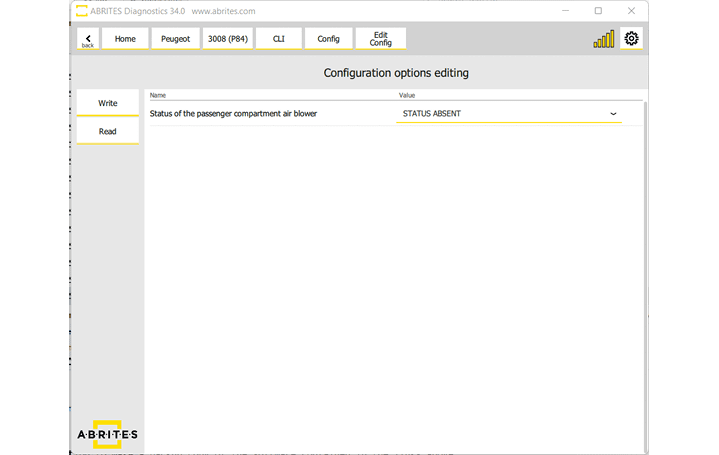
Once you select “Query” you will see the options on the right side of the screen, it will give you the drop down menu from where you can change the selection. For example from Active to Not active, from enabled to disabled and vice versa.
Once you are happy that the configuration is correct from what you would like to do you can press “Write” and the software will make the neccessary changed.
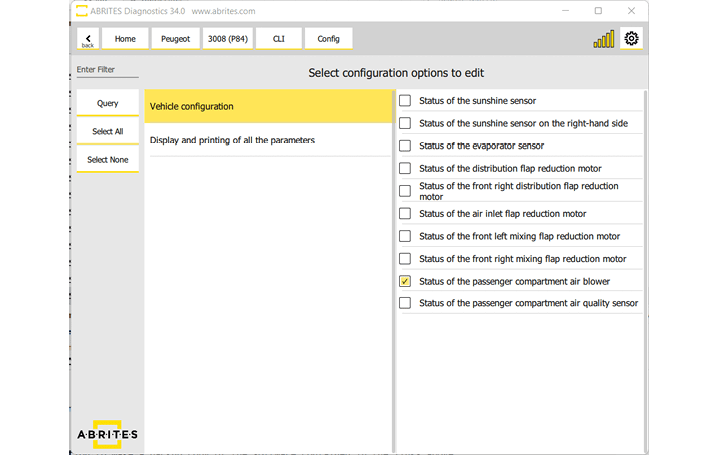
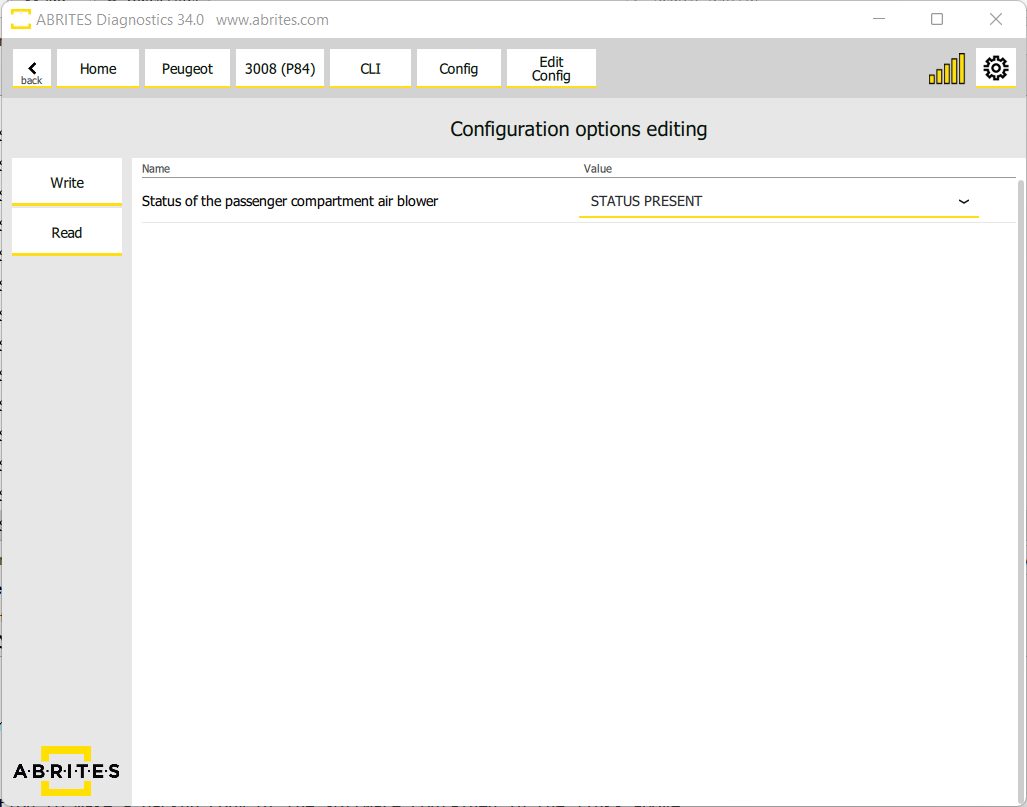
In this particular case we can add a passenger compartment air blower to be added to the passenger compartment of the this P84 3008
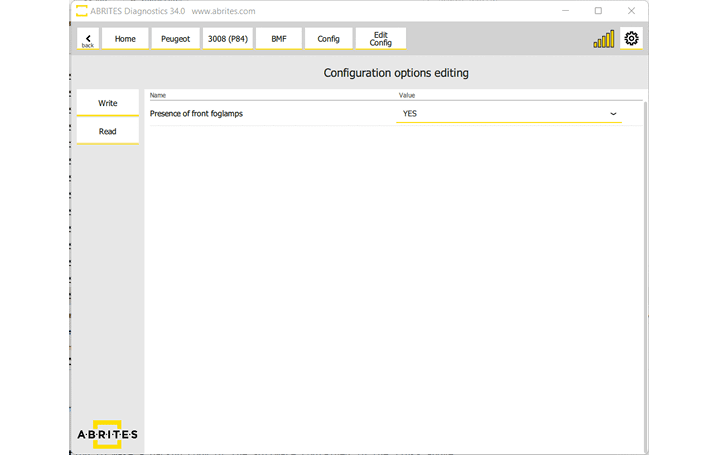
In the same vehicle we also tested the activation of the front running lights as you can see below:
Of course, as with all Abrites coding and configuration functionality you will be able to save the data to a file from the very beginning.
We suggest you always do that so as to have a backup, you just save the current config before starting the procedure (to a file on your PC) and if something goes wrong you can always just select the file for the particular module and restore it to its previous state.
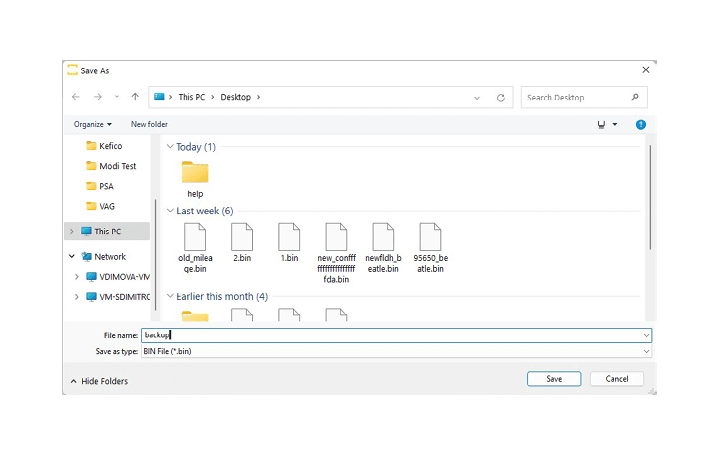
There are two very important factors we need to remember. Always save the backup per module, there is no general configuration you can save. This means that every module you enter must be saved and configured separately.
Another very important thing is that there may be coding that requires you to modify the configuration of two or more modules separately, we still do not have fast coding functions for PSA Config.
It is safe to assume that you must really know what you want to configure since you are reading this but please do as much research as possible. We provide the tool to perform configuration but it is easy to make a mistake so please be very careful and take your time with doing as much research as possible.