The supported units for reading (electronic units equipped with RH850/V850 processors) and writing (electronic units equipped with V850 processor) is dynamic and constantly updated, as we are adding more units to the supported list constantly.
Step-by-step procedure
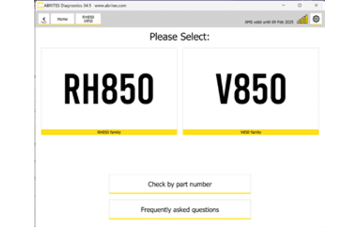
1. Open the software
On the main screen you will see the two MCU types - RH850 and V850 - and the "Check by Part Number" button.
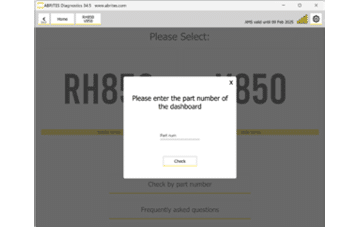
2. Enter the part number
Type the part number of your dashboard and you will get the needed information.
Important notes
- Reading and writing are not the same coverage. Reading covers RH850 and V850; writing covers V850 only.
- Because the list changes with every software release, check the part number rather than relying on a list printed at any point in time.