Learning a new key
Step-by-step procedure
1. Open the special functions menu
The Key learning special function is selected by opening the special functions menu:
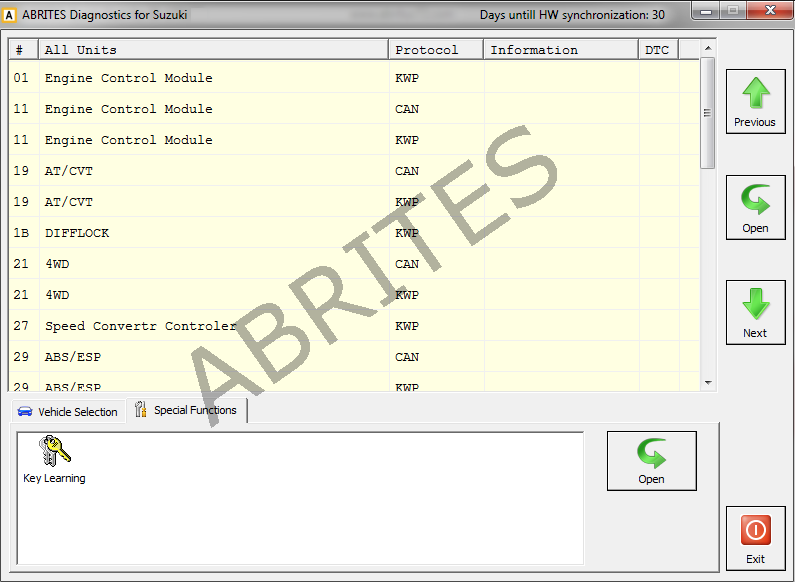
2. Select the key learning icon
When that is done the key learning icon should be selected. Once the function is selected you will see the Key learning window.

3. Select the model
From the drop-down list the correct model of the vehicle must be selected:
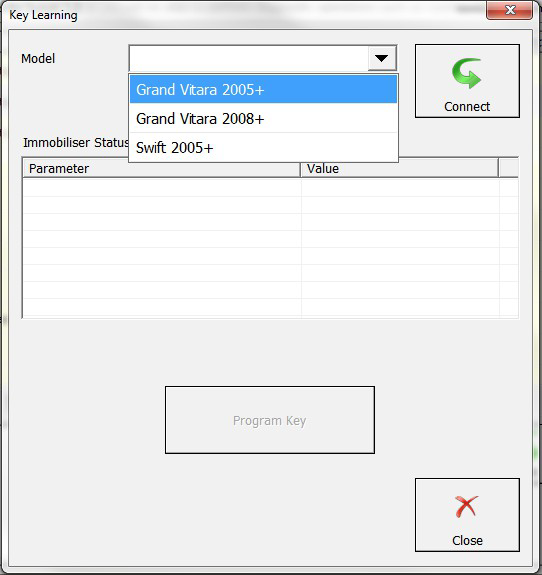
4. Press "Connect"
After selecting the vehicle press Connect and the connection to the vehicle will be established.
5. Follow the on-screen instructions
From here follow the on-screen instructions closely and a new key can be learned.
Please refer to abrites.com in order to see the full list of supported vehicles for key learning.