Requirements
-
AVDI interface
-
DS-box for ECU and TCU reading on Bench
-
ProTag Programmer
-
Spare key(s)
-
RH850/V850 Programmer – ZN085
-
CB501 cable
The procedure consists of several steps briefly described below. Please make sure to follow the instructions carefully and in the exact order.
Step 1
- Read the ECU immobilizer data. Alternatively, if the vehicle is equipped with a Bosch ECU, perform an Immo Off procedure using a dump file.
Step 2
- Read the TCU immobilizer data either via Direct CAN connection or from a dump file.
Step 3
- Read the dashboard module on the bench then write the file back using the ZN085 RH850/V850 Programmer, choosing the Key learning option.
Step 4
- If the vehicle is equipped with an ELV (Electronic Steering Lock) module you should uninstall it at this point.
Step 5
- Prepare the spare key(s) and program them to the vehicle.
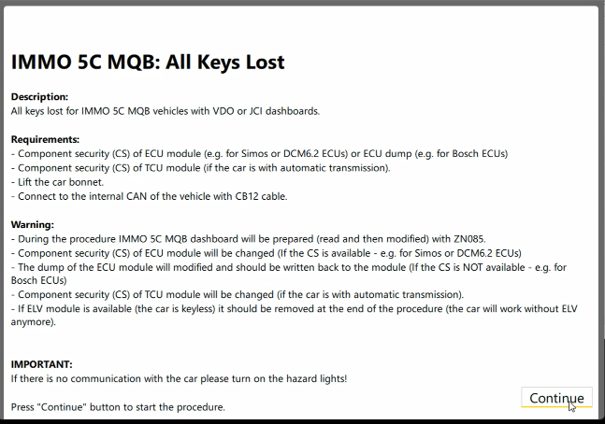
Step by step guidance
-
Connect the AVDI to the vehicle’s OBDII port and turn the hazard lights “ON”.
-
Open the VAG Online and select Key Learning > “IMMO5C MQB” > All Keys Lost”
-
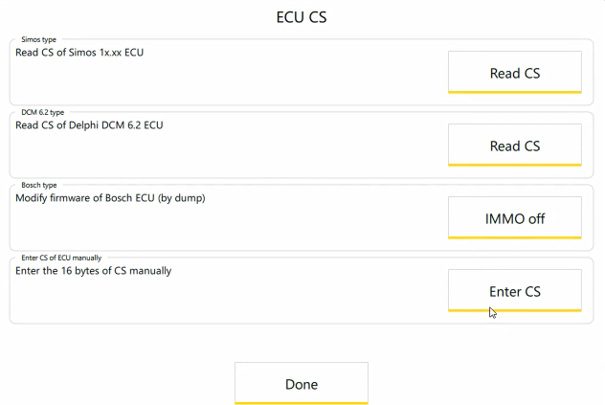
Read the CS of the ECU or perform Immo off if it is manufactured by Bosch
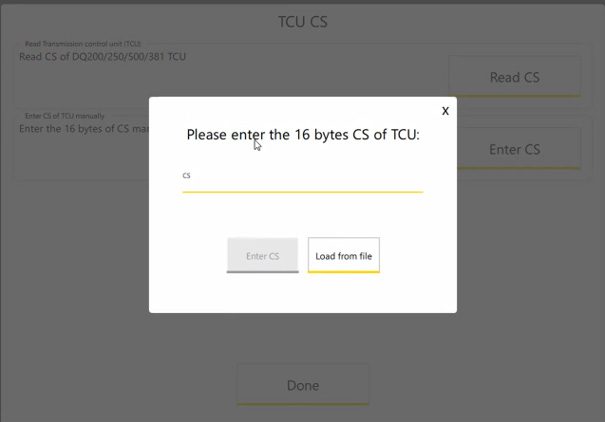
- Read the CS of the TCU via direct CAN, extract it from a file dump or enter it manually
- Reading the VDO instrument panel “On Bench” with ZN085.
Remove the dashboard from the vehicle and connect the CB501 cable as per the appropriate wiring diagram. Select the correct instrument cluster in the software and check carefully the wiring diagram. Read the instrument cluster data. Upon successful reading, the software will notify you that the Immo data is stored in the crypto core. Click the “Write MCU” button, then confirm by selecting “Yes” to proceed with the spare key programming. Once the writing process is finished, return the capacitors and unsolder the CB501 cable and proceed to the next step.
-
Uninstall the steering lock module if the vehicle is equipped with.
-
Key Learning by OBDII.
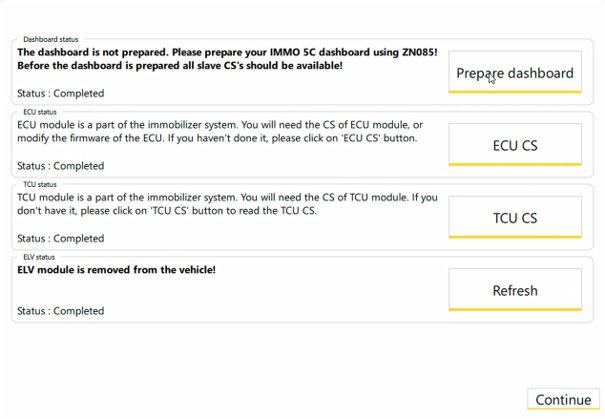
Once you have collected all the Immo data you should open the bonnet and proceed to “dealer” preparation. Ensure the ProTag is still connected to the laptop and select how many new keys you need to program and then you should insert them in the Protag one by one, in order to be prepared.
On the next step, you should select the total number of keys to be programmed and press Next. Turn Ignition ON with each key within 2 minutes (follow on-screen instructions). In case the car is keyless, touch the emergency antenna with the key and wait for the process to finish.
At the end all the programmed keys for this session will be saved in the vehicle’s immobilizer.
Note: If the new keys start the engine via transponder (emergency slot) but the Remote and Keyless functions are not working, please disconnect the vehicle’s battery for one minute. Then, repeat Step 7: Key Learning by OBDII, without preparing the new keys again—simply select the option to relearn the existing keys, (as the new ones have already been prepared).
NB!
If the vehicle is equipped with a secure Gateway (GW) module, the procedure cannot be performed via OBD.
For first-generation SFD vehicles, the key programming procedure should be carried out using the CB012 cable connected directly to the vehicle’s Comfort CAN lines behind the Gateway module:
-
CAN High (CAN-H): Orange/Green
-
CAN Low (CAN-L): Orange/Brown
Alternatively, you can use a third-party SFD unlock solution and then perform the procedure via OBD within the next 90 minutes after the SFD session has been unlocked.