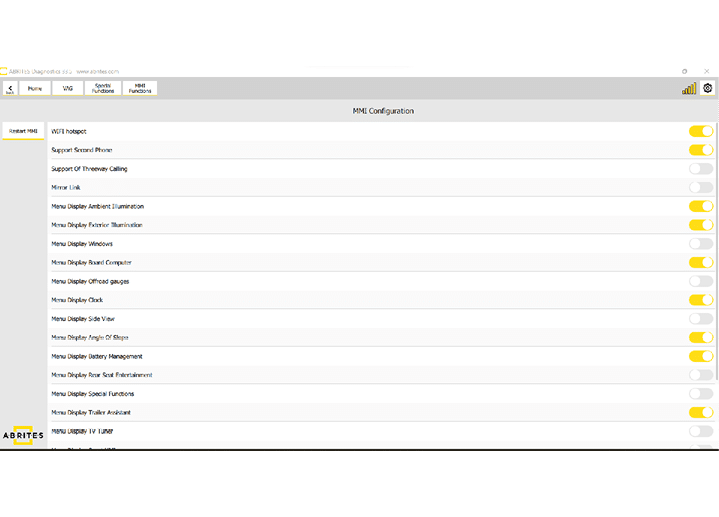
In the MMI functions menu we have the ability to enable and disable features in the MMI system. This is done using toggle switches on the right hand side of the screen. On the left side is the feature itself and on the right side you can enable and disable a chosen feature. Examples of what can be enabled and disabled can be:
-
Wi- Fi Hotspot;
-
Offroad Menu;
-
Displaying of various modes (clock, etc.)
-
Trailer camera features;
-
Mirror Linking;
-
Three way calling;
-
Various other options
The button “Restart MMI” provides you with the option to test all the features you have modified almost immediately. It resets the MMI and you can check the modified features.