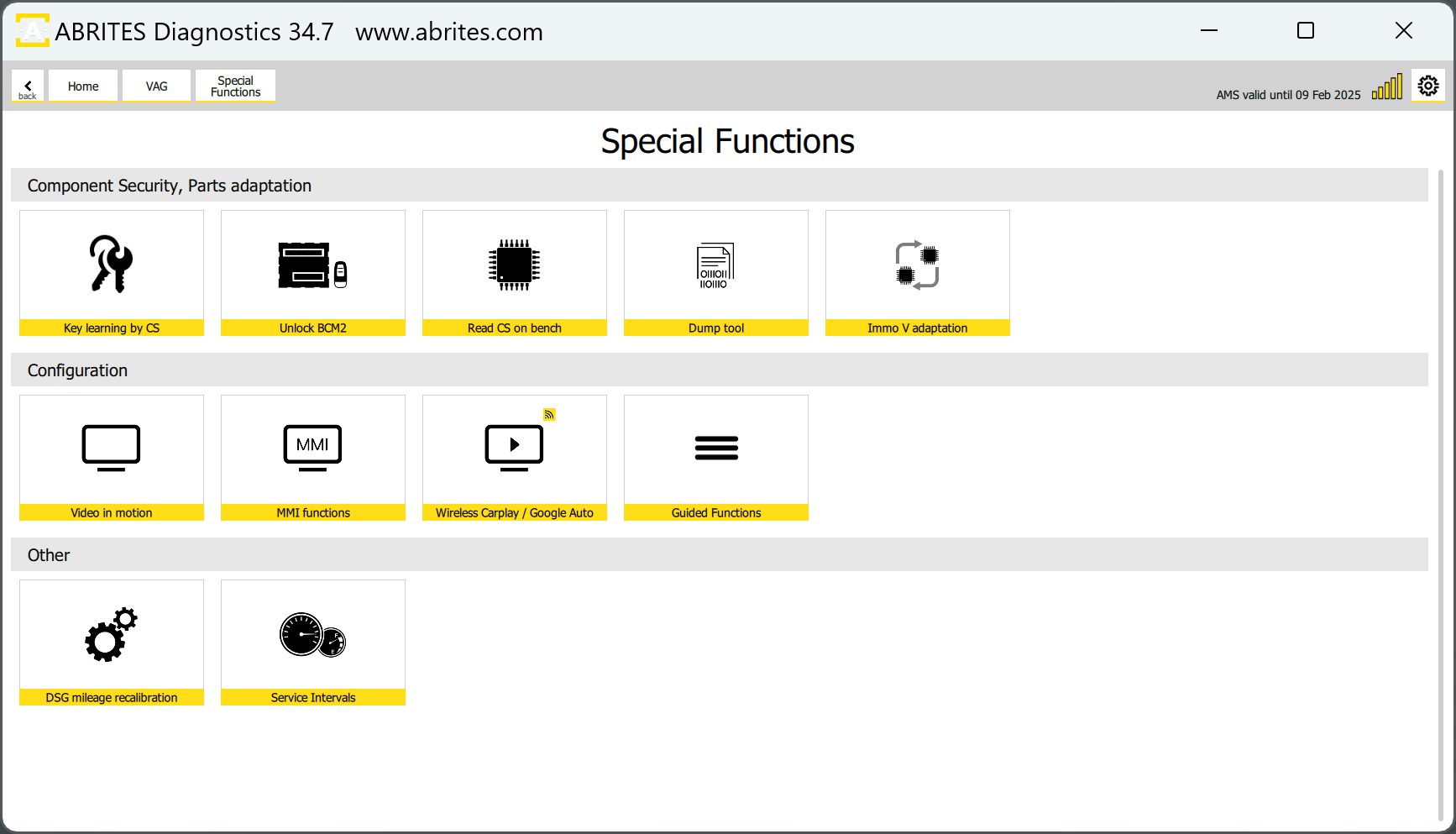
The “Unlock BCM2” functionality is found in the “Special Functions” menu and by selecting “Unlock BCM2“. It is available with VN020 license and included in VN003 license.
This special function has the following capabilities
-
Read the component security (CS) bytes from locked BCM2 modules 2013-2018
-
For both A4/A5/Q5 and A6/A7/A8/Touareg platforms
-
Use the CS bytes for key programming
-
A4/A5/Q5 vehicles 2008-2016 - all keys lost
-
A6/A7/A8/Touareg vehicles 2010-2018 - adding spare key (and all key lost programming, if CS of ECU/TCU can be read)
There are two methods that you can use, in order to complete this task
-
Using the new ZN080 set - a very convenient and fast method
-
Using the CB016 set - requires soldering (outdated)
4.4.1 Using the ZN080 set
The new development of our company ZN080 set, lets you work with locked BCM2, without the need of soldering, thus, making the proces much faster and with no mistakes on the points of connection. So far our team has identified 3 types of units (so 3 different connection types) and the ZN080 set contains of
3 different tools to connect to each type of unit
-
Adapter Type A is used to connect to BCM2 units for 8K models - A4/A5/Q5
-
Adapter Type B is used to connect to BCM2 units for 4H models - A6/A7/A8/Touareg with software version above 800 (can be found on the label)
-
Adapter Type C is used to connect to BCM2 units for 4H models - A6/A7/A8/Touareg with software version below 800 (can be found on the label)
Connection
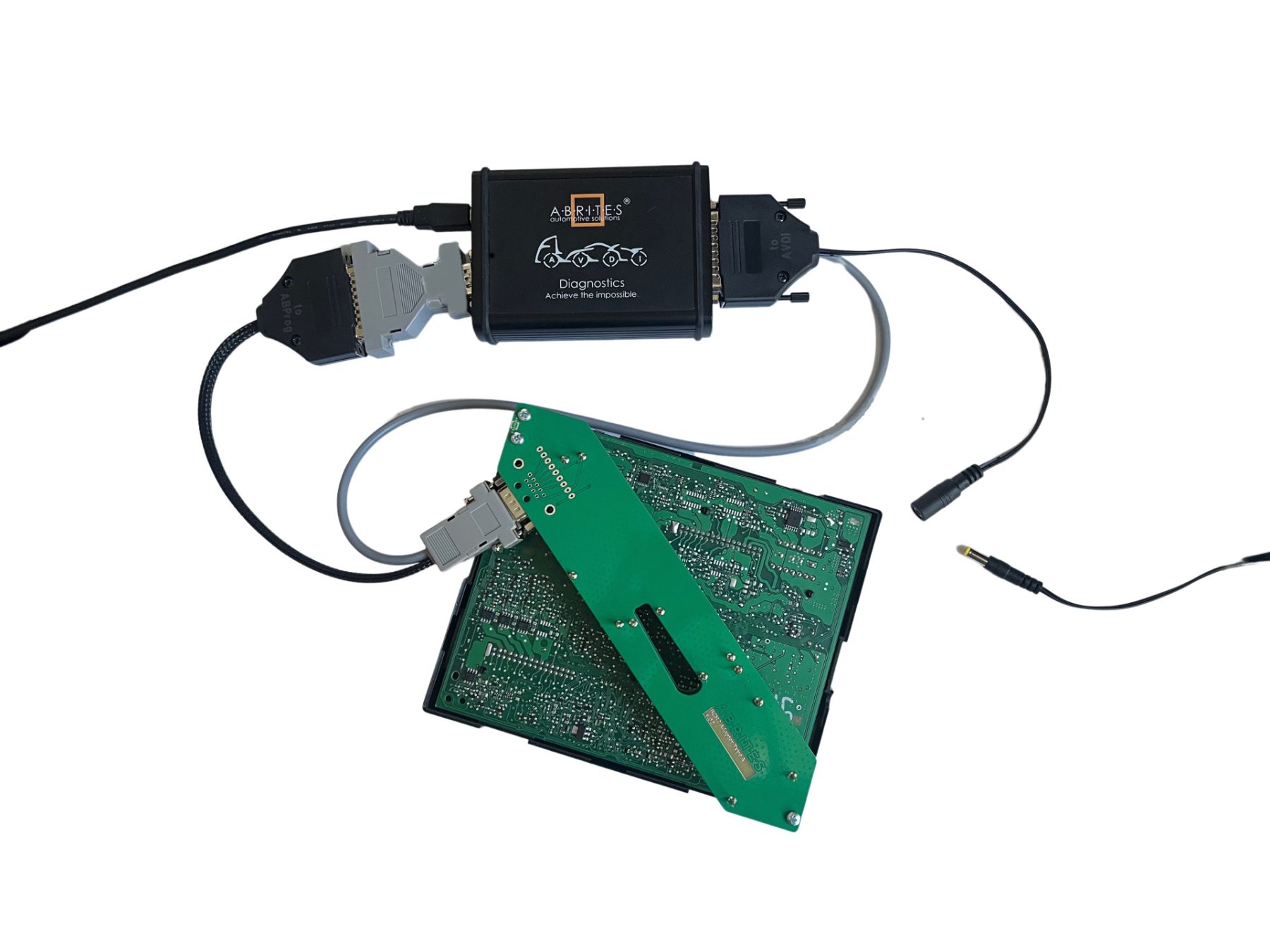
The ZN080 set consists of a few adapters with instructions. A DB25 with an Abprog programmer connects to the AVDI DB15 slot. The DB09 connects to the desired adapter type (A, B, or C). The other DB025 is connected to the DB25 connector of the AVDI. Power supply needs to be provided to the dedicated connector of the set as well. (The ZN063 12V/1A DC Power adapter can also be used as power supply; any other power adapter with the proper connector is also applicable) The way the adapter is fitted to the BCM2 unit is very simple, you just need to screw it to the diagonal sides of the PCB of the BCM. Once this is ready, you can continue with the procedure, without the need of soldering, as the needles are designed to connect to the correct spots. After job is done, you just unscrew the adapter and the BCM2 units is ready to be put together and fitted into the vehicle. This is how the set-up looks like:
Procedure
The procedure for unlocking the BCM2 unit and programming keys consists of the following steps:
-
Once you have connected the cables to your AVDI and the BCM2 unit and have supplied power, open the software, open the “Special Functions” menu and select the “Unlock BCM2” button
-
Click “Read Data”
-
You will be prompted to make sure you have connected the ABPROG (provided in the ZN080 set) where you will have to confirm with “OK”
-
The software will unlock the BCM2 unit, the process takes about 5 minutes.
-
You will see a message that the BCM2 unit has been successfully read and the BCM2 installed in the car.
-
If you wish to program a key, you need to connect a PROTAG programmer and click the “OK” button to proceed.
Note: All keys lost on Audi A4/A5/Q5 can be done by making a dealer key by pressing the “Make a dealer key” button, followed by “Learn key(s).
All keys lost on Audi A6/A7/A8/Touareg is possible if the CS of the ECU/TCU could be read.
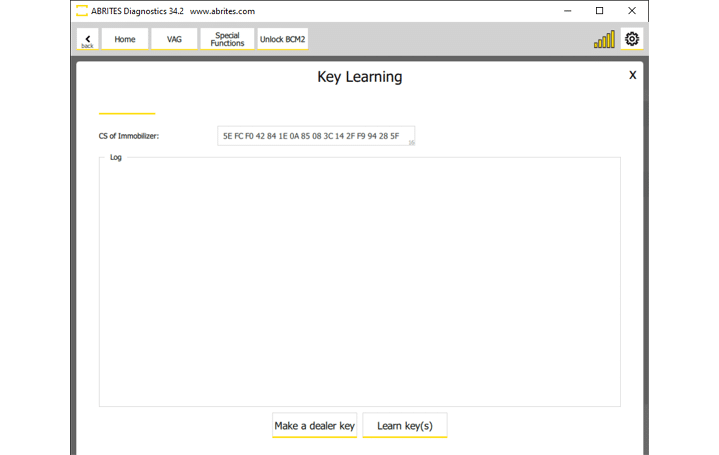
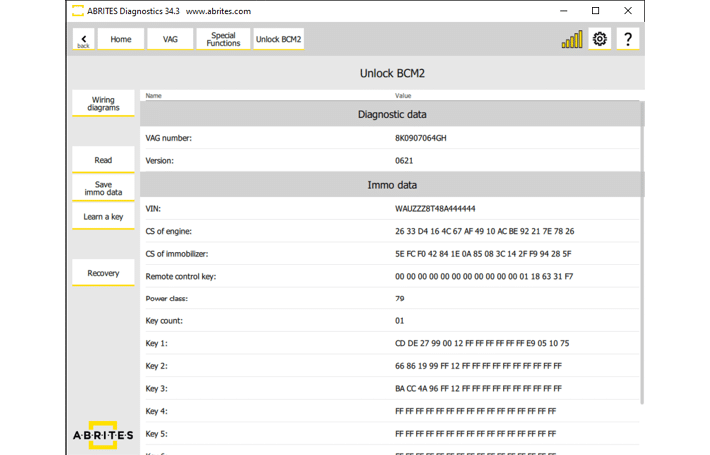
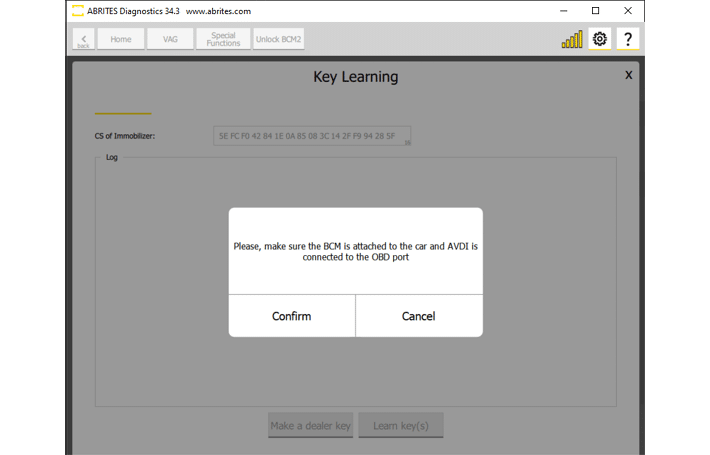
Once the BCM2 unit is unlocked, you will be able to save the data to a file, and proceed to key learning from this screen. The procedure is guided, so you just need to follow the instructions.
N.B. BCM2 units should be installed in the vehicle for key learning procedure
4.4.2 Using the CB016 - outdated and replaced by ZN080
CB016 cable set is an outdated product.
For optimal performance, please use the ZN080 - BCM2 Solder-Free Connection Set
The functionality requires the user to use the ABPROG, CB162 together with the CB161 cables. CB161 requires a power adapter to be used in order to supply the BCM2 unit with +12V. The ZN063 12V/1A DC Power adapter can also be used as power supply (any other power adapter with the proper connector is also applicable).
The procedure requires the BCM2 unit to be disconnected from the car.
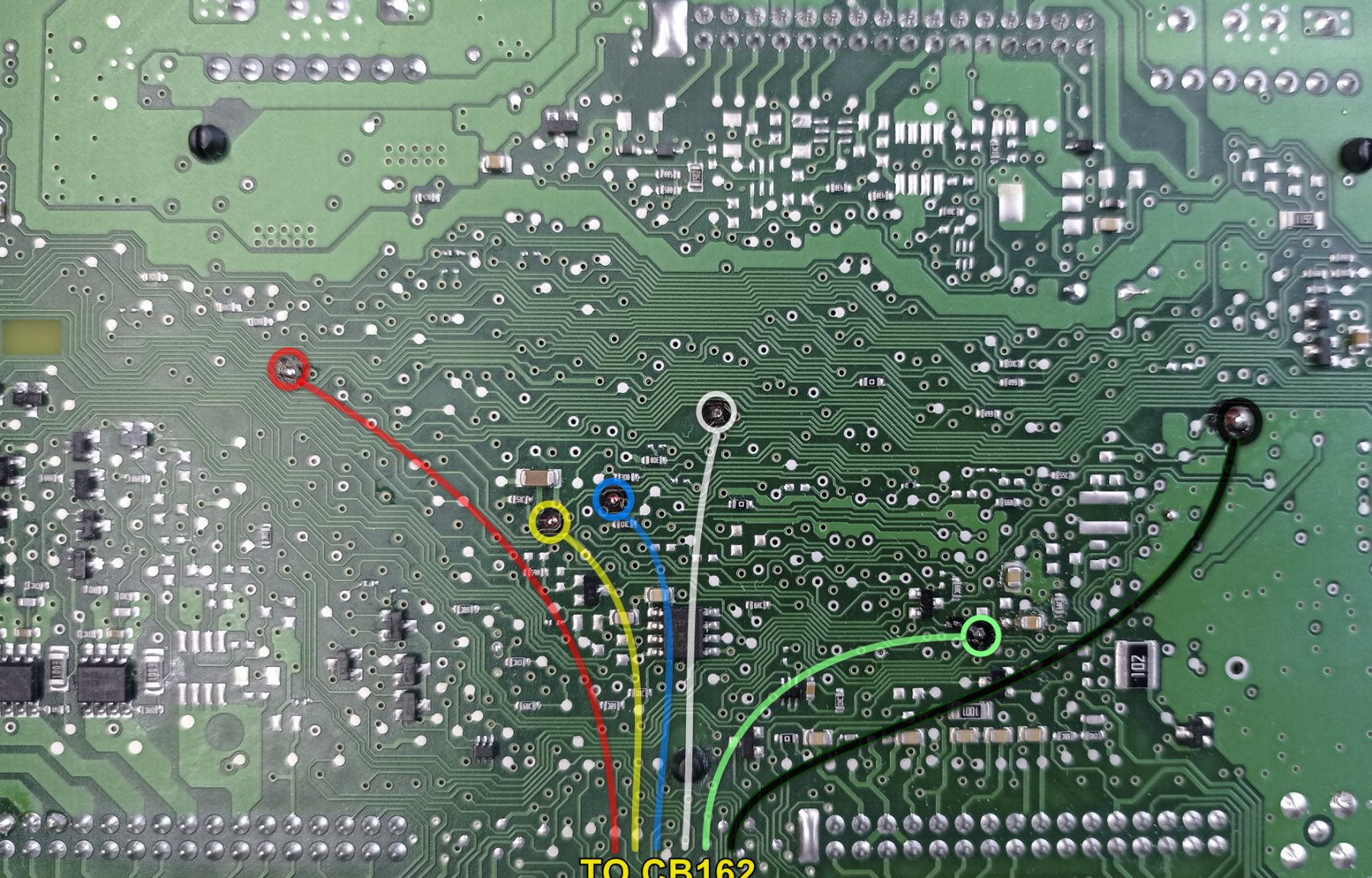
On the next pages you may find the connection diagrams for the different types of BCM2 units. Below is an example of 4H BCM2 unit connected with the outdated CB016
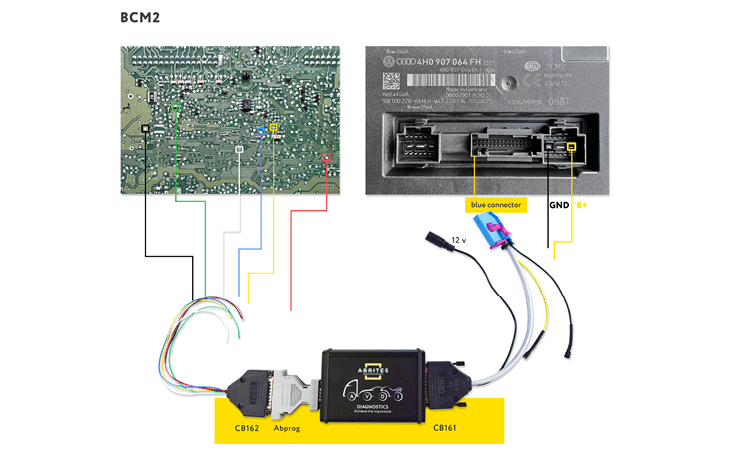
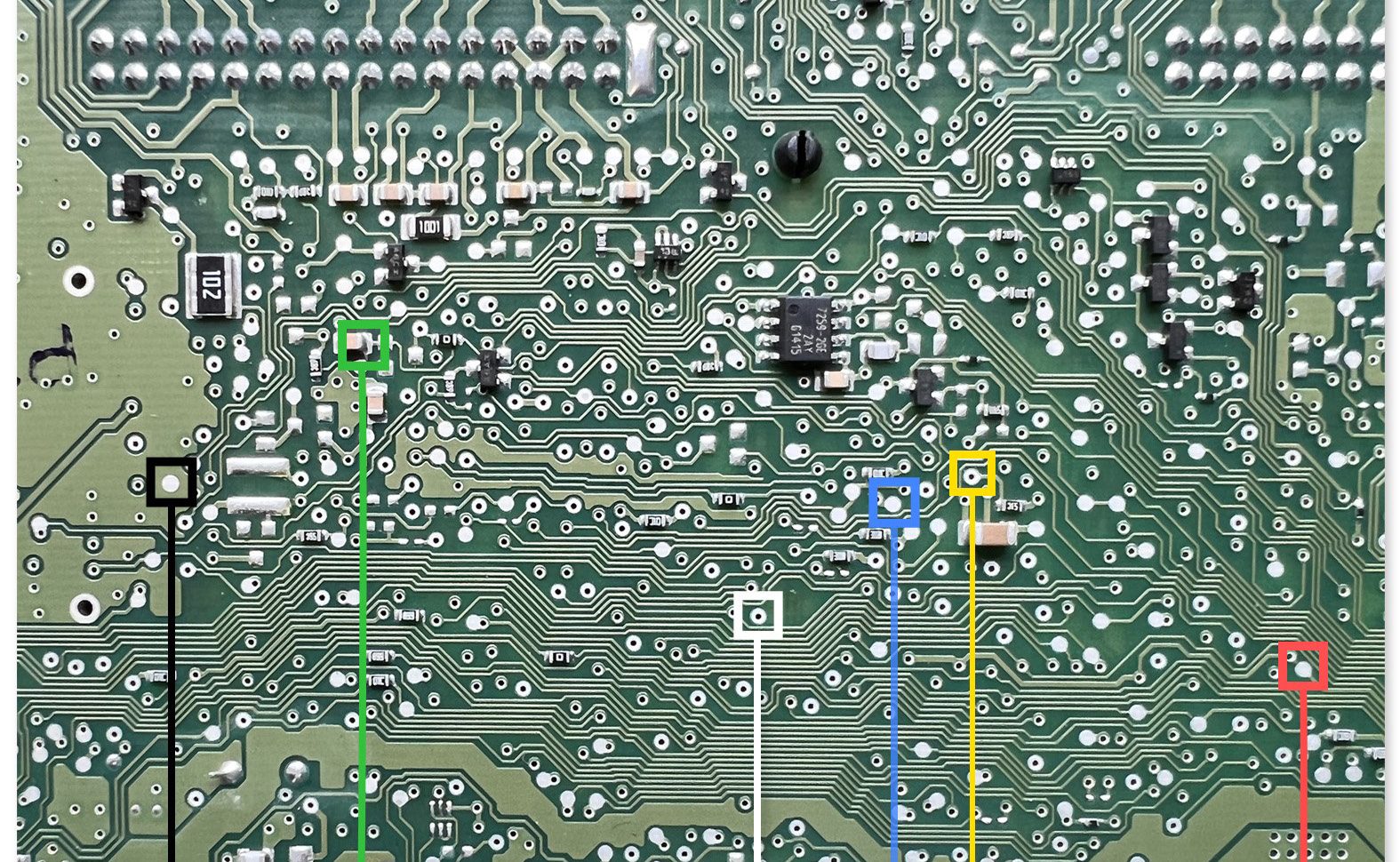
*Depending on the software version of the unit, there might be very little differeces in the connection points’ positions. For this reason we encourage you to use the ZN080 set.
Below you may find an example of connection to a 8K BCM2 unit
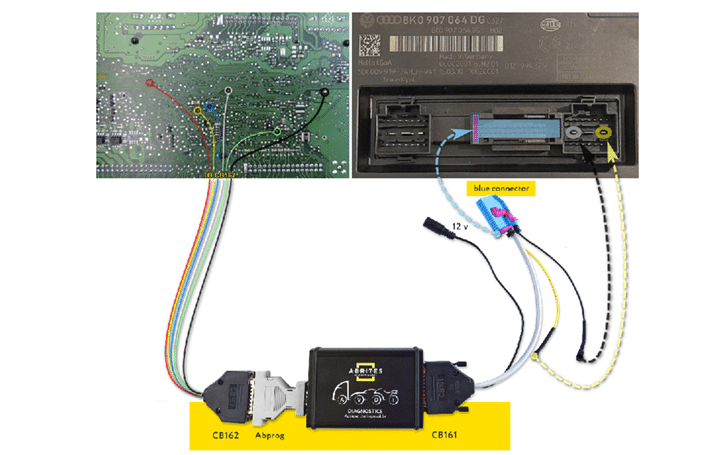
The procedure for unlocking the BCM2 unit and programming keys consists of the following steps:
-
Once you have connected the cables required to your AVDI and the BCM2 unit and have supplied power, click the “Unlock BCM2” button from the Special Functions menu
-
Click “Read Data”
-
You will be prompted to make sure you have connected the ABPROG where you will have to confirm with “OK”
-
The software will unlock the BCM2 unit, the process takes about 5 minutes.
-
You will see a message that the BCM2 unit has been successfully read and that the ABPROG wiring can be removed and the BCM2 installed in the car.
-
If you wish to program a key, you need to connect a PROTAG programmer and click the “OK” button to proceed.
Note: All keys lost on Audi A4/A5/Q5 can be done by making a dealer key by pressing the “Make a dealer key” button, followed by “Learn key(s).
All keys lost on Audi A6/A7/A8/Touareg is possible if the CS of the ECU/TCU could be read.