“Adaptation” will open a separate window for you where you could check the adaptation values.
- “Non UDS” modules.
You need to enter the number of the channel where the adaptation will be performed and then press the “test” button. If the specified value is accepted by the unit press the “Save” button.
The “Scan all” button will generate a file with all channels and the adapted values.
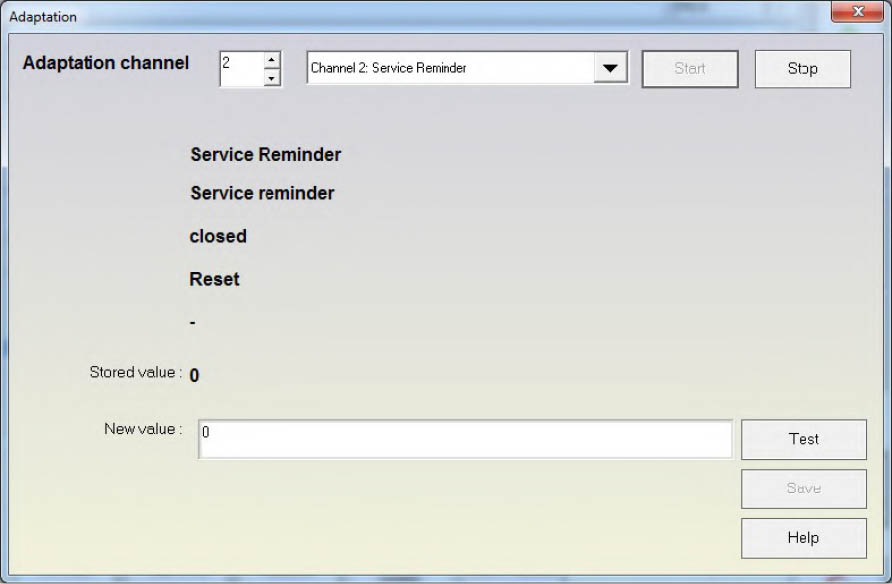
Some important channels used for adaptation
-
Channel 50 – typically used for adaptation of new parts. Usually to get access to this channel you should do a security access with the log in(PIN) of the device to which you are connected and the one you will adapt to the car. After gaining access to channel 50 you should input the log in (PIN) of the car to which you will adapt the new part.
-
Channel 21 – If the immobilizer is by K-LINE then the adaptation of the keys is done in channel 21. To gain access to it you need to make a security access with the immobilizer.
-
Channel 1 – If the immobilizer is by CAN then key adaptation is done in Channel 1. To gain access to it it is necessary to do a security access with the immobilizer.
-
”UDS modules”
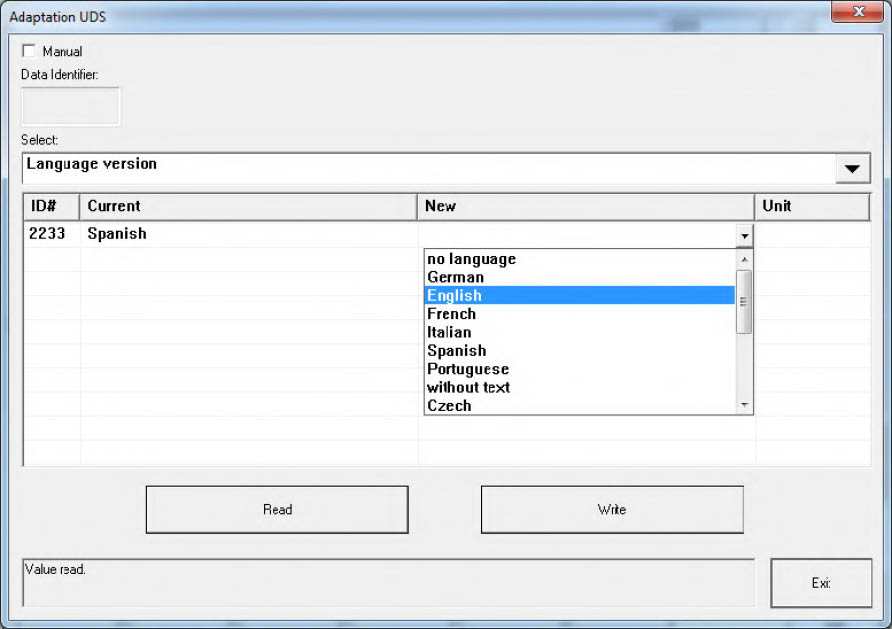
You have to select certain items from a drop down list. When an item is selected it is automatically read and its current values are displayed in the “Current” column. The “Unit” column shows the measurement unit of the selected item. To change a current value you need to input or select a certain new value into the corresponding cell from the “New” column.