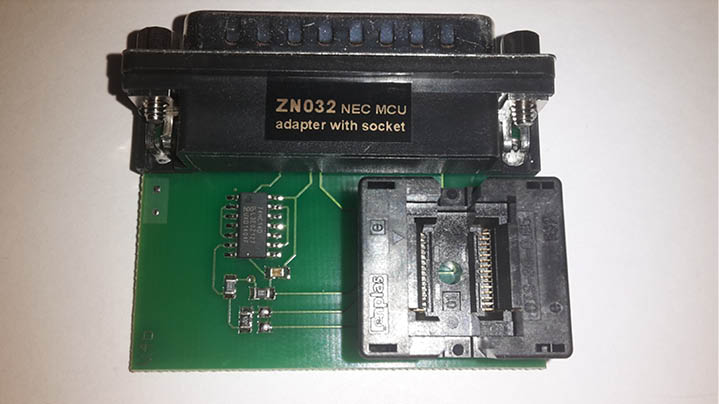
The ZN032 adapter is used for reading, writing and erasing of NEC MCUs from Mercedes-Benz IR-keys without soldering the memory to the adapter.
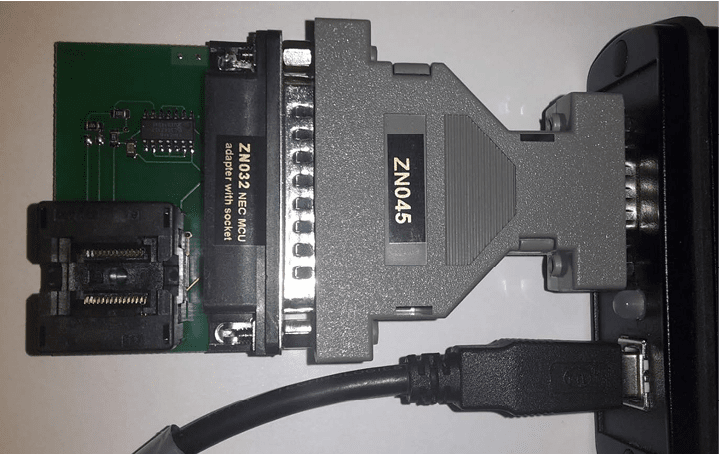
The ZN032 Adapter is used just like the ZN033 Adapter, but there is no need to solder the NEC MCU from the key PCB to the ZN032. You can very easily place the NEC inside the socket and close it. Again, the ZN032 Adapter can be connected to ZN130 that goes into the AVDI DB-25 port.
Required equipment
- Abrites AVDI interface
- ZN045 ABPROG programmer
- ZN032 – ABPROG NEC adapter with socket
- The NEC MCU, desoldered from the Mercedes-Benz IR key PCB
Step-by-step procedure
1. Place the NEC in the socket
Place the NEC inside the socket and close it. No soldering to the adapter is required.
2. Connect the adapter
Connect the ZN032 Adapter to the ZN045, which goes into the AVDI DB-25 port.
3. Open the software and choose the device
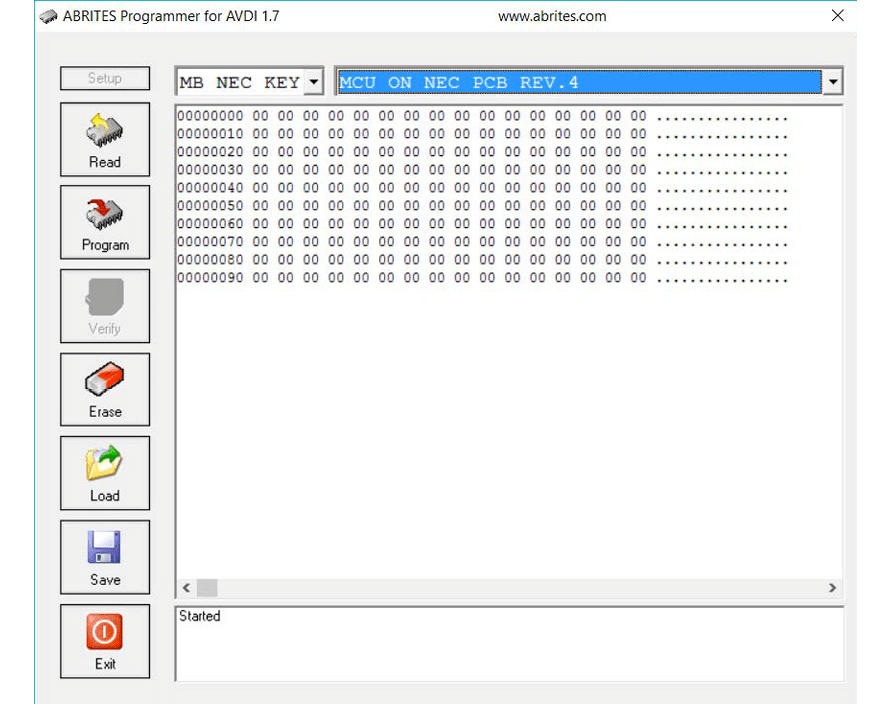
For opening the software and proceeding with the procedure, simply open the ABPROG Programmer For AVDI Software and choose “MB NEC KEY” and the revision of the ABPROG's PCB as shown in the picture below.
4. Read, program, erase and verify
After choosing the desired option, you can proceed with reading, programming, erase and verify upon erasing the information if it is still present.
Important notes
- Select the correct revision of the ABPROG's PCB. The wrong revision is the most common reason a read fails on an otherwise good NEC.
- Verify after erasing - the software can check whether the information is still present.
- The soldered alternative, and the note about unsoldering a resistor on older adapters, is on the ZN033 page.
Troubleshooting
| Issue | Likely cause | Solution |
|---|---|---|
| No read from the socket | The NEC is not seated, or the socket is not closed | Re-seat the MCU, close the socket and retry |
| Read fails on every attempt | Wrong ABPROG PCB revision selected | Check the revision printed on the ABPROG PCB and select it in the drop-down |