The ZN033 adapter is used for reading, writing and erasing of NEC MCUs from Mercedes-Benz IR-keys by soldering the memory to the adapter, for example in cases when the customer needs to make a NEC IR key virgin.
Using the ZN033 NEC MCU Adapter, you will be able to solder NEC processors used in Mercedes keys, read them and make them virgin. The supported versions are V57 and some V51.
Required equipment
- Abrites AVDI interface
- ZN130 ABPROG programmer set
- ZN033 – ABPROG NEC adapter (included in the ZN130 set)
- Soldering equipment
- The NEC MCU from the Mercedes-Benz IR key PCB
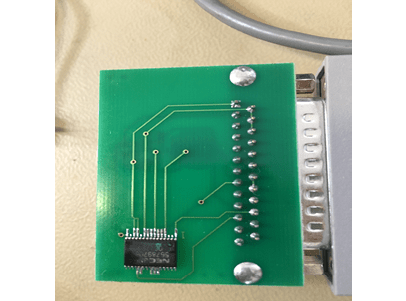
The adapter, and the MCU soldered to it
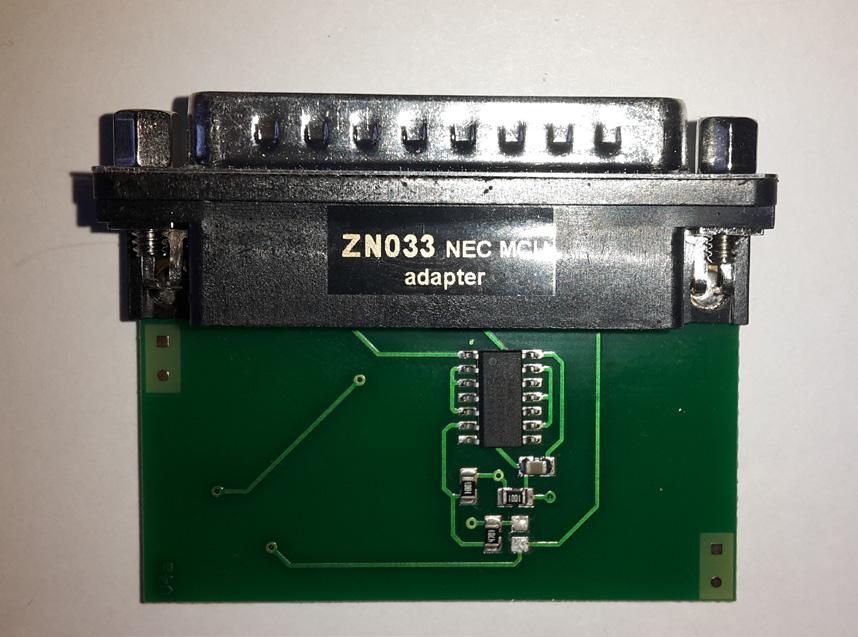
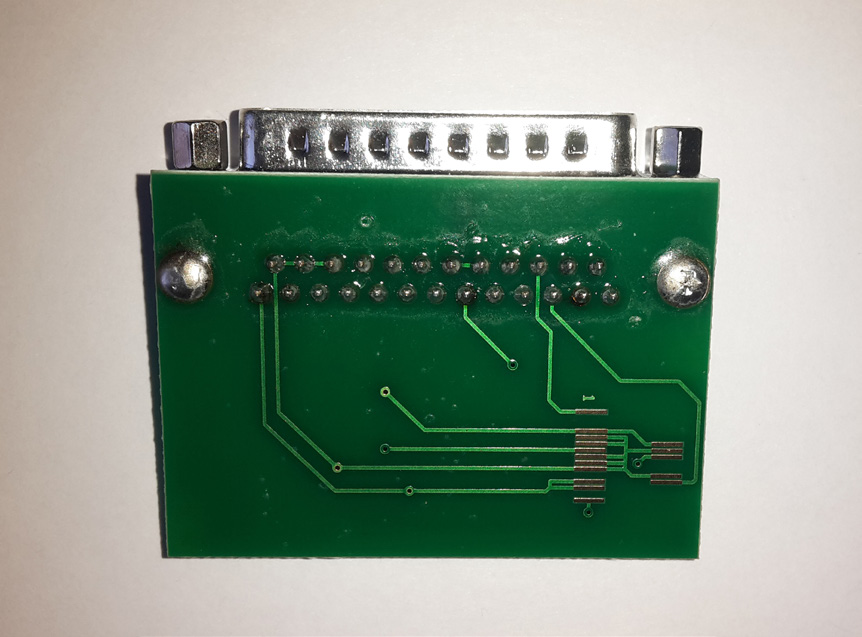
The manual shows the adapter from both sides and the NEC processor in place on it:
Step-by-step procedure
1. Check the adapter
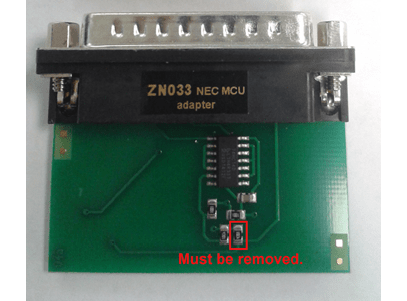
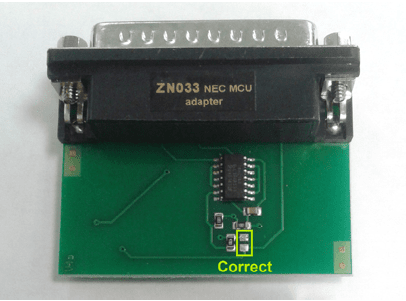
If you already have an ZN033 NEC MCU Adapter, you might have to unsolder the resistor as shown in the pictures on this page.
2. Solder the NEC MCU
Solder the NEC processor from the Mercedes key onto the ZN033 NEC MCU Adapter.
3. Connect
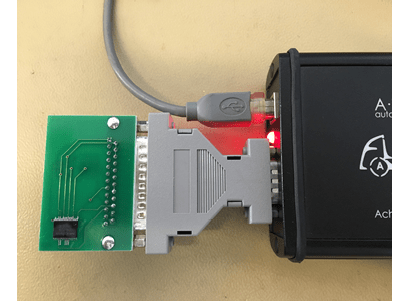
Once the NEC MCU is soldered to the ZN033 Nec MCU Adapter, the ZN033 has to be connected to ZN130 ABPROG. The ABPROG can be directly connected to AVDI.
4. Read and make virgin
Open the software, choose “MB NEC KEY” and the revision of the ABPROG's PCB, then read the MCU and make it virgin.
Important notes
- Supported NEC versions are V57 and some V51. Other versions will not be read on this adapter.
- On older ZN033 adapters a resistor may need to be unsoldered before use.
- If you would rather not solder, use the ZN032 socket version instead - it does the same job with the NEC placed in a socket.
Troubleshooting
| Issue | Likely cause | Solution |
|---|---|---|
| The MCU does not respond | Cold or bridged solder joint | Re-check every joint under magnification before suspecting the MCU |
| Read works but the key is still not virgin | The write/erase step was not completed | Repeat, then verify that the information is no longer present |