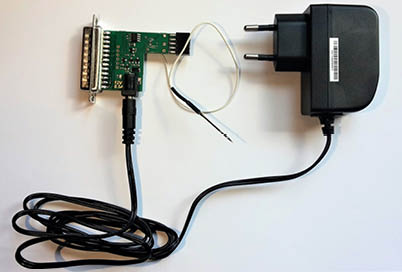
The Abrites ABPROG EWS3 Reader (ZN055 - ABPROG EWS3 adapter) allows you to read the EWS3 Dump from the EWS3 cars in order to program a key, and it is very useful when working on the BMW models.
Supported vehicles: BMW E46/E53/E85/E83/E39/E38/E52 (equipped with a EWS3 module).
ZN055 - ABPROG EWS3 adapter
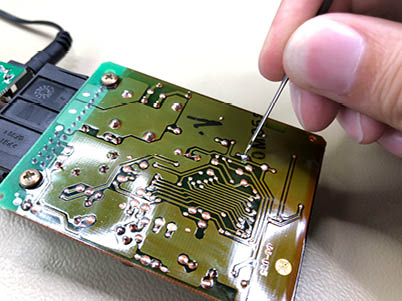
Connection diagram and Boot Pin on EWS
Required equipment
- Abrites AVDI interface
- ZN130 ABPROG programmer set
- ZN055 - ABPROG EWS3 adapter
- The EWS3 module, on the bench
- PROTAG programmer for the key writing step
Step-by-step procedure
1. Connect
The tool attaches to the ABPROG programmer which attaches to the AVDI interface in order to read the EWS3 dump. Follow the connection diagram and Boot Pin on EWS shown in the pictures.
2. Read the dump
Read the EWS3's dump with the ABProg software.
3. Save the dump
Once you have read the EWS3's dump, you will be able to save it on your computer.
4. Program the key
Load this dump in the PROTAG software and program a key using it.
Important notes
- With the help of the EWS3 Adapter you will no longer need to use third party EWS3 Programmers to read the EWS dump.
- The Boot Pin on the EWS must be handled as shown in the connection diagram - this is what puts the module into the mode where it can be read.
- The EWS masks this adapter reads are listed under Supported devices: 0D46J and 2D47J.
Troubleshooting
| Issue | Likely cause | Solution |
|---|---|---|
| The dump reads as empty or corrupt | Boot pin not applied, or a poor connection | Re-check the connection diagram and the boot pin, then read again |
| PROTAG will not accept the dump | The saved file is from a different module or incomplete | Re-read the EWS3 and save a fresh dump |