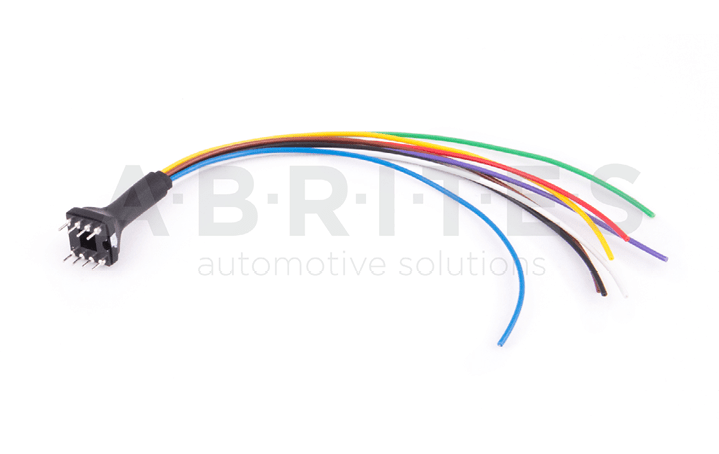
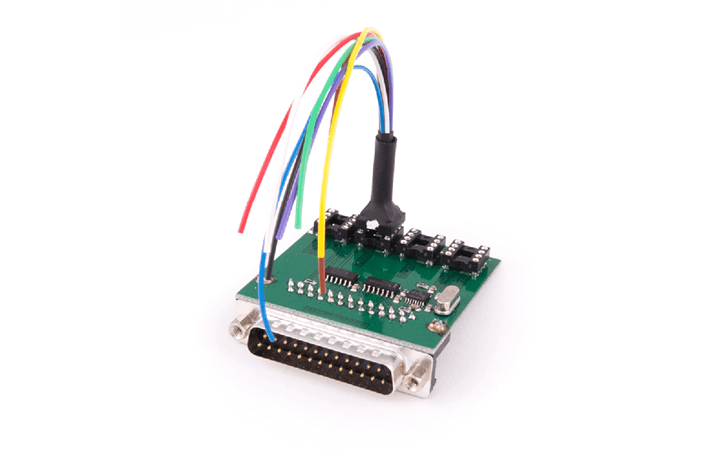
This is a wire extender for the ZN031 - ABPROG EEPROM/BCM adapter, used to read chips without removing them from the PCB in tasks such as reading the EEPROM of the FEM/BDC module in BMW F-series vehicles.
Required equipment
- Abrites AVDI interface
- ZN130 ABPROG programmer set
- ZN031 - ABPROG EEPROM/BCM adapter
- ZN057 EEPROM wire extender
Step-by-step procedure
1. Open the module
Expose the EEPROM on the BMW BDC or FEM unit PCB.
2. Connect the extender
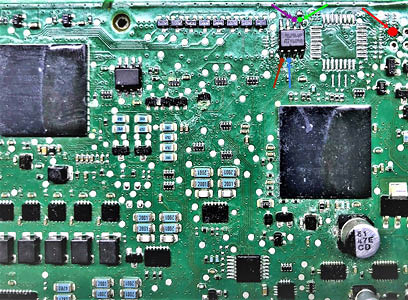
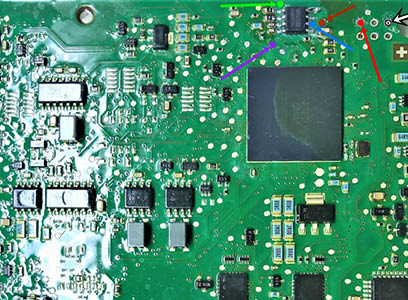
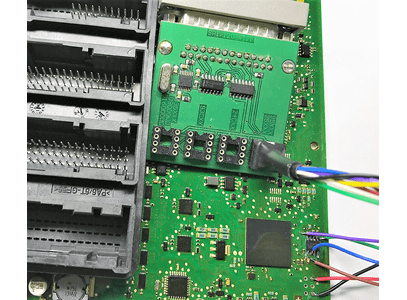
The photo below shows how to connect to a BMW BDC and a FEM unit to read the EEPROM:
BDC
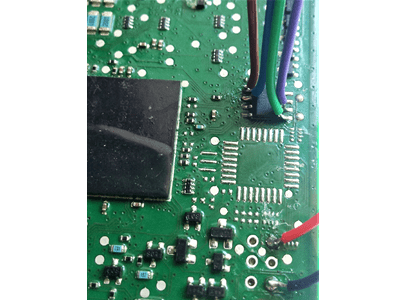
FEM
3. Read the EEPROM
With the ZN031 connected to the ZN130, select the memory type in the ABProg software and read the EEPROM in place - the chip stays on the PCB.
Important notes
- The ZN057 is an extender, not a standalone adapter - it is used together with the ZN031 EEPROM/BCM adapter.
- Reading in place avoids desoldering the memory, which is the main risk in FEM/BDC work.
Troubleshooting
| Issue | Likely cause | Solution |
|---|---|---|
| Unstable or inconsistent reads | Contact on the chip legs is intermittent | Re-seat the extender contacts and hold them steady for the whole read |
| No response at all | The module is not powered, or the wrong memory type is selected | Check the supply and the device selection in the software |