Allows reading and modification of the vehicle order in many different languages. Encoding of every unit of the vehicle with data from the vehicle order. The user is also allowed to tweak custom options in different modules to unlock behavior that is not allowed by the official software (like video in motion, different light options, etc.)
Once this function is selected the software will automatically start reading the integration level of the vehicle.
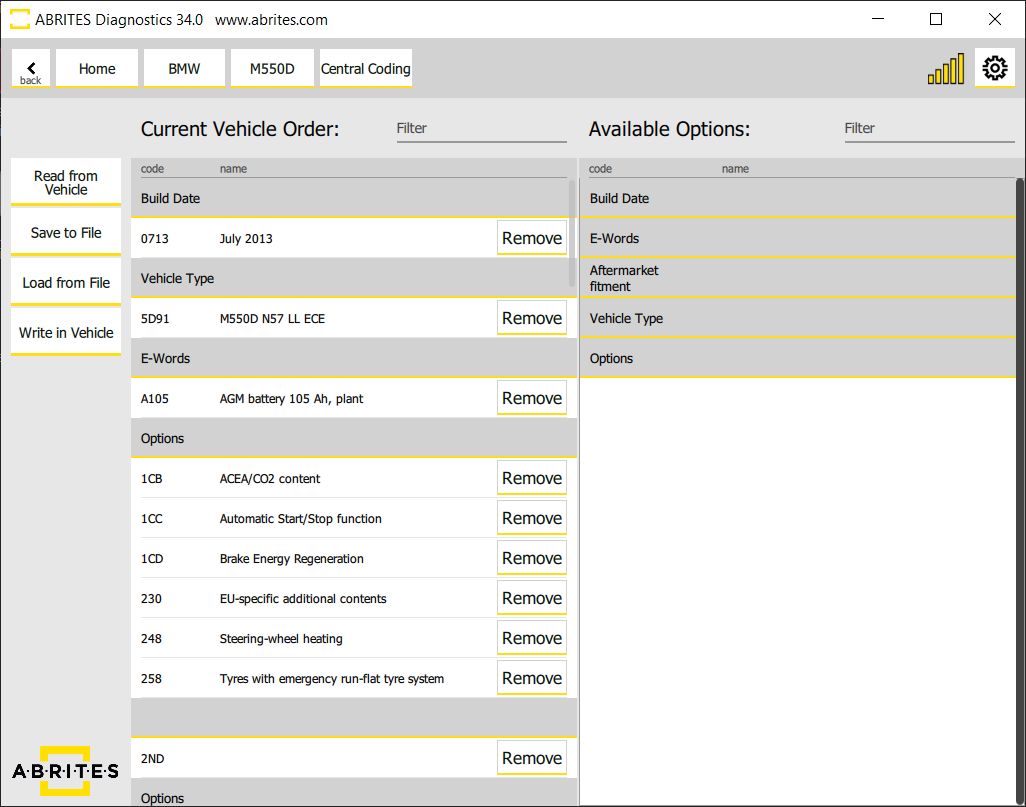
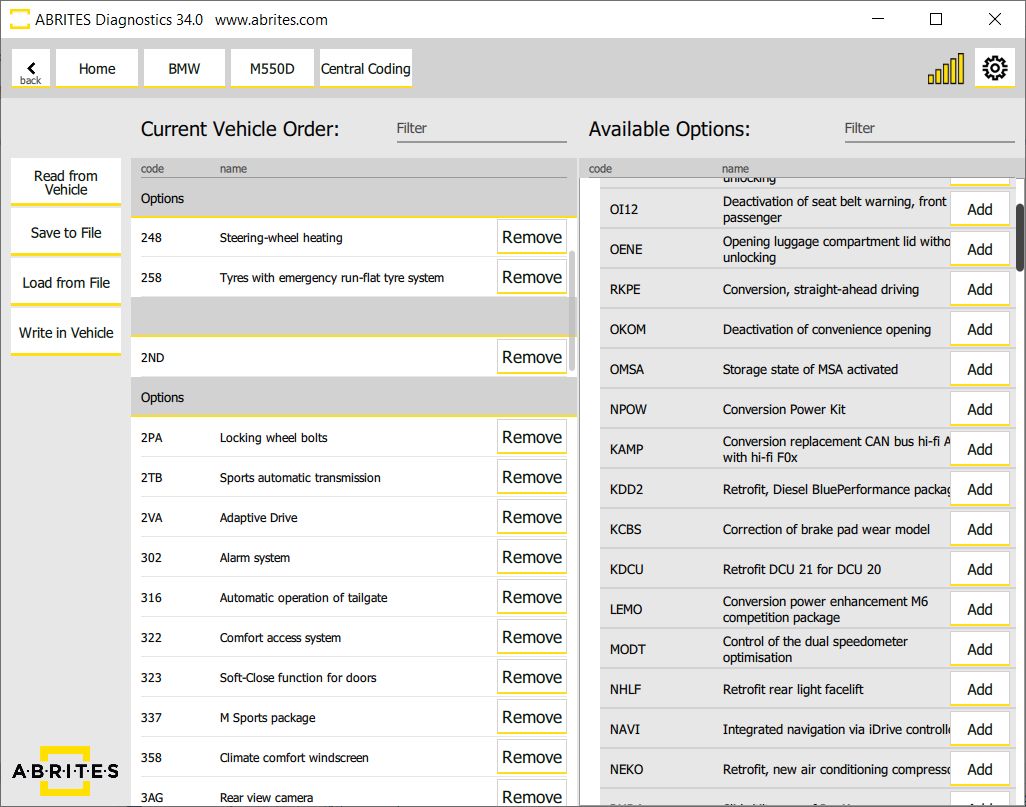
As soon as the reading is finished all the details about the central coding will be displayed.
Using the buttons on the side the user can save the coding to a file on their computer, load previously saved coding, as well as updating changes to the vehicle.
It is strongly recommended to save the Current vehicle order data before applying any changes to the vehicle by using the option “Save to File”.
These functions are irreplaceable during modifications and tuning often asked for by the customers.
You will be able to easily remove options from the “Current vehicle order” the button “remove” and add new ones from the “Available Options” using the button “Add” . You will be able to add/remove options, retrofit different modules etc.
You will be also able to filter your search by entering the name of the desired option in the “Filter” field.
Important notes
- These functions are what modification and tuning work runs on, and they are the reason a saved baseline matters. "Save to File" before "Write in Vehicle", every time.