The individual serial number is a mechanism to bind the modules to one specific car and prevent reusing modules from another car. The ISN of the DME is also needed data for key learning when all keys are lost.
-
ISN reading from DME. We currently support DMEs for diesel and gasoline E series vehicles as well as DMEs for gasoline F series vehicles. In case of a problem with a specific DME, our team analyzes the problem at hand from the Online logs and may add support to that motor computer dynamically on our server. The customer just has to repeat the operation without reinstalling anything. Some specific motor computers like MSV80/MSD80 are more complicated for ISN reading and require flash preprocessing to retrieve its data.
-
ISN reading from CAS - supported are both the short 4B ISN (that is used by older motor computers and some automatic gear shaft) as well as the 16byte ISN that is used for authentication with most up to date motor computers.
-
Recent CAS3 versions keep the ISNs encrypted in their EEPROM and decrypt it before authentication of the DME. The Abrites software for BMW generation 2 allows the user to encrypt the ISN for these CAS3 versions.
-
ISN reading from EGS - reading of the ISN from the Electronic Gear Shaft allows replacement and adaptation of used EGS from one vehicle to another.
-
Synchronization status - quick view of the synchronization status between DME and CAS which allows quick troubleshooting of starting problems.
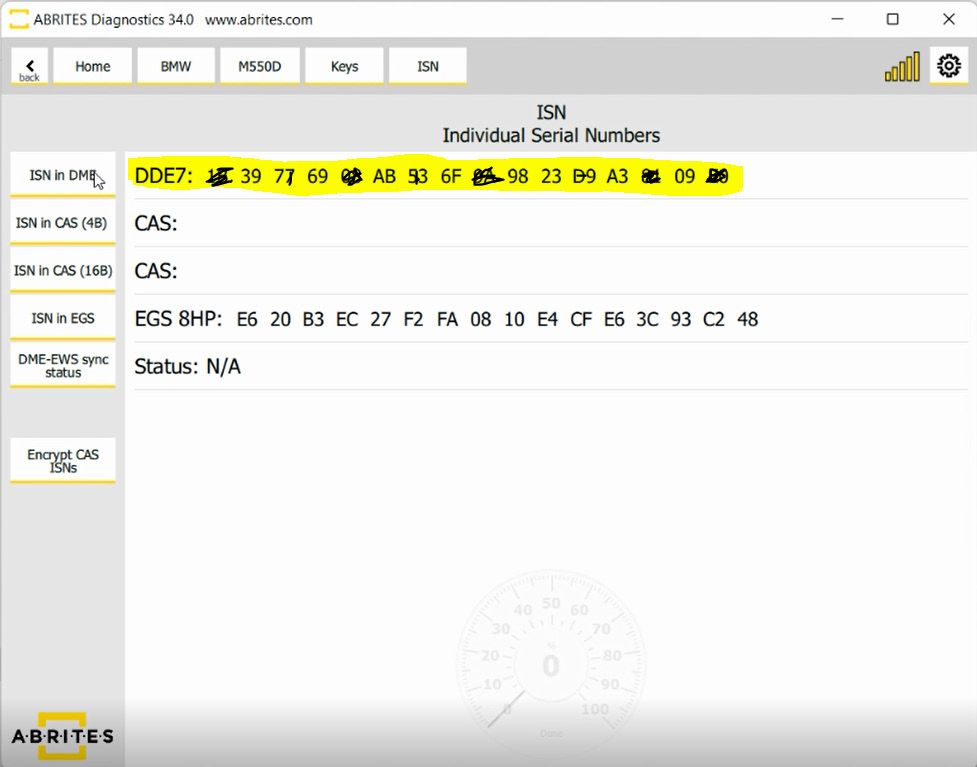
In this view the user can see the details in regards to the ISN codes after the reading is completed.
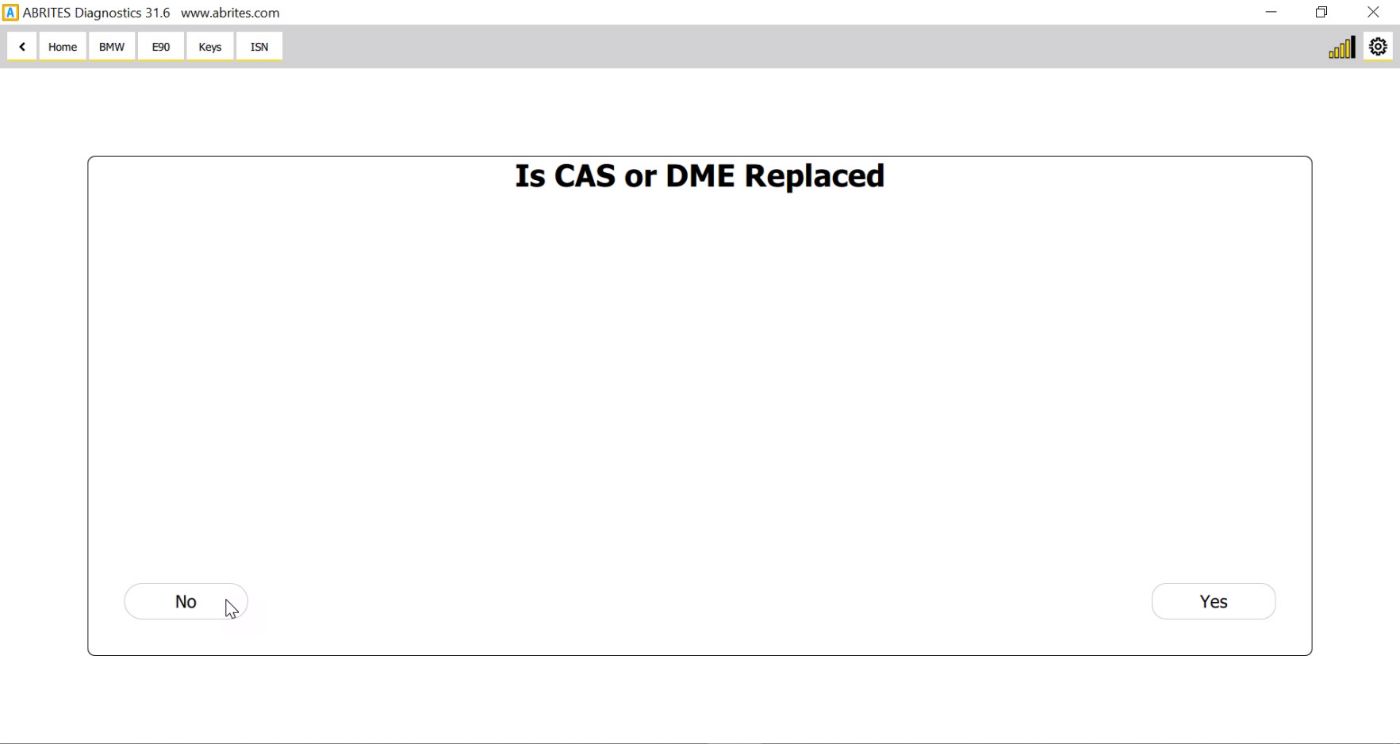
Once again the software will ask you to ensure that the external power supply is connected when a ME/
DDE programming is required for the ISN reading
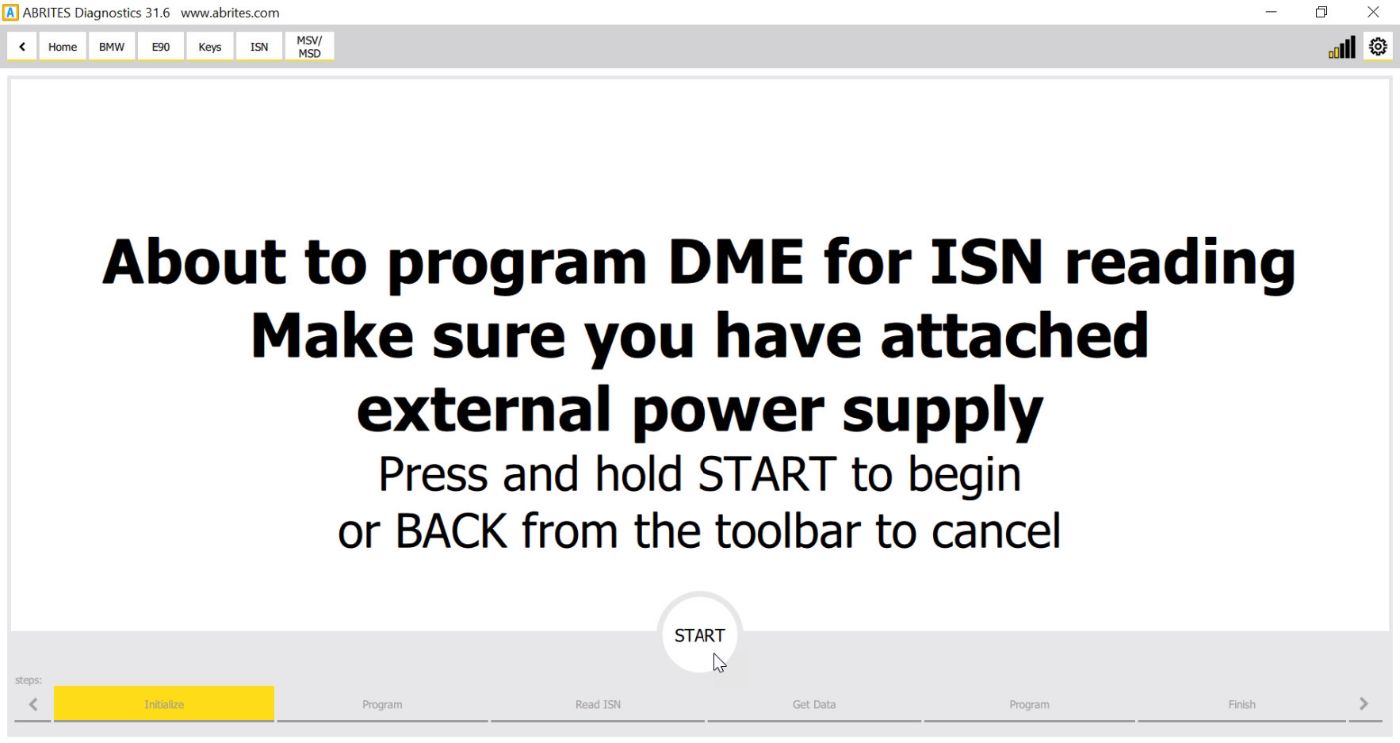
The Start button needs to be pressed and held down as an additional safety precaution.
The other buttons in the keys menu will allow for the synchronization of the CAS, DME and other modules where it is needed during and after key learning.
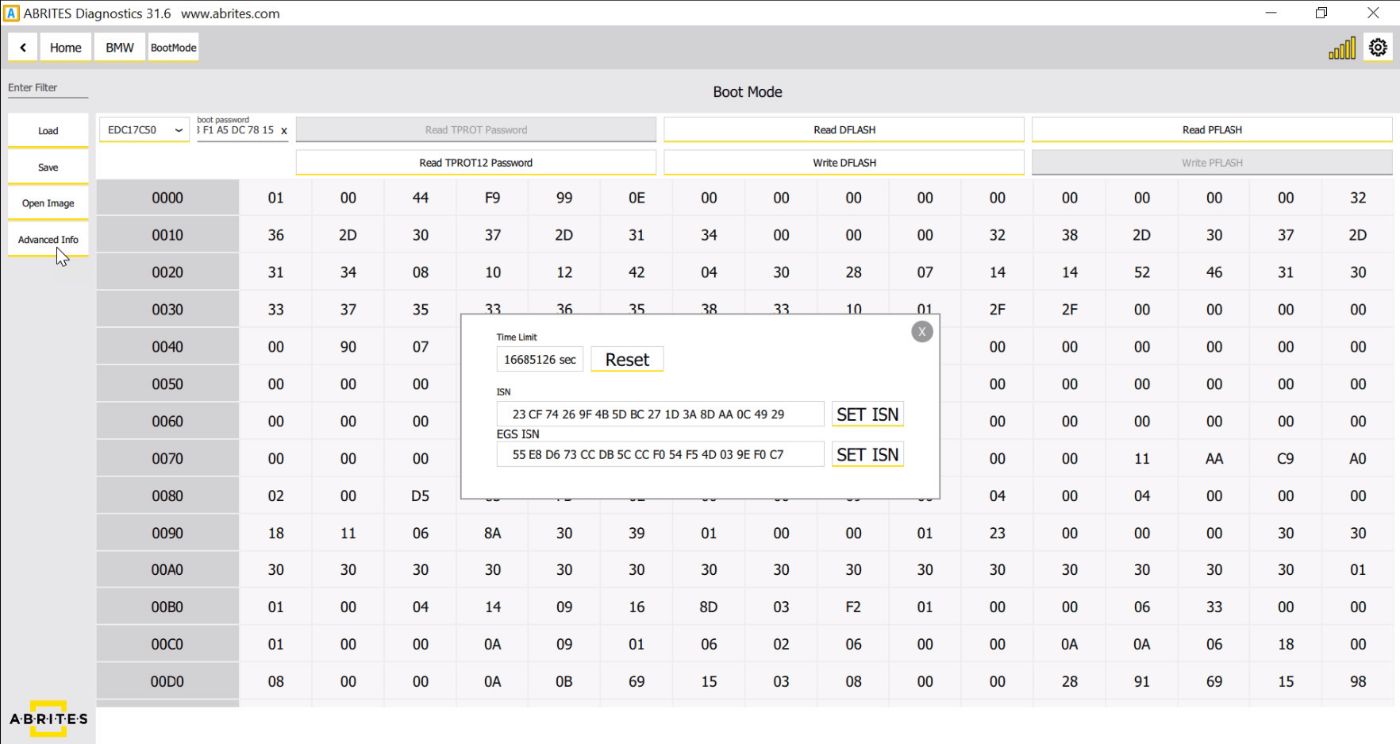
IMPORTANT: The ISN of MSD/MSV ECUs needs to be read on bench using a direct connection without DS Box (Keys&Start synchronization > ISN codes > ISN in DME) *MSV80 could be read through the OBD port of the car only. Once the DFLASH is read you have to click on the “Advanced info” option and you will find the ISN of the DME/DDE, the ISN of the EGS and the operating hours of the DME/DDE. You have the options to copy the ISNs, change them and reset the operating hours of the DME/DDE (once a certain value is reached you won’t be able to write any coding to the ECU and this counter has to be reset.)
Important notes
-
If the car keeps falling asleep and the read stalls, that is a known situation with its own page — see 17.1 ISN reading from DME and 17.7 Downgrading or ISN reading stops at 10%.
-
To read a unit on bench, see 13 ECU Wiring diagrams.