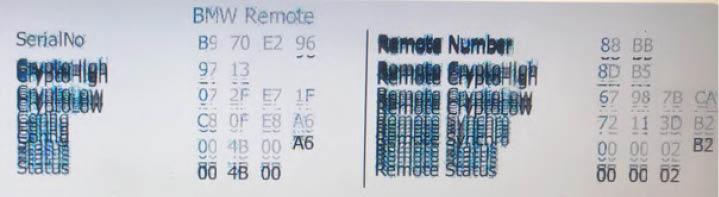
This graphic issue could happen when you are using one of the Abrites Online software such as BMW2. Here is the solution:
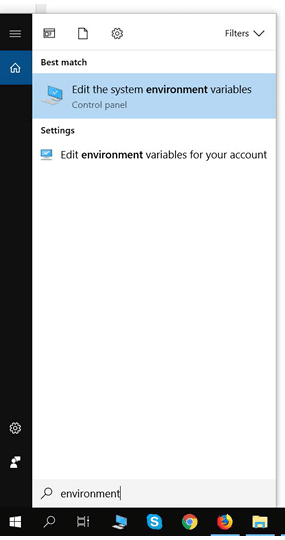
Type “environment “ in the Windows search menu :
Go to the “Advanced” tab and select :“Environment Variables”
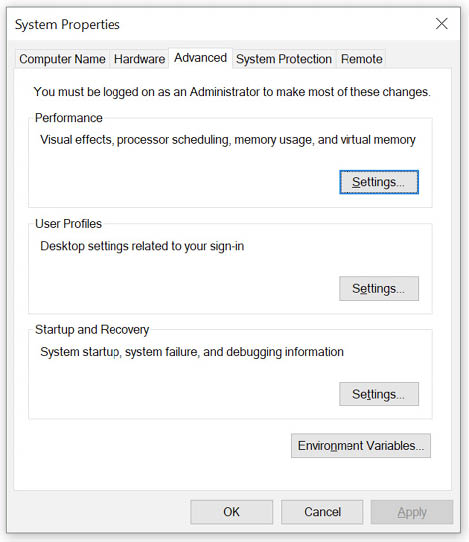
Press “New” under “User variables for ‘your user name’ “
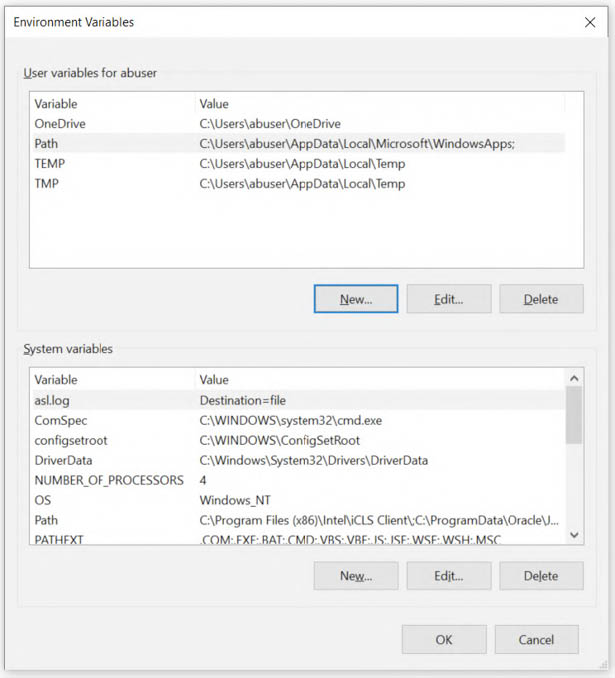
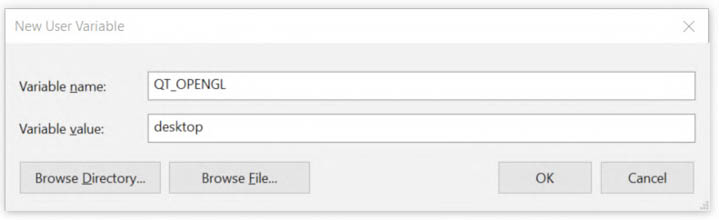
Create a new variable named “QT_OPENGL” with value “desktop” (change it with “angle” or “software” if “desktop” does not solve the graphic issue) and press “OK”. Restart your PC.