The latest AVDI Diagnostics update introduced a mandatory update of the hardware over Internet. This update is regular and should be performed at least once a month.
If the Internet update is not performed, the hardware will have limited functionality and will be not able to connect to vehicles until it is activated.
Please note that performing the Internet update is an essential initial step. For many of the functionalities of your AVDI you will not require to have an Internet connection to your computer but it is recommended to have your computer constantly connected to the Internet, especially when you are using a function which requires Internet connection or when you are using one of the Online software.
The procedure for performing the AVDI Internet update is as follows:
-
Download and install the latest AVDI Diagnostics update and start the Abrites diagnostics.
-
This Internet update is performed automatically once the AVDI Diagnostics software is started. It is indicated by the message “Performing Internet activation...”.
-
If the Internet activation is successful, the next time you start the diagnostic software, the message “Performing Internet activation...” should be not shown.
IMPORTANT: If the message “Performing Internet activation...” is not displayed the time you start the application, your hardware is ready for use. The Internet update will expire in one month when you will need to reconnect your computer to the Internet and make sure your interface performs the update when you start your Abrites diagnostic software.
- If the message “Performing Internet activation...” continues to be shown the Internet update was not successful and the possible reasons for this issue might be:
-
No Internet connection to the computer you are installing your software on. In that case please allow the connection of this computer to the Internet.
-
The date on your computer is Incorrect. In that case please set the time and date on your computer to the current time and date at your location.
NOTE: Due to the time zone after running the latest SW update for the first time, the Internet pdate might not be successful in the first 1-2hours.
Effects if the Internet update is not performed
-
The AVDI hardware is recognized OK, but no connection to the vehicle is possible.
-
Some diagnostic software might crash if you try to connect to the car.
-
The update MUST be performed periodically (every 30 days) in order for your AVDI to always work properly and not experience any of the symptoms above.
Make sure to connect your AVDI and allow it to perform its Internet update every 30 days. In case the procedure does not go as planned and you encounter an issue different to the ones above please contact support@abrites.com with a detailed description of the steps you took and their effect. Upon starting the Abrites diagnostics software in the top right hand side of the screen you will see how many days (or hours) you have until the next synchronization. In case you see the following message you will need to perform the Online update of your hardware.

- Then perform the following steps (After making sure that you have a stable Internet connection):
- Start your Abrites diagnostic software(for example you can use the Abrites diagnostics for Audi)

- When you start the software you will see the following message:
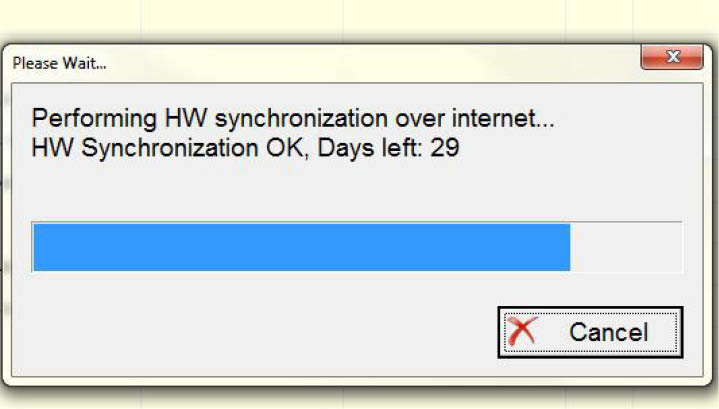
This means that your AVDI communicates with the Abrites secure server and the online synchronization is being performed.
- Once the synchronization is over you will see the following message when opening the Abrites diagnostic software:

This means that the synchronization has gone according to plan and the AVDI is ready to use.