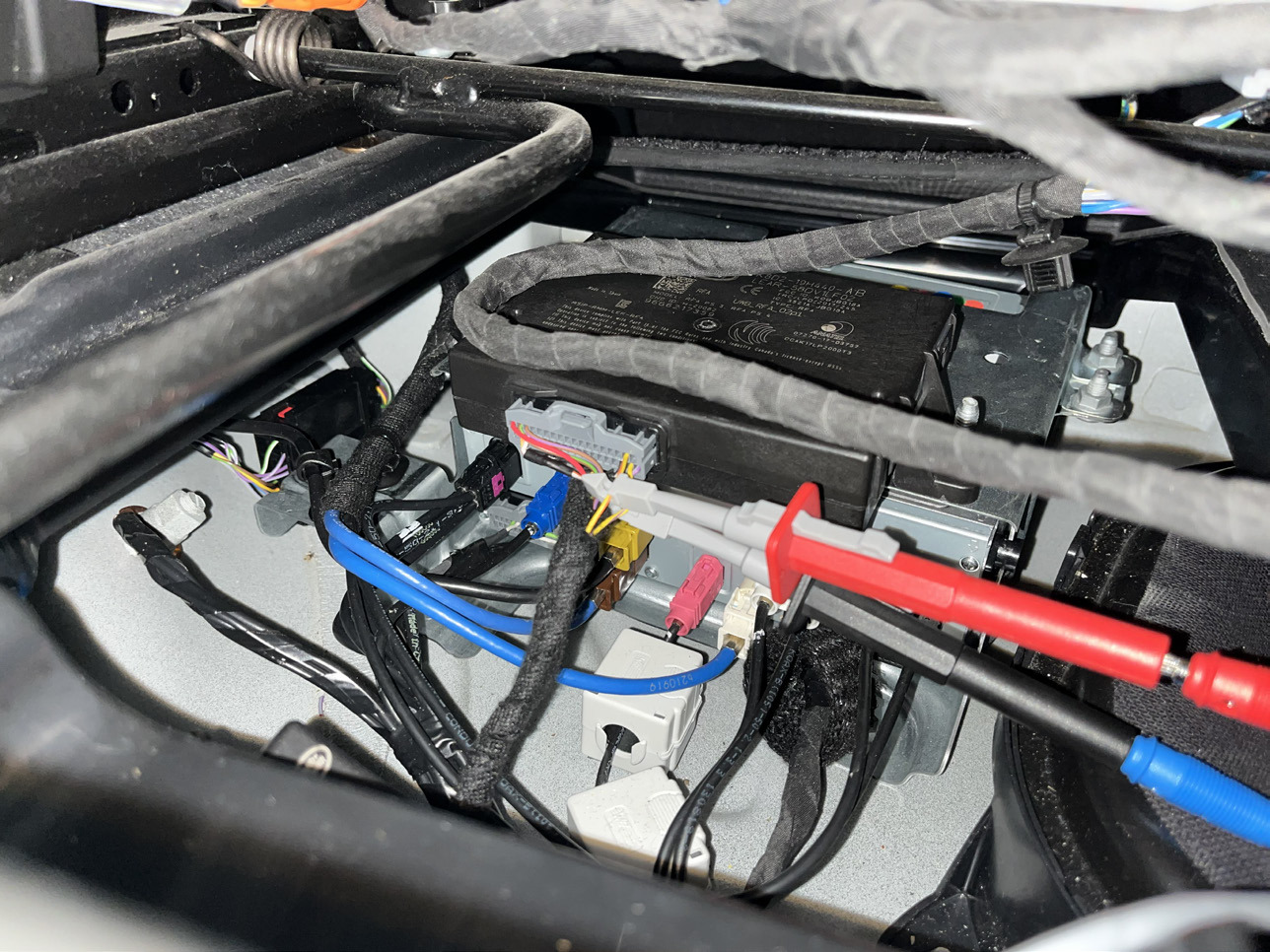
When working in the vehicle, you need to plug the device into the OBDII port and use the needle clips to connect to the RFA CAN wires of the vehicle. Vehicle will need power supply.
Steps
-
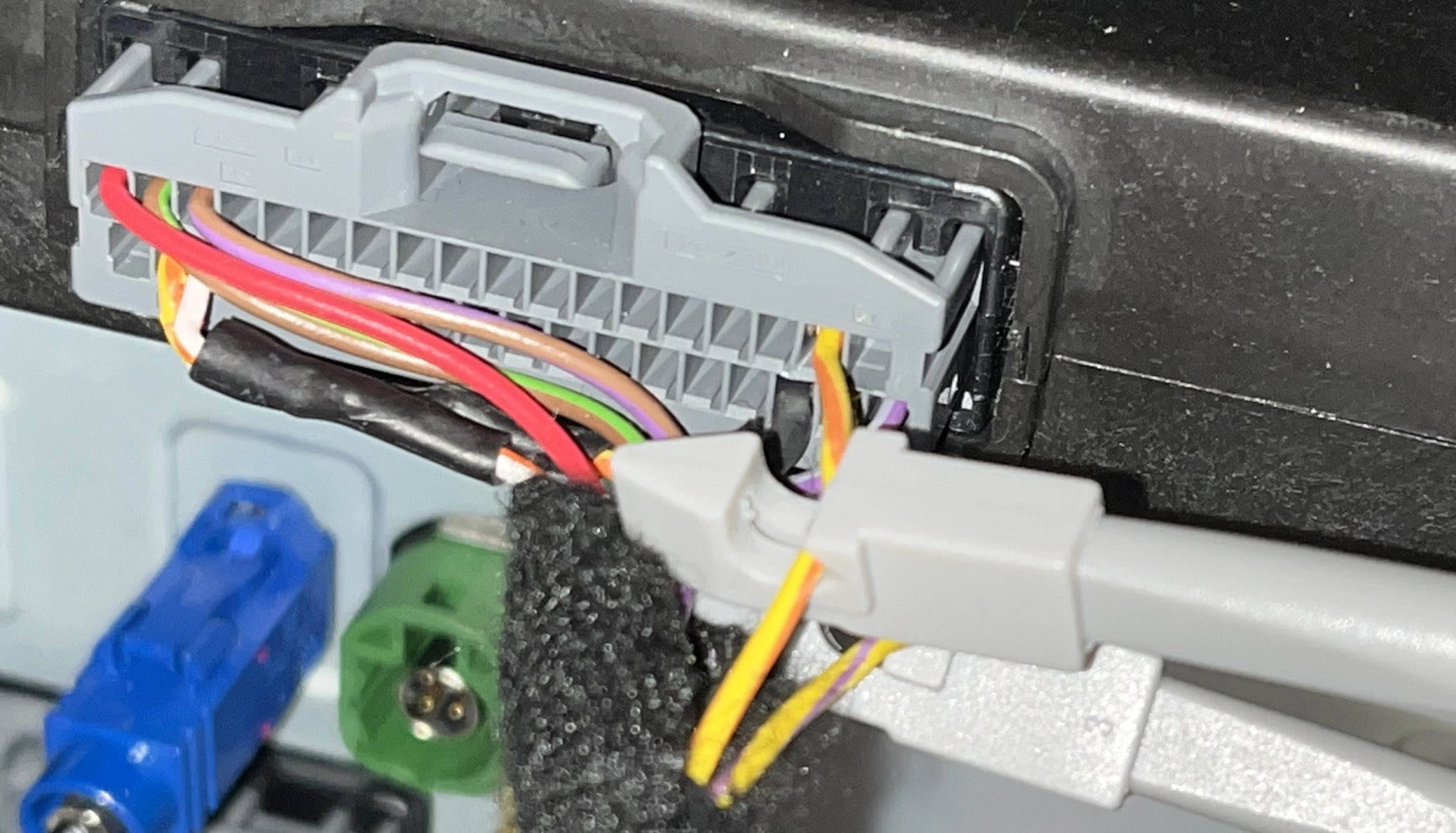
Connect the CAN clips coming out of the device to the internal CAN (RFA) wires (under the driver’s seat)
-
Plug the device into the OBDII port
-
At this point the LED indicator will blick in orange 1 time and it will start fast green light blicking. If all the connections are alright, the LED indicator will start blicking in green slowly, meaning the device is now in operation.
-
At the end of the procedure, the device should have solid green light on the LED indicator.
-
Now the vehicle’s alarm is deactivated and it is ready for the key programming procedure.
*Procedure may take up to 72 hours.
Below you can see an example of connection to the RFA CAN wires under the driver’s seat of a Defender
CAN HI (Red wire from device) - connected to the yellow/orange wire
CAN LO (Blue wire from device) - connected to the yellow/purple wire