This function allows you to program keys for JLR vehicles manufactured 2018-2026 by BCM EEPROM ( 95128 ) dump even if the alarm is on. In case the vehicle is equipped with UWB , you will need to install also UWB Emulator (EM015). The steps are described in the dedicated section
Once you have read the dump, you can mount the BCM back in the vehicle and proceed via OBDII.
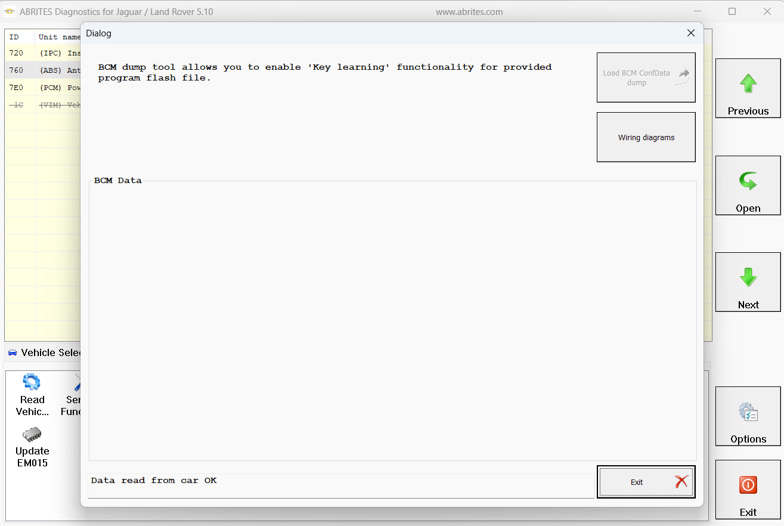
Procedure steps
- Select the “Load BCM ConfData dump” and load the read EEPROM ( 95128 ) dump.
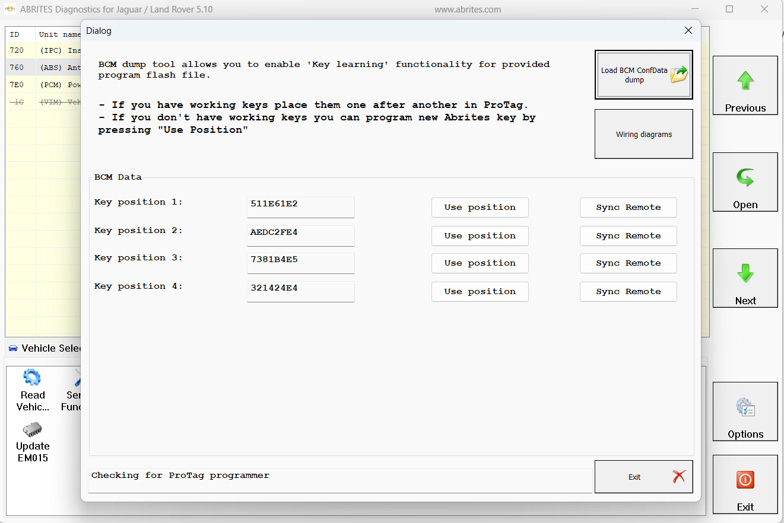
-
Connect your PROTAG programmer and place each of the working keys (if available) onto the PROTAG, or if no working keys are available, place a new Abries key and press “Use position” of the key position on which you want to program the new key.
-
You should press the remote-control buttons several times near the PROTAG
-
Place the new key onto the PROTAG, and the software will program it
-
After programming the key successfully, you should synchronize the remote control by pressing the Synch Remote button of the corresponding key position. Keep the key near the PROTAG and press the remote-control button several times.
IMPORTANT: If the key is not detected by the PROTAG, please replace the battery