VIN calibration for Hyundai and KIA vehicles is the latest development of the Hyundai/KIA Online software, which is a great addition to the Neutralization, as it completes the task of unit exchange, and works by OBDII.
VIN calibration by OBDII for the following modules
-
ECM (engine control unit) in standard vehicles
-
VCU (engine control unit) in electric vehicles
-
Digital Dashboard (if the module contains VIN)
This functionality lets you change the VIN in both new or used units, which is unmatched functionality yet, as competitor products, including official Hyundai/KIA manufacturer diagnostics, only allow setting VIN on brand new units.
The software is very user-friendly. The procedure is started from the main screen of the software, on the left side there is a button “VIN Calibration” once you open it, you will see a list of modules that would have the VIN. You need to select each module that you want to read the VIN from.
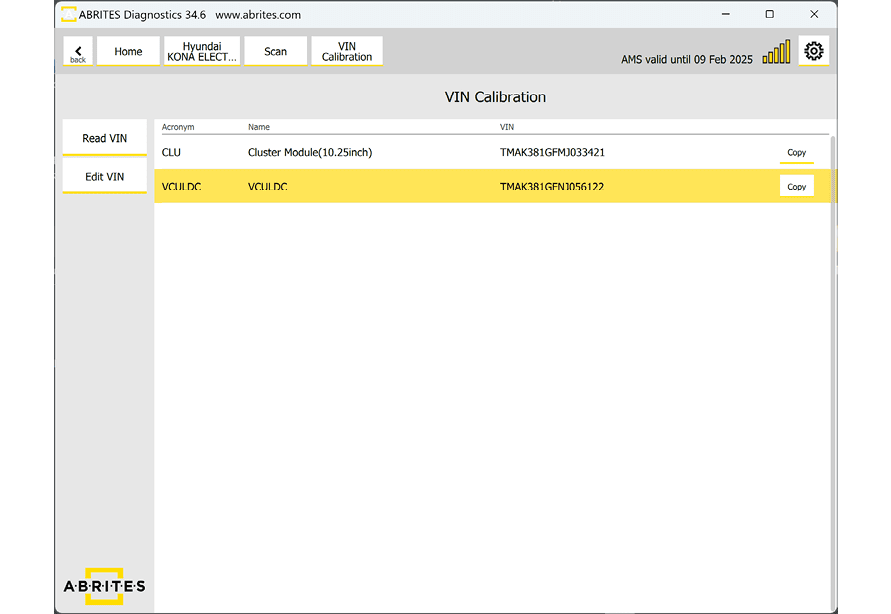
In the example we have, the ECU has a different VIN. The procedure goes as follows:
-
Select the Dashboard (CLU) and read the VIN trough the “Read VIN” button
-
Press the “copy” option on the right side, which will copy the VIN into the clipboard
-
Select the Engine Control Unit (VCU)
-
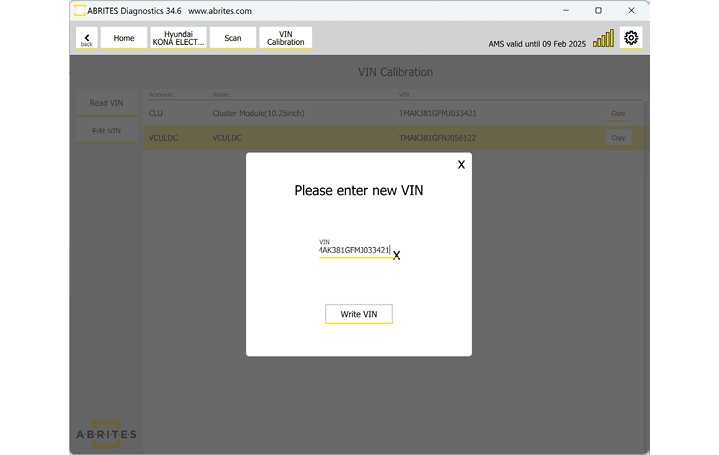
Select “Edit VIN” and a pop-up window will appear
-
Paste the VIN from the clipboard (already copied in the 2nd step
-
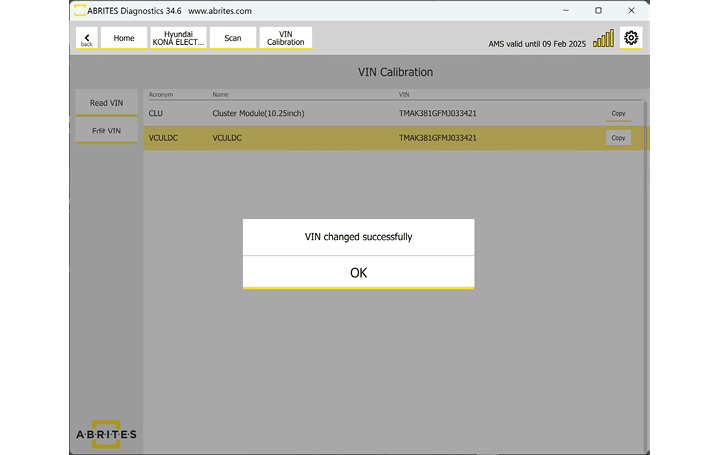
Press “Write VIN” and the procedure will be complete.