In case you need to recover your Engine Control Unit you can follow these steps:
-
Open FBS4 Manager
-
Press Info to establish connection to the unit
-
Check the status and proceed to programming if needed
To restore: be aware what you need to restore and press “Program”
-
On the next screen select “Load file from server”
-
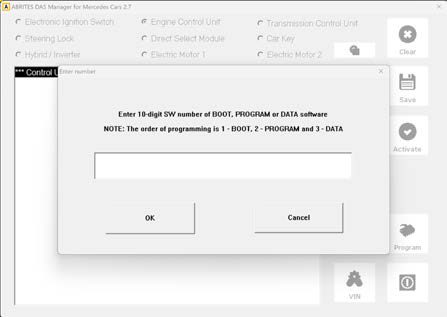
A screen will pop-up, where you have to manually write the number of the software you need to update.
*For details, please check the dedicated video in AVDI Fan YouTube Page.