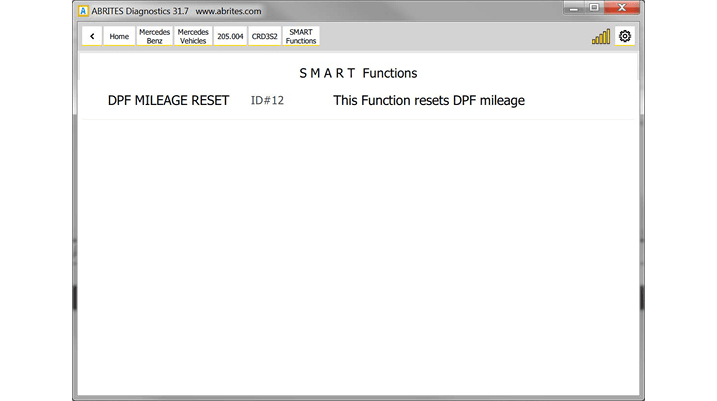
DPF mileage reset smart function – this function will clear all the DPF distance history. Select the ECU from the diagnostics menu and select SMART functions. The following message will appear:
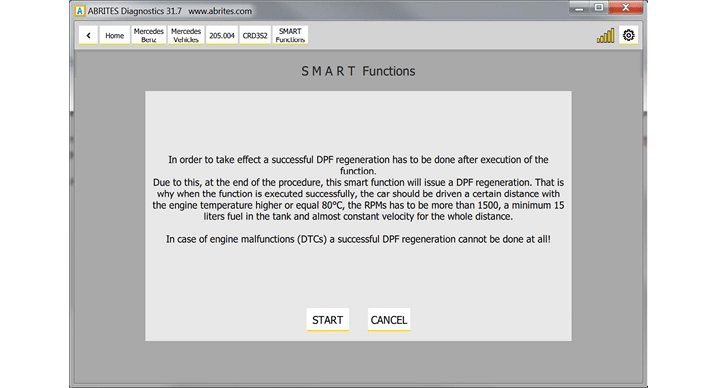
VERY IMPORTANT NOTE
If the total distance of the car has been manipulated (total distance is decreased) even the fact that the function will finish successfully, this will immediately cause a DTC generation due to the fact that a DPF mileage distance more than 400km will be set (due to a negative calculated distance value). In this case, a successful DPF regeneration will never be done!
To solve this issue, there is a 15 minutes test in the official Mercedes diagnostic tool which has to be executed!
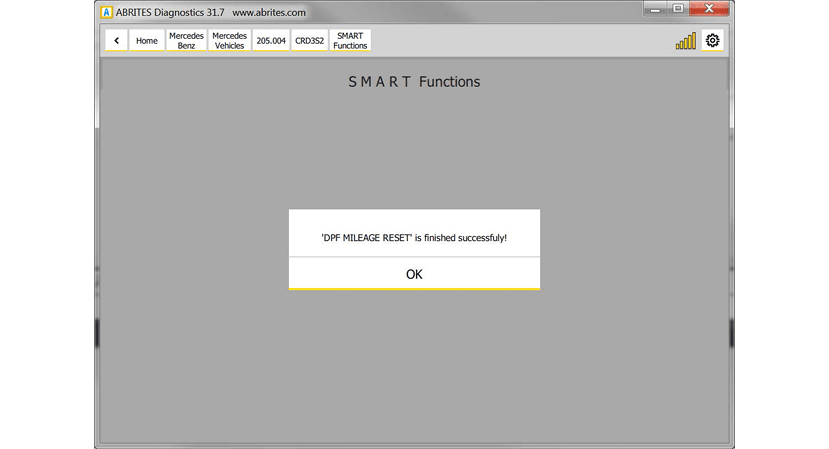
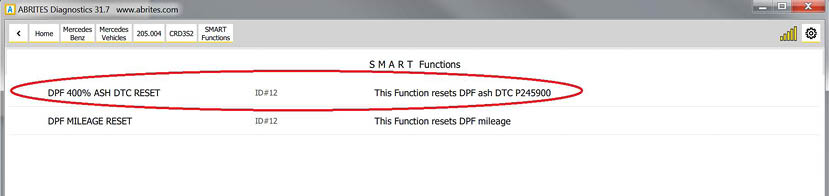
DPF 400% ASH DTC RESET – this function will allow the DPF regeneration and reset the DPF Ash DTC P245900. Select the ECU from the diagnostics menu and select SMART functions.
The following message will appear:
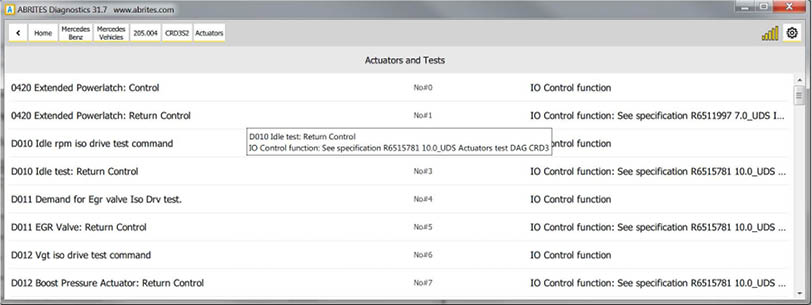
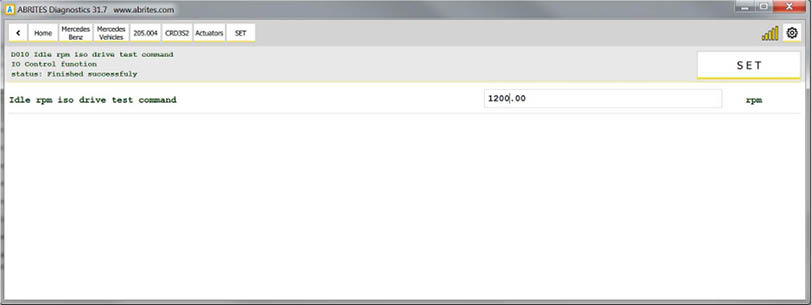
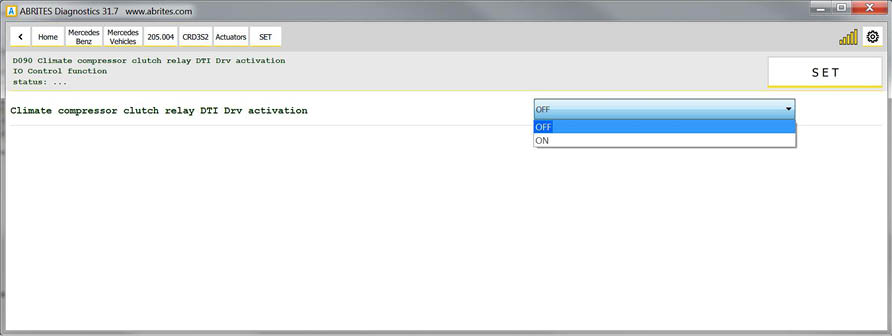
Actuators, Routine Tests, IO Controls, Adjustments/Calibrations added.
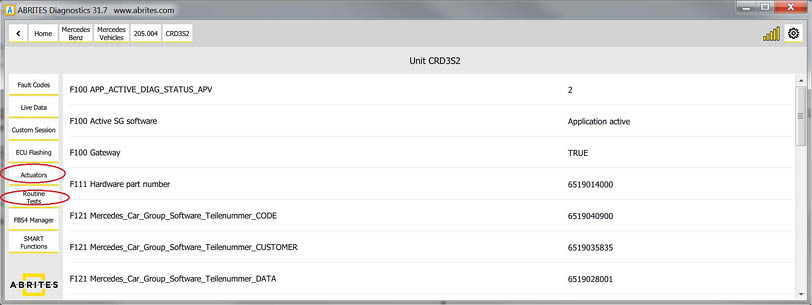
The “Actuators” and Routine tests” buttons will appear once you choose the module form the list and click on “Unit Info”:
Here is a list with some other SMART functions:
-
“SEAT BELTS ALARM” - “Activate/Deactivate seat belts alarm warning”
-
SupportedUnits: IC222
-
“MAX SPEED LIMIT” - “Set/Reset of speed limit to max value”
-
SupportedUnits: MED177, MED40, ME97, CR6EU5, CR6BIN5EU6
-
“V I M” - “Activate/Deactivate video in motion”
-
SupportedUnits: HU5, HU5_ENTRY, HU5S1, HU_204, HU45, HU221, HU221EVO - At the moment we support the older models only but we will have a solution very soon.
-
“AMG START UP DISPLAY” - “Activate/Deactivate AMG start up display”
-
SupportedUnits: HU5, HU5_ENTRY, HU5S1, HU_204, HU45
HU221EVO, HU221 - At the moment we support the older models only but we will have a solution very soon.
-
“CAR ANDROID PLAYER” - “Activate/Deactivate car play android auto”
-
SupportedUnits: HU5S1
-
“SUN ROOF CALIBRATION” - “Initiate sun roof calibration. WARNING: If runnig, anti-pinch detection will not be active!” - SupportedUnits: TSSR166, TSSR176, TSSR_204, TSSR_212, TSSR_246
-
“360 DEGREE VIEW CALIBRATION” - “Calibrate ALL cameras of 360° suround view system”, /FunctionDescription/ - SupportedUnits: “SVS207”
-
“SVS FRONT CAMERA CALIBRATION” - “Calibrate FRONT camera of 360° suround view sistem”
-
SupportedUnits: “SVS207”
-
“SVS REAR CAMERA CALIBRATION” - “Calibrate REAR camera of 360° suround view sistem”
-
SupportedUnits: “SVS207”
-
“SVS RIGHT MIRROR CAMERA CALIBRATION” - “Calibrate RIGHT mirror camera of 360° suround view sistem” - SupportedUnits: “SVS207”
-
“SVS LEFT MIRROR CAMERA CALIBRATION” - “Calibrate LEFT mirror camera of 360° suround view sistem” - SupportedUnits: “SVS207”
-
“DPF MILEAGE RESET” - “This Function resets DPF mileage”
-
SupportedUnits: CRD3, CRD3S2, CRD3H
-
“ADDLUE EMERGENCY START” - “Allow engine start in case of remaining 0km of ADBLUE”
-
SupportedUnits: “CR60LS”
IMPORTANT: ScanAll == Connect
‘ECU Selection’ is intended to be used for collecting of a custom car’s device list.
For example if the modules cannot be identified when performing diagnostics in the car, the user can collect a list of units which corresponds to the car and to start ‘Scan All’ of all those units.
That is why using of button ‘Connect’ (instead of ScanAll) is confusing due to the fact that if you have collected a list of 100 devices, it is impossible to connect with them in parallel.
When the list with the selected devices is done, clicking on ‘ScanAll’ button will start the procedure for scanning of every selected unit.
When scanning process is finished, every existing and detected unit from the list will be shown on the screen as it is done after automatic detection and scanning of a normal car.
Of course, there is no limitation about the number of the selected devices - it could be from 1 to thousands, so you can use it also for testing of a module on your desk, by selecting of only this module in the shown list and just pushing ‘Scan All’ button after that - if the device is connected and works properly, you will see it after scan process and you can continue with your work. If the device is defective or not connected properly you will see an empty list (blank page).