The “ABRITES Mercedes Diagnostics” can be configured by pressing the “Options” button from the main screen. The following dialogue is displayed:
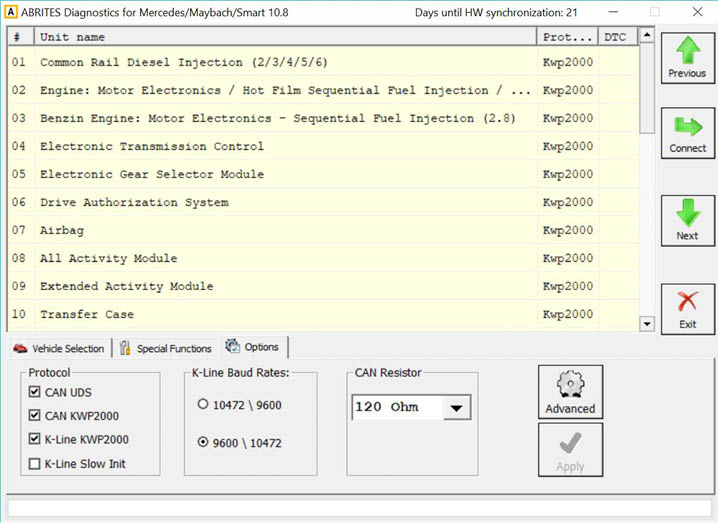
Protocol
There are 4 options here
-
CAN UDS - if it is checked, the software will attempt to connect to the specified control unit us ing “UDS protocol with baud 500KB/s”. The UDS protocol is used in control modules in newer vehicles - for example the Instrument Cluster of C-Class C204 uses this diagnostic protocol
-
CAN - if it is checked, the software will attempt to connect to the specified control unit using “KWP2000 protocol with baud 500KB/s”
-
K-Line KWP2000 – when trying to connect to the electronic control device the Diagnostics will try to connect to it using “KWP2000 over K-Line”
-
K-Line Slow Init – when trying to connect to the electronic control device the Diagnostics will try to connect to it using “Slow Init”. Slow Init means the software attempts to initialize the spec ified control unit using a baud rate of 5 bits per second. Disabling this option will significantly de crease the time it needs to find the available control modules in a complete vehicle when the button “Scan All” is pressed.
It is recommended that you leave all options checked. But, if for example you wish to scan for all available devices in the vehicle you can uncheck one of them. This will make the scan process faster. Usually cars after year 2003 have some units that use the CAN protocol. However, even to day there are vehicles in which some units work on the K-Line. Generally it is recommended to unchecked “K-Line KWP2000” and “K-Line Slow Init” when diagnosing vehicles produced after 2004.
K-Line baud rate settings
When trying to connect to the device over K-Line the Diagnostics will try to connect to it using one baud rate and if it doesn’t succeed it will switch to another baud rate and try again. There are two baud rate values currently used: 10427 and 9600. Using the “10472 \ 9600” and “9600 \ 10247” radio-buttons within the options dialogue one can set the order in which these two baud rate values will be used. If “10472 \ 9600” is selected, then first the Diagnostics will try to connect to the device over K-Line using baud rate 10472 and if it doesn’t succeed, it will switch to 9600 and try again with it. If “9600 \ 10472” is selected, then first the Diagnostics will try to connect to the device using baud rate 9600 and if it doesn’t succeed it will switch to 10472 and try again with it.
Advanced Options
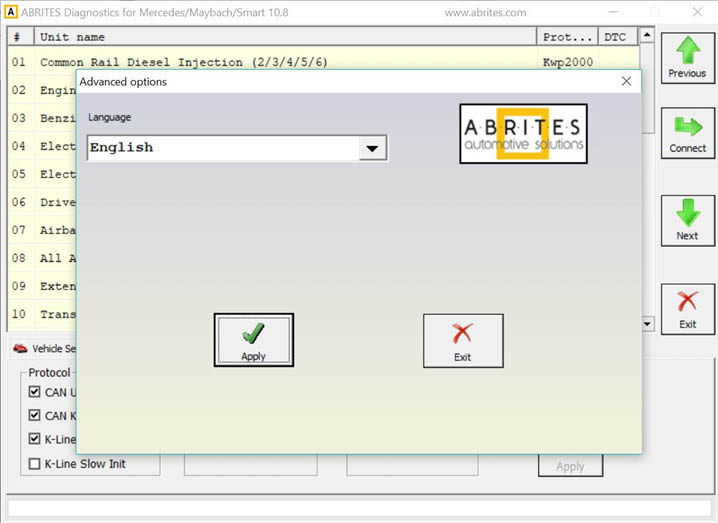
Clicking on the “Advanced” button will present you with the following screen and from here you can select the language of the user interface of the Mercedes Diagnostics: