The DAS Manager special function allows many modifications to the different units within the vehicles. Using this function the ECU, TCU, ISM, ELV and EZS can be returned to a virgin state, adapted to a vehicle, personalized, activated and coded. This function is extremely useful when using the DAS Manager to exchange used electronic modules in Mercedes – Benz vehicles.
In most cases these procedures are done by both OBD and internal CAN connection and generally speaking require you to bring the electronic unit to a virgin state, personalize it to the car, code it, and activate it. In order to better understand the meaning of this procedure we need to understand what the different terms used above mean.
-
Virgin – This is the state of the module when it is initially produced by the manufacturer and is ready to install in the vehicle.
-
Personalize – This is the state, when the electronic unit is adapted to the vehicle but this adaptation is not permanent (In this state the unit can be coded with previously read information).
This can be used in order to test if a used module is working with the vehicle but not committing to its installation in that vehicle.
- Activation – When the “Activate” option is used the module adaptation to the vehicle is complete. When the Activation is done the coding cannot be written to the module.
Using this option we commit to the personalization and coding we have made.
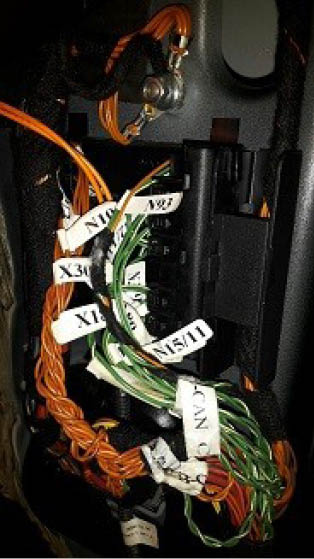
As an example we can use the functions of the DAS Manager in order to exchange multiple electronic control units in the Mercedes-Benz vehicles.When reading the ECU using the DAS Manager special function the reading process is always done via OBD. For other operations related to DAS manager you may need to use the internal CAN or LIN connection.
A good example of an internal CAN cluster is behind the ML
164’s passenger foot well plastic guard