When “Engine control unit” is opened the following dialog appears:
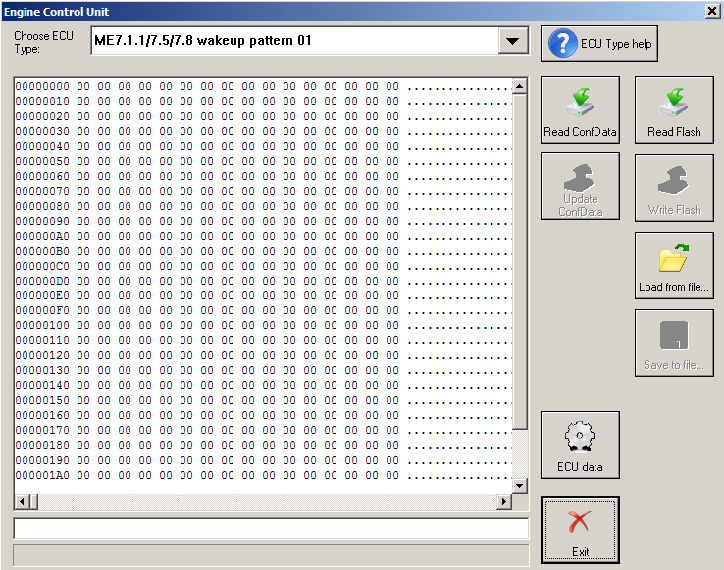
Special functions with ECU can be
-
Read of flash memory
-
Read/Write ECU’s configuration data
-
Read/Write ECU data
-
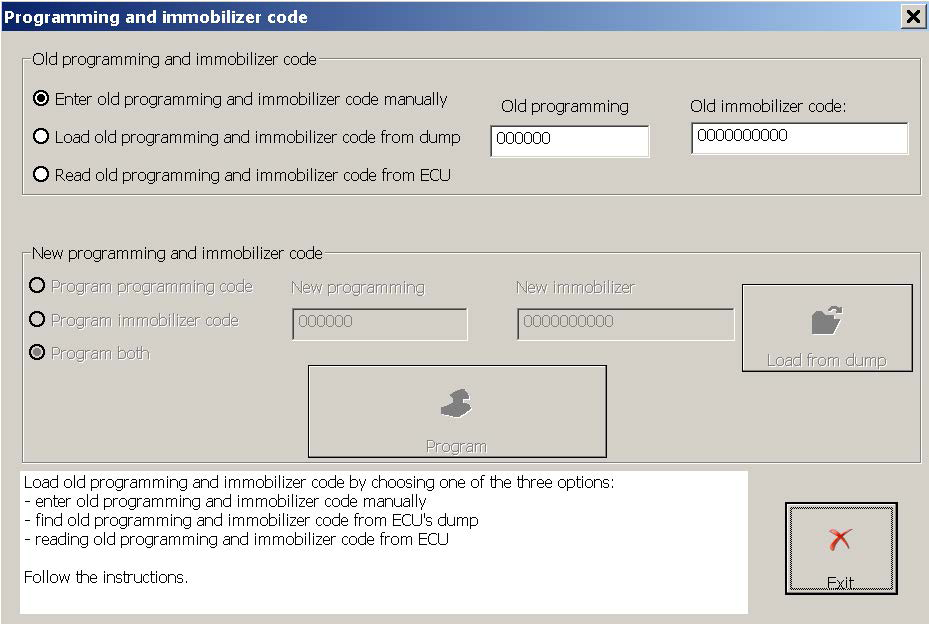
Change Immobilizer code in ECU
You need to clarify the type of Engine Control Unit in the car before proceeding!
You can choose ECU type – ME7.x (wakeup id 0x01), MED9.1, ME7.x(wakeup id 0x11), ME7.2, ME5.2, ME7.8 (9x6), ME7.8 (9x7)
Example is / Read ConfData of “Bosch ME7.8”
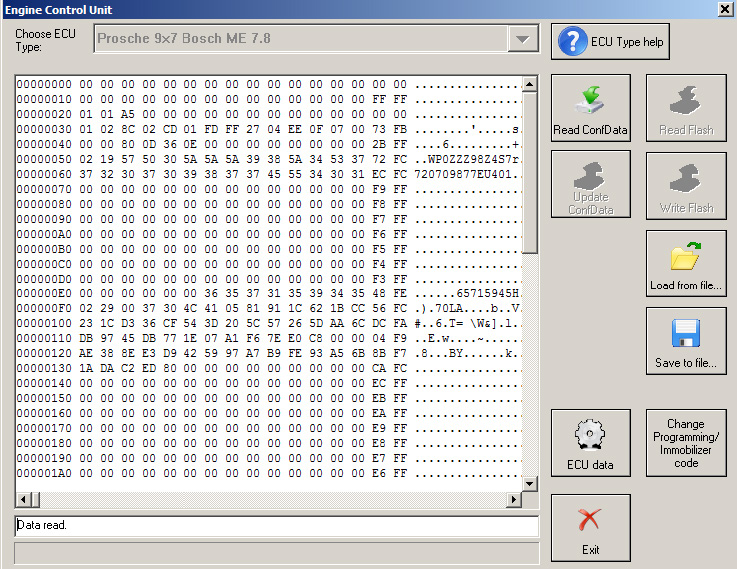
After ECU type is chosen the following functions are available
3.4.3.1 Read ConfData
By pressing button “Read ConfData”, the Diagnostics connects to the engine control unit and reads engine control unit’s configuration data. The read data is put into the hexadecimal display and can be saved to a file by pressing button “Save to file...”.
Before reading is started the Diagnostics will ask you to select whether to auto-detect engine control unit’s configuration data start address and length or you can specify certain memory area to be read.
3.4.3.2 Write ConfData
The loaded into the hexadecimal display data is written to the ECU.
Before writing is started the Diagnostics will ask you to select whether to auto-detect engine control unit’s configuration data start address and length or you can specify certain memory area to be written.
3.4.3.3 Read flash
By pressing button “Read flash”, the Diagnostics connects to the engine control unit and reads flash data. The read data is put into the hexadecimal display and can be saved to a file by pressing button “Save to file...”.
3.4.3.4 Write flash
The loaded into the hexadecimal display data (if flash was read and modified or flash data is loaded by pressing button “Load from file...”) is written to the ECU.
Press button “Load from file...” to load a binary file’s data into the hexadecimal display. Press button “Save to file...” to save the content of the hexadecimal display to binary file.
Read ECU data
By pressing button “ECU data” the “Abrites Diagnostics for Porsche” connects to the ECU and reads some specific ECU’s characteristics like “VIN”, “Operating hours counter”, “Total distance”, etc.
The following window appears:
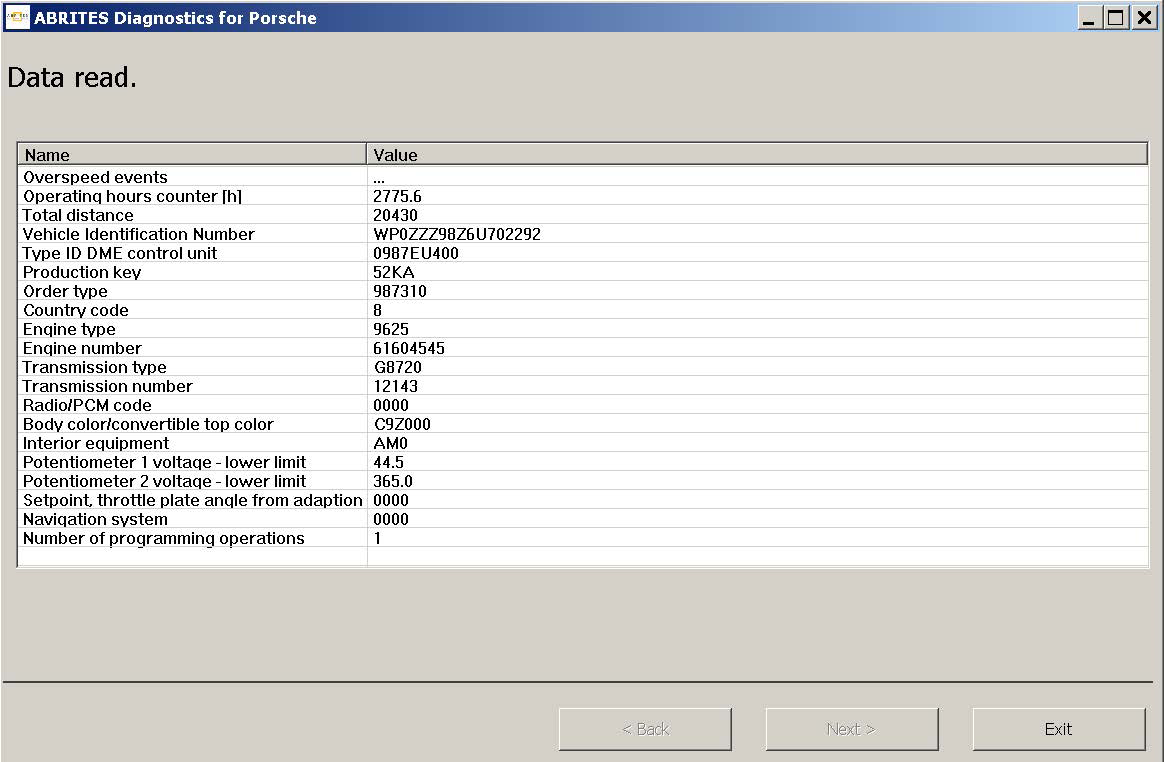
To read overspeed events information select “Overspeed events” row and press “Next”
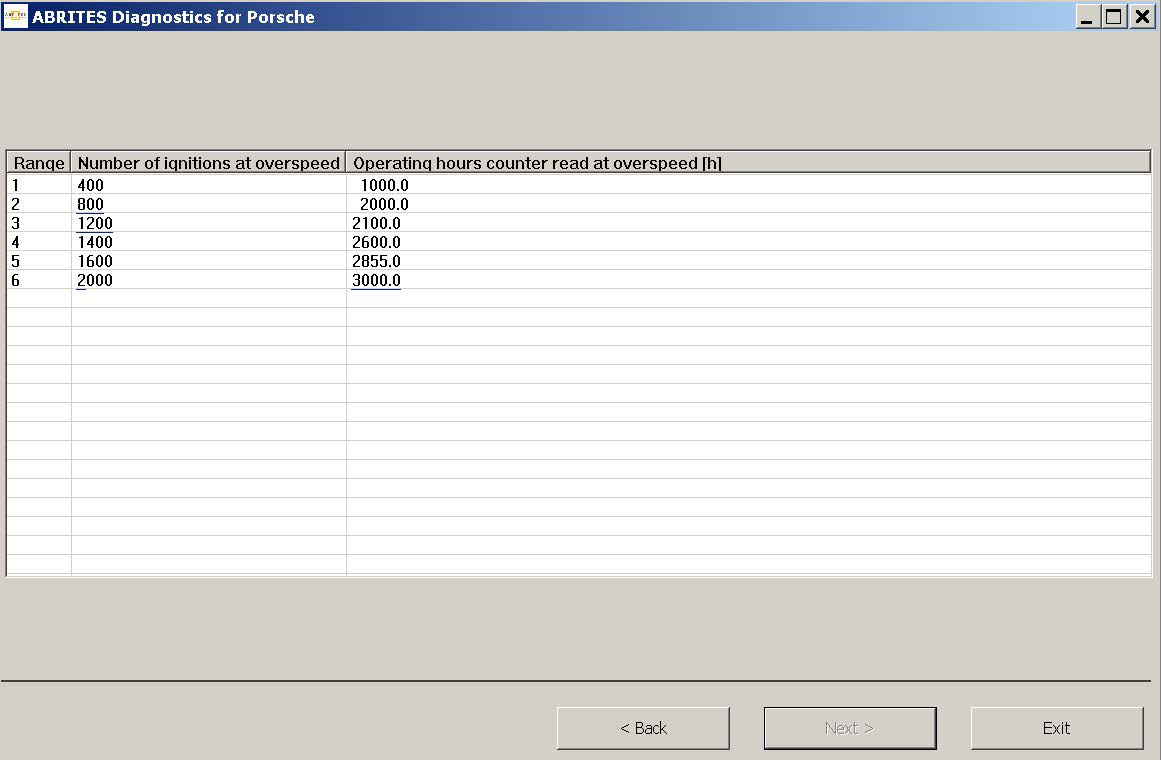
To change certain range, enter new values, select row and press “Next”.
3.4.3.6 Change Immobilizer code in ECU
Attention! When modifying a value please make sure you keep it’s format the same as read i.e. do not delete measurement units (if any), do not delete spaces and so on.
HINTS when reading/writing flash memories of ECUs
If you experience problems with reading ME7.x memory better remove fuse 11 and fuse 15 to prevent disturbing of communication from the instrument cluster and try again.
When flashing the device please always read and save first the original flash!
Please, stop all screen savers/power saving options and unused application during the flashing! Please do not do anything else on your PC while flashing.
Please, take into account that the reading/writing of the flash will take a long time (especially when CAN connection is used) – as result the battery may become flat.
HINTS when reading/writing ConfData memory of ECUs
If you experience problems with reading ME7.x ConfData better remove fuse 11 and fuse 15 to prevent disturbing of communication from the instrument cluster and try again.