When this function is opened, the following dialog appears:
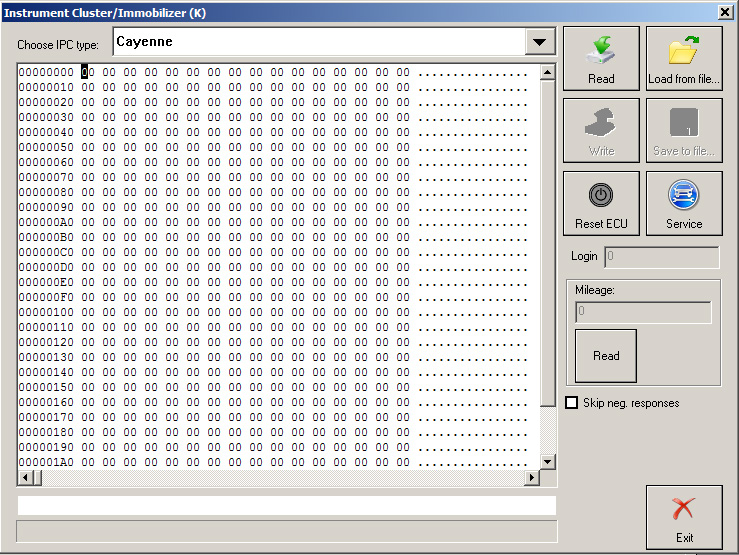
The user is able to select through the following vehicle models:
Cayenne
911 (996), GT2 (996), GT3(996), Boxter(986) - 1998-07/2001 C56
911 (996), GT2 (996), GT3(996), Boxter(986) - 08/2001-2005 C86
If vehicle model “Cayenne” is selected the following functions are available:
-
Read ConfData - by pressing button “Read”, the Diagnostics connects to the instrument cluster and reads cluster’s configuration data. The read data is put into the hexadecimal display and can be saved to a file by pressing button “Save to file...”.
-
Write ConfData – the loaded into the hexadecimal display data is written to the instrument cluster.
-
Reset ECU – by pressing button “Reset ECU” the Diagnostics connects to the instrument cluster and performs diagnostic reset of the control unit.
-
Service – by pressing button “Service” the user can reset “Service interval display” or “Maintenance interval”.
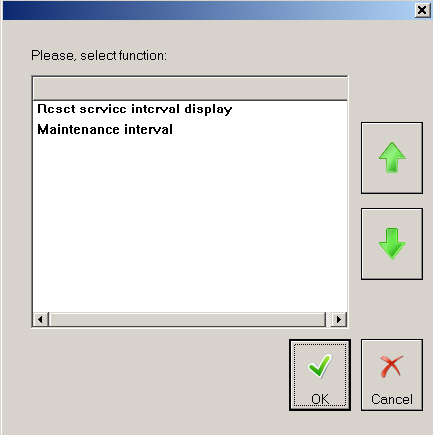
If function “Reset service interval display” is selected the Diagnostics connects to the instrument cluster and resets the service interval display.
If function “Maintenance interval” is selected the Diagnostics connects to the instrument cluster and after some details are specified (engine type, production year, mileage unit, country) the maintenance interval is reset.
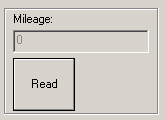
- Read Mileage – by pressing button “Read” into the “Mileage” section the Diagnostics connects to the instrument cluster and reads current mileage value (in km) .
If vehicle model “911 (996), GT2 (996), GT3(996), Boxter(986) - 1998-07/2001 C56” is selected the following functions are available:
-
Read cluster’s configuration data - by pressing button “Read”, the Diagnostics connects to the instrument cluster and reads cluster’s configuration data. The read data is put into the hexadecimal display and can be saved to a file by pressing button “Save to file...”. If the instrument cluster’s security access code is found it is displayed into the edit filed next to the “Login” label. The mileage value is displayed into the edit field into the “Mileage” section.
-
Write cluster’s configuration data – the loaded into the hexadecimal display data is written to the instrument cluster.
-
Reset ECU – by pressing button “Reset ECU” the Diagnostics connects to the instrument cluster and performs diagnostic reset of the control unit.
-
Read Mileage – by pressing button “Read” into the “Mileage” section the Diagnostics connects to the instrument cluster and reads current mileage value (in km) .