Supported models: Peugeot 308 III, Citroen C5 III, DS4, Opel Astra L (2021+) and everything based on the same platform.
4.4.1 Additional Key Learning
With the latest Abrites software development you are now able to read the PIN of the vehicle directly in seconds with the help of a working key.
Procedure is described in section 4.3 of this user manual. ZN094 is required, as well as PN020 software license.
This new procedure is a much faster, easier and safer!
Note : Retrieving the PIN by ZN094 emulator does not bypass 30 minutes waiting time when learning a new key.
LEGACY PROCEDURE
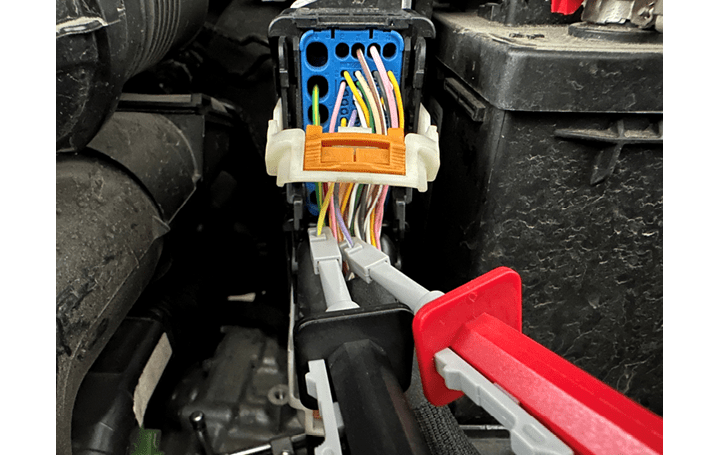
Requires direct internal CAN Connection with the use of CB012 - convenient place for connecting the needle pinches is behind the ECU connector (check ECU pinout)
CAN H (Red needle) - Purple wire (pin 49 ECU connector)
CAN L (Black needle) - Yellow/Green wire (pin 33 ECU Connector)
Example in the picture below.
After the appropriate connection is made, you can proceed with the Key Learning procedure normally, following the on-screen instructions.
NB: Please note that CAN wires positions and colors may vary for different modifications
ECU Connection diagrams from ECU Programming Tool User Manual
4.4.2 All Keys Lost
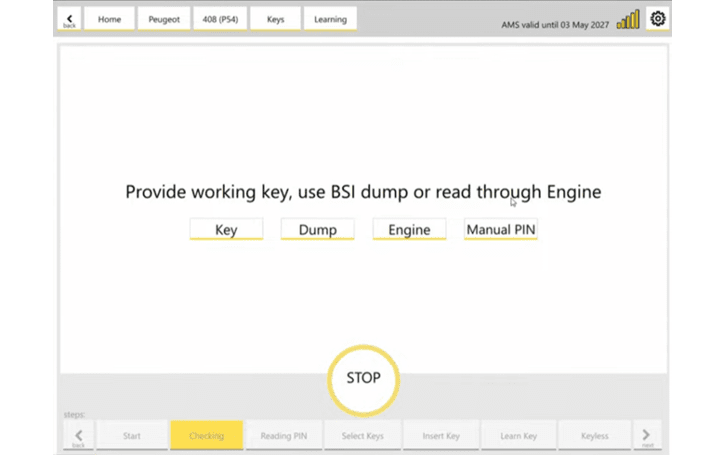
For vehicles 2022+ with VSM the VSM EEPROM dump is required in a case of All Keys Lost situation!
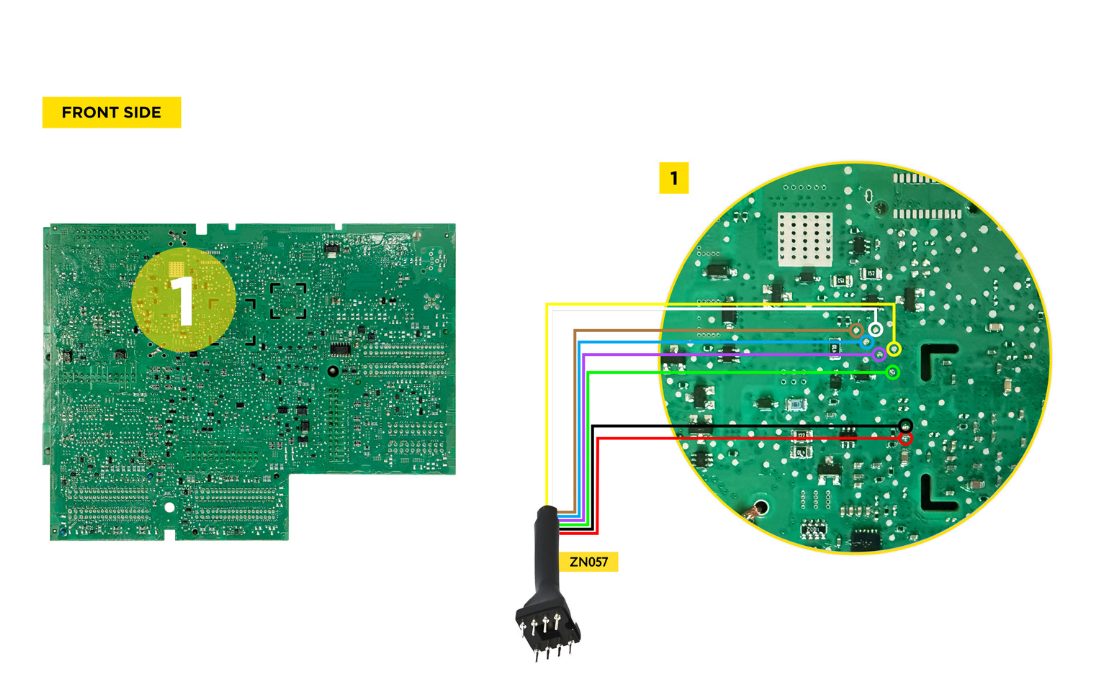
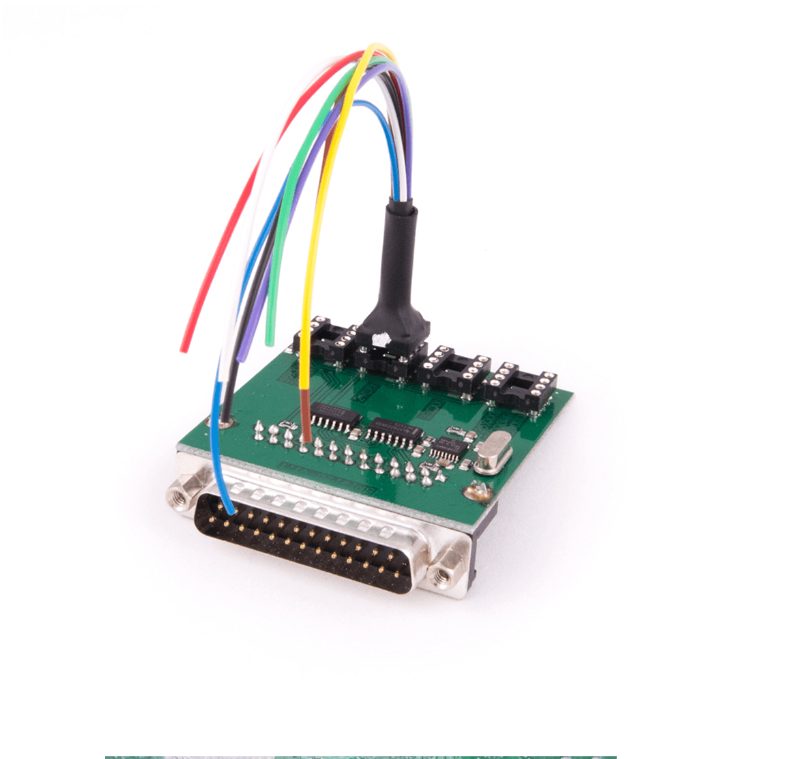
VSM is eqiipped with a SPI EEPROM 95256. Procedure is executed with ZN130 ABProg programmer and a ZN057 adapter (together with a ZN031)
Below you may see a screenshot of the step where a dump can be uploaded, and the wiring diagram for the VSM.
LEGACY PROCEDURE
ECU needs to be read on bench to obtain the PIN.
CB013 is needed in order to connect and reat the ECU on bench, as well as power supply ( ZN074 ). ECU needs to be dismounted from the vehicle, connected on bench as per the pinout from the “ ECU Programming Tool User Manual. “
Once the ECU is wired and powered up, you need to ofollow these steps
-
Open the software and select the vehicle
-
After the scan is complete, select the ECU module
-
Open the module via the diagnostic menu and select the ECU type from the menu
-
Select “Read PIN“ menu on the left hand side and follow the onscreen instructions
-
You will be asked to select the “AKL“ option if no working keys are present, make sure you do that
-
The procedure may take up to 1 hour to obtan the PIN
-
Once you have the PIN, please make sure you save it for later use.
After you have obtained and saved the PIN, you can install the ECU back into the vehicle and start the normal Key Learning procedure and manually input the PIN to program keys to the vehicle.
ECU Connection diagrams fron ECU Programming Tool User Manual