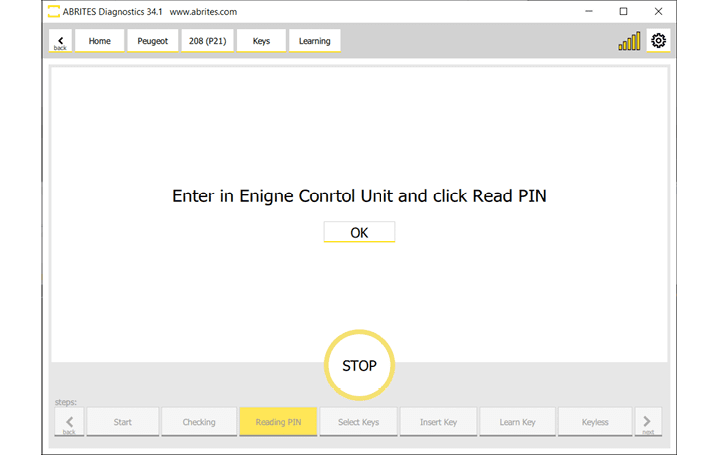
The latest development of Abrites allows you to read the PIN code from the BSI or ECU units and use it to program keys for Peugeot and Citroen vehicles. The PIN code is retrieved by using the ZN094 key emulator, which can consequently be used for emergency start in All Keys Lost situations.
For vehicles 2021+ with BSI the PIN is read directly in seconds even in a case of All Keys Lost It is no longer necessary to read the BSI EEPROM or to read the PIN from the Engine Control Unit!
To start this key learning procedure you will need to have the PN020 license active and to have the ZN094 emulator connected.
Procedure
-
Open PSA Online software > Select the model > Select “Key Learning” menu > Learn Keys > press and hold Start button as usual.
-
Once the software detects th required license and emulator (ZN094) you will be prompt to hold the emulator by the vehicle’s antenna (emergency slot) and press IGNITION ON
(if you are using a mechanical key, please make sure there is no transponder in the key at this point)
- When ready, the software will display the PIN Code!
This may take up to 30 seconds or the software would ask you to press IGNITION ON once more.
- The rest is a guided and well know procedure, so please follow the on-screen instructions.
IMPORTANT: in the ZN094 set you will find 2 emulators
-
ZN094M for vehicles with a mechanical key
-
ZN094K for vehicles with a keyless key
Make sure you use them accordingly!
Key emulator can be used for emergency start.
For vehicles 2016+ with BSI the PIN is read directly in a seconds
For vehicles 2021+ with BSI the PIN is read directly in a seconds even in a case of All Keys Lost. It is not necessary to read the BSI EEPROM or to read the PIN from the ENGINE control unit anymore.
Note : Retrieving the PIN by ZN094 emulator does not bypass 30 minutes waiting time when learning a new key. LEGACY PROCEDURE
If you are not owner of the latest software licenses of Abrites, the legacy procedure lets you program keys in all keys lost situation for the latest 2021+ Delphi BSI. Once in the key learning wizard, you will get to the point where you cannot continue as in the steps described in section 4.2 of this manual and you will see a message that gives you 2 options: Load a dump from the “Dump” button, or read the PIN from the ECU.
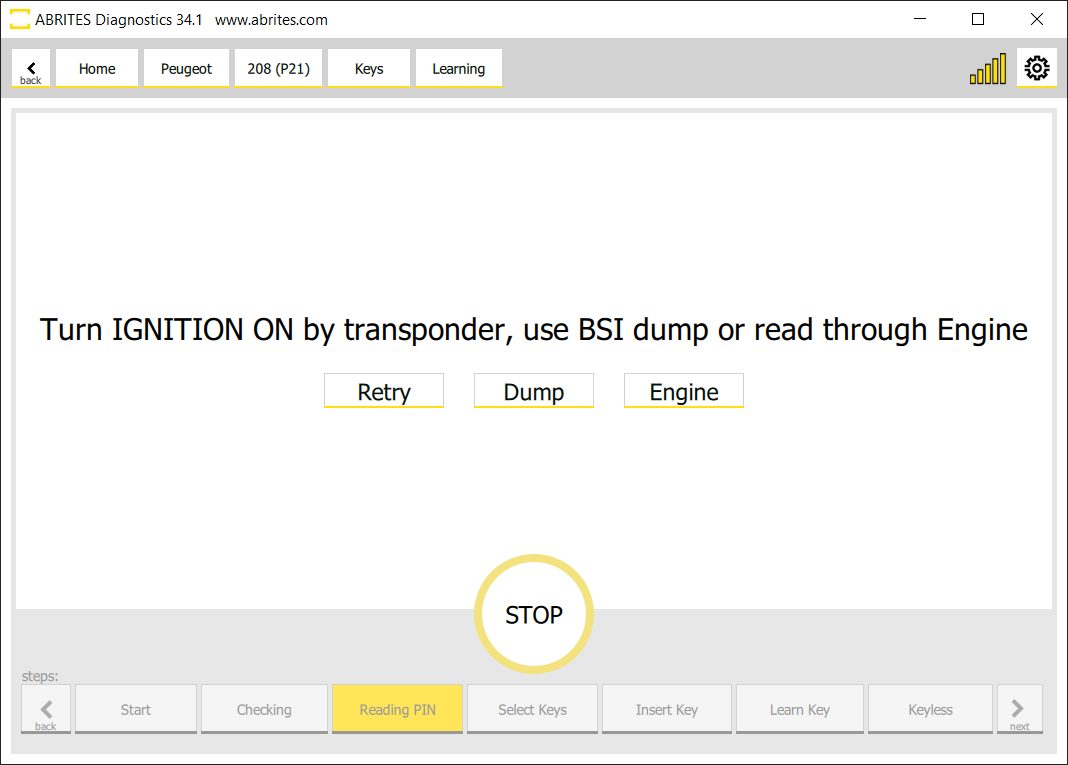
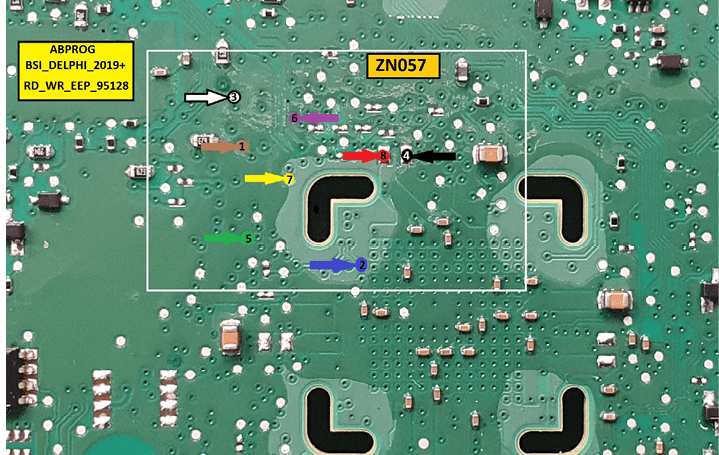
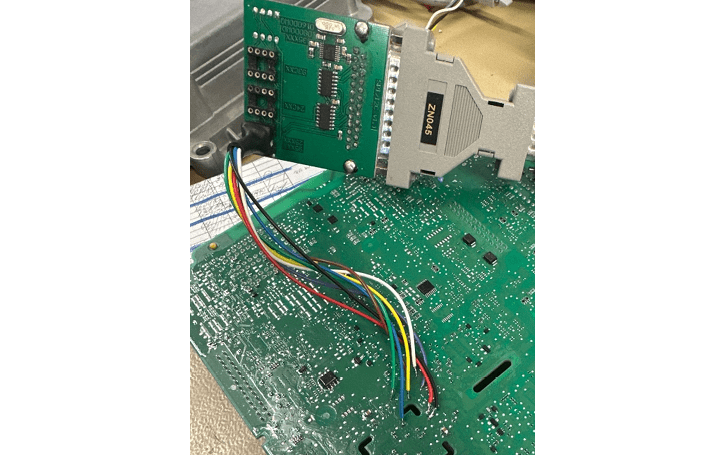
If you decide to load a dump of the BSI, you can read it by soldering to specific points of the unit, and reading it on bench. You will need an ZN130 Abprog programmer, and a ZN057 Wire Extender for Abprog
Below you may find the connection diagrams and the way the whole set-up should look lile
If you choose the other option “Engine” to read the PIN from the Engine Control Unit, please check the dedicated section in this user manual for reading PIN from ECU - Section 8