The Abrites diagnostics for Renault/Dacia is installed together with the software applications as a part of the installation provided to the user with the e-mails sent.
You can start the Abrites diagnostics for Renault/Dacia from the Quick start icon, installed on your desktop upon installation of the Abrites diagnostic suite. You will be able to start it by clicking on the brand logo. When the software opens the user will see the following screen:
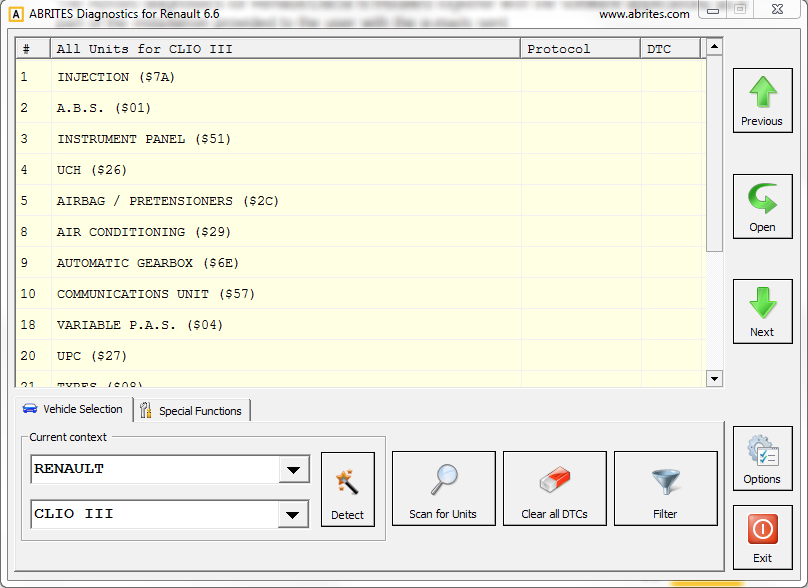
In this main screen the user can select the model of the vehicle and proceed to diagnostics or click the “Detect” button in order for the Abrites diagnostics for Renault/Dacia to automatically detect the vehicle.