In order to open the key learning functions of the Abrites diagnostics for Renault/Dacia the application should be started. On the main screen the user should select the “Special functions” menu:
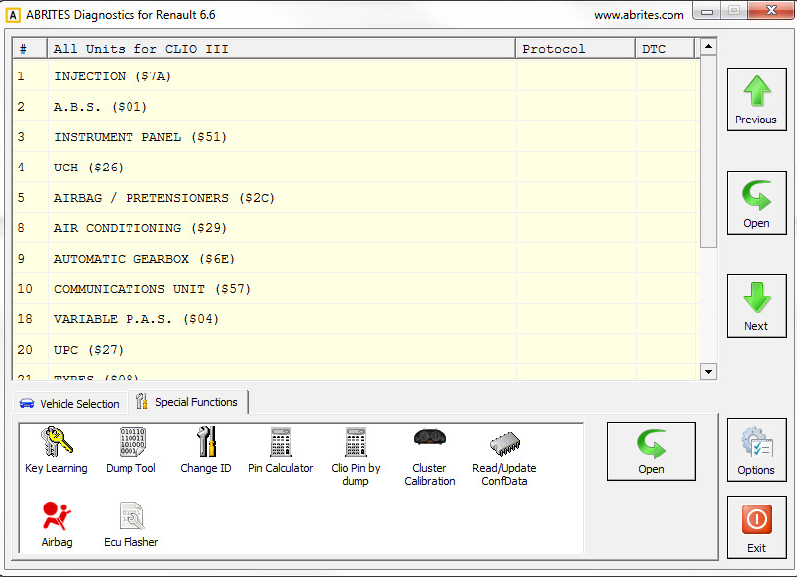
Once in the main screen the user will see the special functions list. Please note that not all special functions may be included in the basic software and they must be purchased in order to be used.
4.1.1 Common procedure
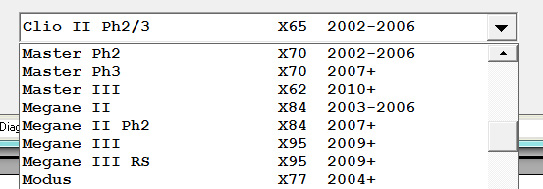
There is function for auto-detection of the vehichle model. Nevertheless if you don’t succeed to learn the key using the auto-detection, please try to make it by selection the model manually from the drop down list of supported models:
When this function is opened, the “ABRITES Diagnostics for Renault/Dacia” opens the following dialog:
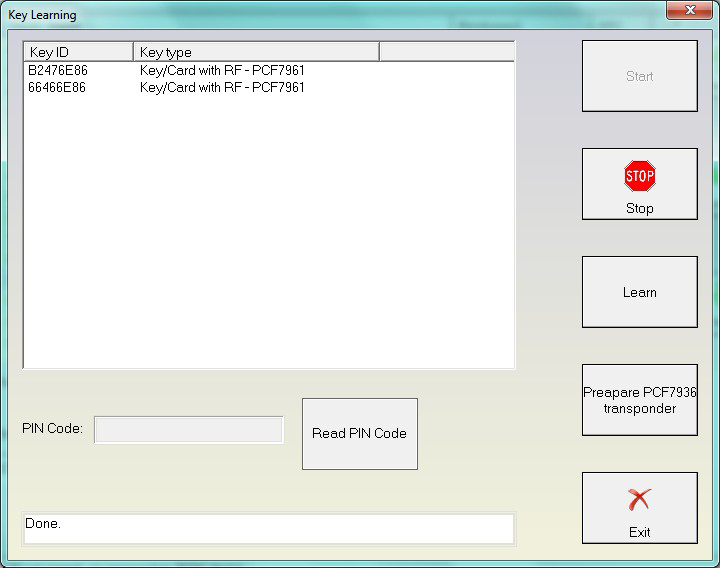
When you press the “Start” button then application connects to the immobilizer and reads the keys which are currently accepted from the car. If you want to learn a key/card, then you need to press the “Learn” button and you’ve to specify how many keys/cards you want to learn.
After that you should follow the instructions.
Normally the procedure goes in that way
-
When pressing the start button the application is connecting to the immobilizer and displaying the present keys/cards. In most cases it is not required that the car is on ignition, for some cars the immobilizer is awake directly from the diagnostic. But on some cars it may happened that the ignition is given when connecting to the device.
-
After pressing the “Learn” button and specifying the number of keys you will be invited to remove the key/card from the ignition. Please be sure that the key/cards is really removed after this. Otherwise immobilizer will reject the key-learning procedure.
-
After that you will be invited to insert each next key/card and give the ignition ON. For each key there are several seconds required until the immobilizer recognize the key/card.
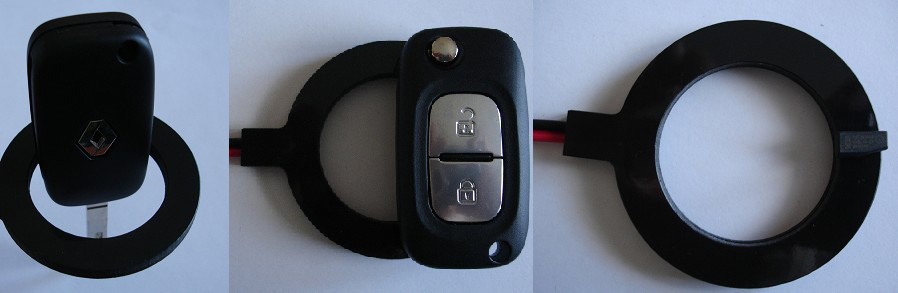
NOTE: For some models there are two ways to learn keys/cards – regular procedure or using direct writing to the EEPROM memory. For Clio III Direct, Modus Direct and Traffic III Direct the keys are put into the programmer, not into the ignition. When putting the key into the programmer please be sure that it is correct placed as shown in the pictures below:
-
Step “3” is repeated for each key you want to learn.
-
After inserting all keys which have to be learned you will be asked whether you want to store the result or to reject the whole procedure (useful if you made a mistake during the key-learning procedure like forgot to put a key).
If you do not have an original key for the model, you can use PCF7936 transponder to make a key for the car. Please note that PCF7936 might be used only on cars with key, not on cars with cards! Also if you learn PCF7936 transponder there will be no remote control for that key! So if you want to use such PCF7936 transponder, you should connect your programmer, put a factory new transponder inside and press the “Prepare PCF7936 transponder”.