For X95 based cars (Megane III/ScennicIII/Fluence, etc) there is a difference in step “2” from the common procedure. The rule is that if you will learn a new (virgin) key/card, put the card in the ignition lock (without giving IGNITION ON), if you will learn an already pre-coded or working keys/cards - there should be no key/card in the ignition lock. Here are some examples:
-
if you will learn a virgin card, put this card in the ignition lock. For example if car has two working cards, and you want to add one, you should specify 3 cards for the key count, put the virgin card in the ignition, then when invited to put first key/card – do nothing. Then when invited to put second and third key/card, put the original working keys into the ignition. If you want to add two virgin cards, you need to execute the whole procedure twice!
-
if you will learn only cards which are working (e.g. car has three working cards, one of them is loosed and you want to relearn that only the other two cards continue to work), in that case no card should be on the ignition for this step.
NOTE: For Renault Fluence if you want to learn a virgin key, put it in the ignition lock (without giving ignition ON) and perform the procedure (this is the original procedure). If you’ve message “PIN code not accepted! Make sure ignition is OFF!” - then repeat the procedure from the beginning with the SAME VIRGIN KEY, and this time the key should be outside the ignition lock! (i.e. the exception here is that the virgin key is not in the ignition lock).
4.1.3 X95 based cars with updated software
Starting from about 2011 these cars have updated software in the immobilizer and it is no more possible to make them by OBDII. With ABRITES Diagnostics for Renault, it is possible to make cards for them, but you should first read them with the ABPROG. You can easily recognize these immobilizers since they are showing “09090909” for the existing key-IDs.
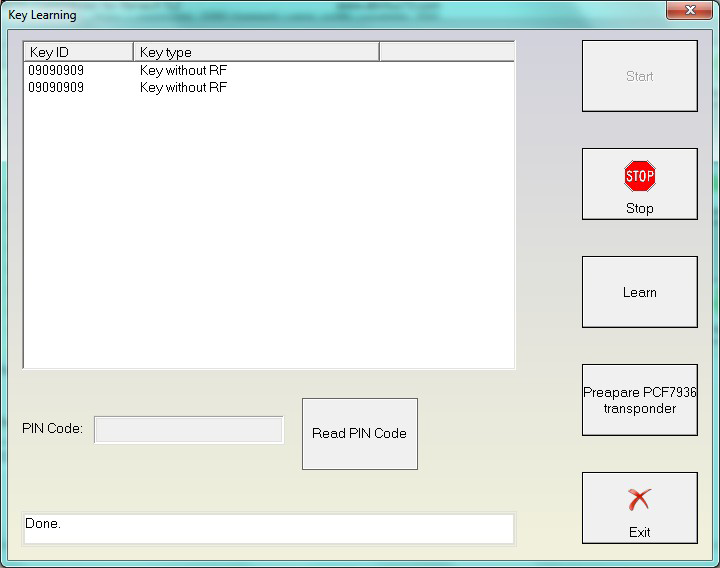
If you press “Learn” or “Read PIN Code” for such immobilizer, there will be a warning that first you need to read the immobilizer with the ABPROG. You should press here “Yes” after you already read the immobilizer dump.
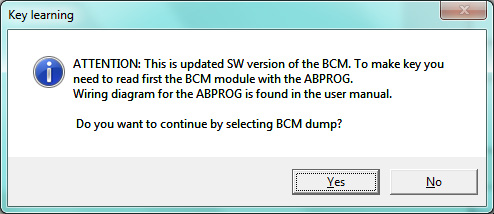
To read using Abprog please refer to the Abprog user manual.