The “ID-Box” control unit is a part of the immobilizer system in the vehicles with a smart access system (keyless keys). “ID-Box” combines synchronization patterns between Smart Access Module/ESL and Engine Control Electronics.
The ID box’s purpose is to “unite” the communication signals from the above modules.
In many cases the replacement of a Smart Access Module and ECU is linked to the reset of the ID-box module to it’s after sale state (virgin state), this is done in order to allow acceptance of a new part to the vehicle’s security system.
Generally, resetting of the Smart Access Module leads to an internal reset of the IDbox but in many cases a reset of the Smart Access Module by diagnostics is restricted. In these cases we have the option to reset the Smart Access Module and ID-box with the help of the dump tool (for ID-box with an external eeprom ).
The Abrites diagnostics for Toyota/Lexus/Scion software also supports the ID-box w ithout an external eeprom (through direct LIN connection only).
The biggest problem is that the disassembliy of an ID-box from a vehicle is a very difficult task. Usually it is placed at a difficult location (in most cases you need to remove the dash board of the vehicle and many other parts).
For this reason we offer the option to reset ID-box by connecting directly to the internal LIN BUS of the car using either the ZN151 Distribution box or a CB012 cable set , Alternatively you can do that using a custom cable for connection between the AVDI and the vehicle:
Pin 1 of the AVDI Interface <-> internal LIN BUS of the car.
All that is needed to do this is
- Connect your
-
CB012 cable set between the AVDI Interface and the CB100 OBDII cable or
-
ZN151 Distribution box between the AVDI Interface and the CB100 OBDII cable and use the K1 socket for direct connection to the internal LIN BUS of the car
-
Connect to the OBDII of the car
-
Disconnect the two connectors of the smart system (located under the glove box compartment)
-
Connect to the internal LIN BUS (red connector of the CB012, or K1 socket of the ZN151 Distribution box) of the car.
There are two options to connect to the internal LIN BUS of the car
- Option 1: Connect to pin 5 of the ESL (if available) without disconnecting the ESL connector Here is the connection diagram of the 7-pin ESL:
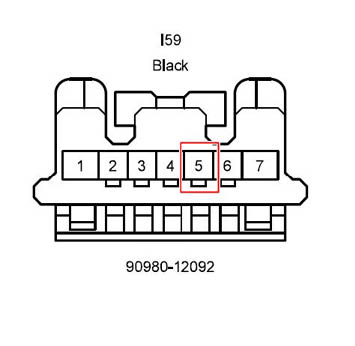
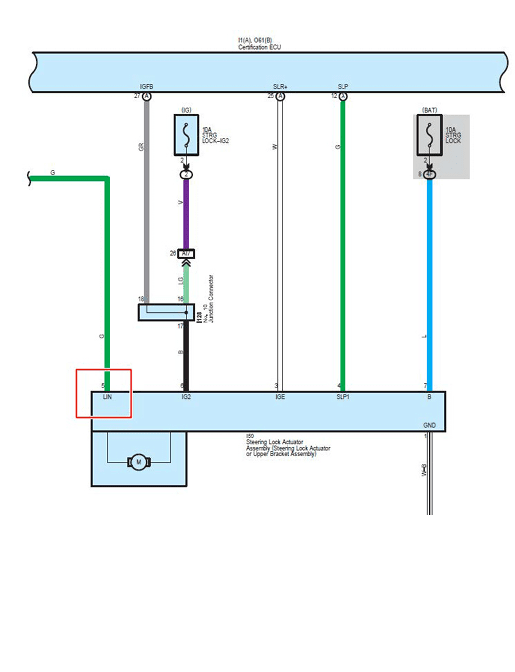
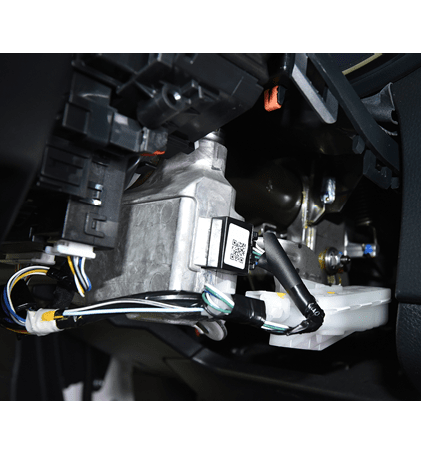
- Option 2: Connect to the LIN BUS wire which goes to one of the smart system’s connectors directly (this can be verified in the electrical wiring diagram of the Toyota Factory Repair Manual). The LIN BUS pin/ wire depends on the car model and configuration.
Here is an example where pin 14 is the LIN:
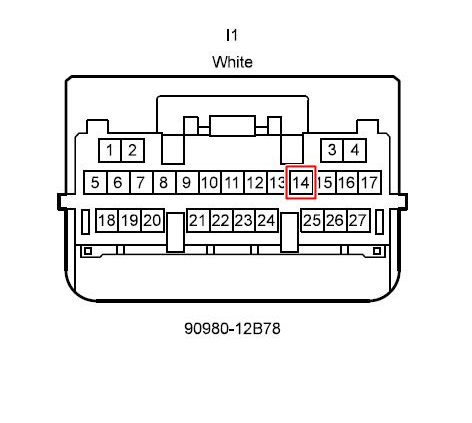
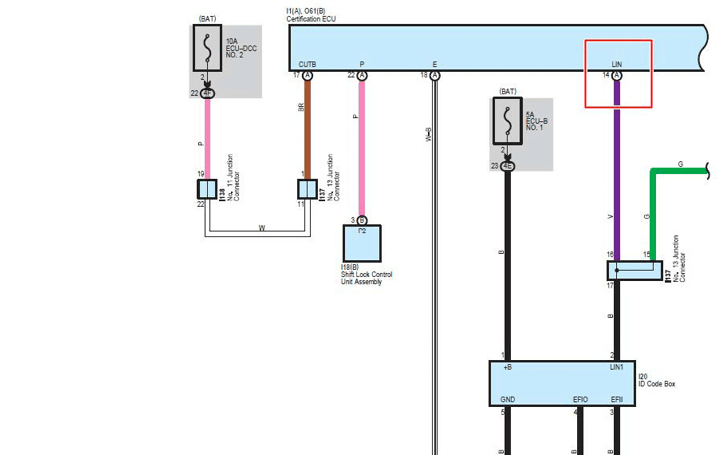
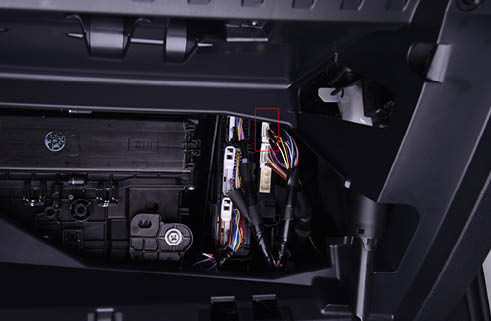
If you want to connect to the ID-box on bench for car models 2013+, you should connect to pin 2(LIN) of the ID-box (check the wiring diagram above).
The ID-box of the models before 2013 has 7 pins.
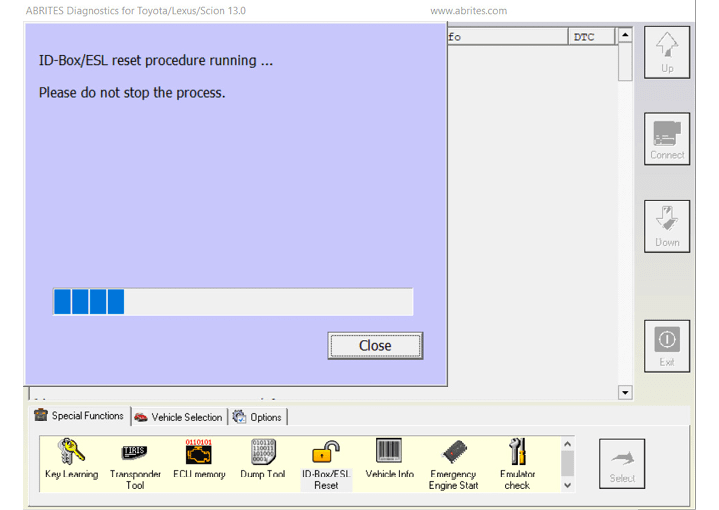
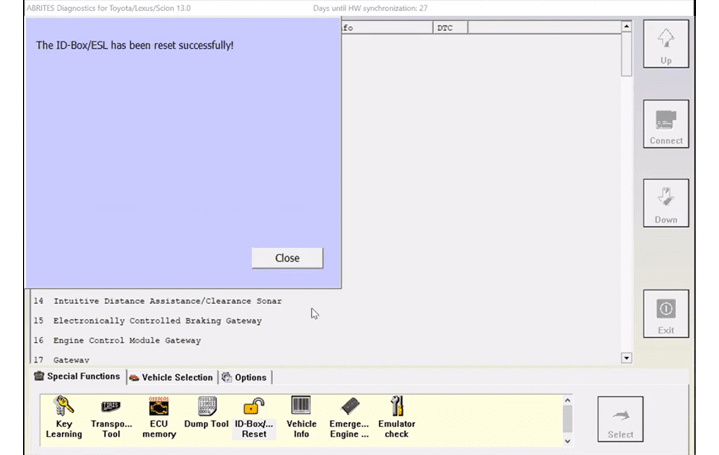
- Start Abrites Diagnostics for Toyota/Lexus/Scion and select “ID-box reset” special function.
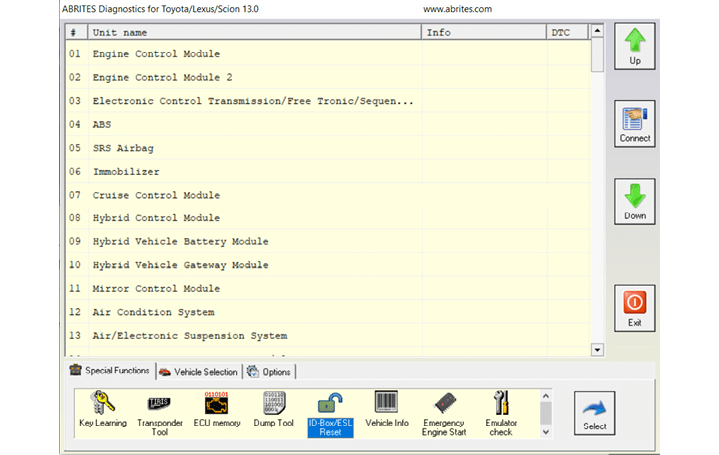
- Wait until the reset procedure is done. The process will take up to 1 minute.
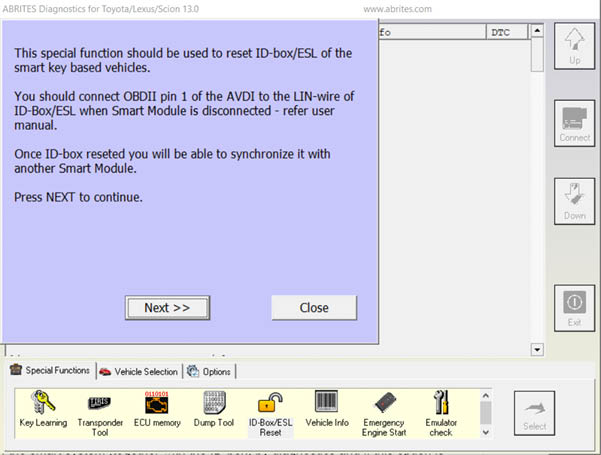
Important: Be sure that you really need to reset ID-box module of the vehicle. For key programming purposes for vehicles up to 2017 this is not needed – you have an option to try to reset of the smart system (together with the ID-box) by diagnostics and if this option is restricted you can program a working master key directly in the dump of smart module or using the ZN039-2 adapter – refer to special function “Key Learning” and “Transponder Tool”. So access to the ID-box is not needed.