You can start Abrites Diagnostics for Toyota/Lexus/Scion by starting the Abrites Quick Start application and selecting Toyota, Lexus or Scion.
When the diagnostic application is started the main screen of the application will appear
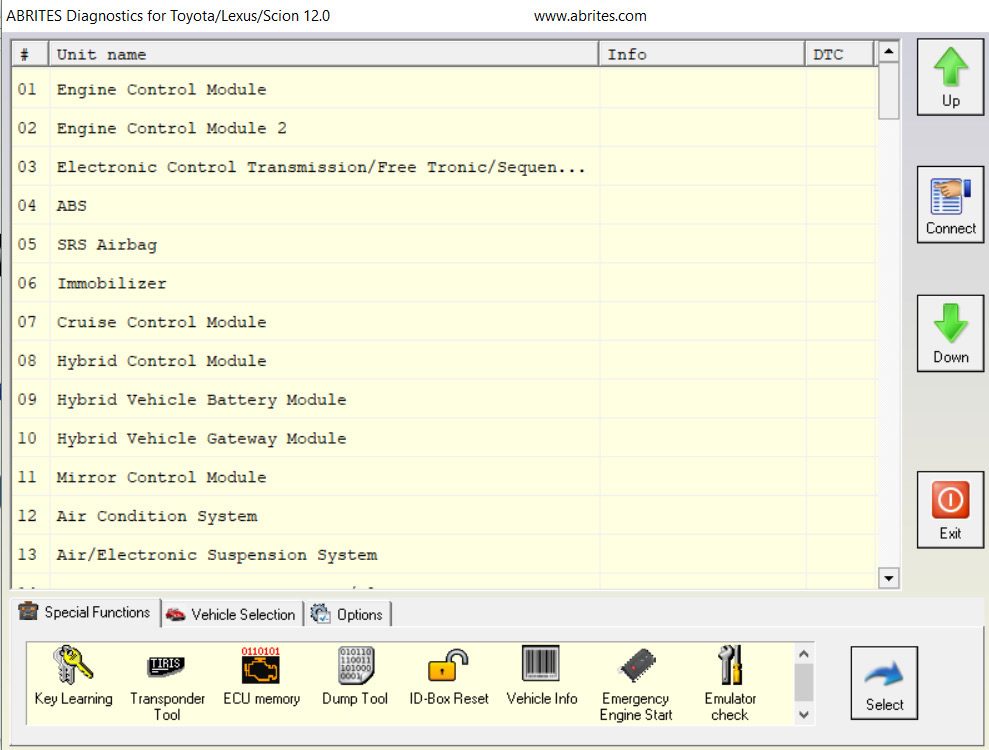
The screen is divided in two parts – the upper part where all electronic control units assembled in Toyota, Lexus or Scion vehicles are listed and the lower part of the screen where the additional special functionalities available in your diagnostic software are listed.
The lower part of the main screen can be used for selection of a vehicle model and group of electronic control units displayed in the upper part of the main screen.
Displayed functionality on the lower part of the screen can be exchanged by pressing the Special Functions or Vehicle Selection options.