The adaptations menu is designed to allow you to make changes which are related to the specific needs of the customer.
The example with the rear (boot or trunk) door is very clear because you can have a customer with a lower garage ceiling who needs to have their door open lower because it will hit the ceiling.
There are many examples of what can be done, including service intervals.
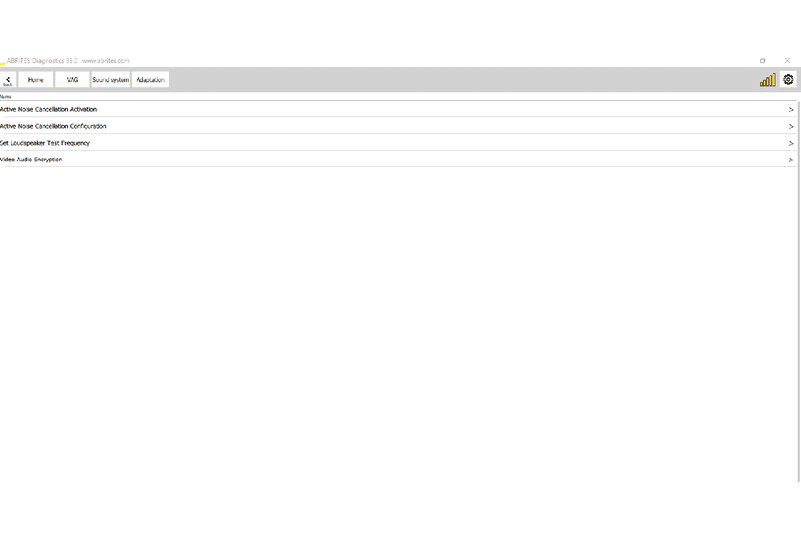
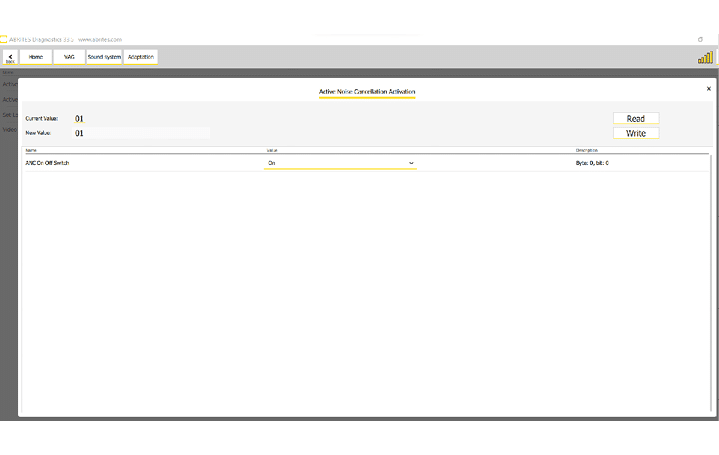
In the example below you can see a few adaptations, one of them relates to the enabling or disabling of active noise cancellation, setting desired values for the audio output of the sound system, etc.
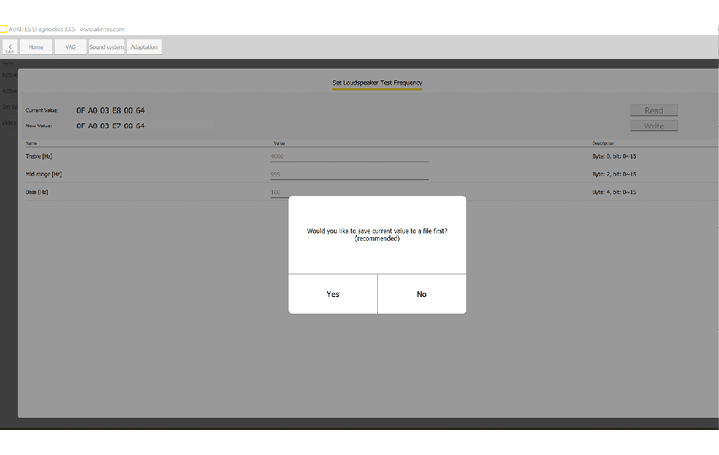
You can also see that Abrites Diagnostics for VAG Online provides you with notifications in order to advise you to save the values before modifying them in order to have the option to return the module to the previous state.
Once the values have been changed you can simply press the “Write” button which will allow the software to make the changes you have set.
In order to enter the adaptations you have to enter the desired module from the diagnostic menu and press the “Adaptations” button.