This function is dedicated especially for making keys for the models of Audi A6/A7/A8 (2010+). Please note that the VW Touareg 2010 is not included. The procedure of making keys is a little bit complicated and goes in several steps.
-
Read the BCM2 by OBDII (with a programmer).
-
Prepare a key (it should be an Abrites key!) and learn it to the car
-
Read the transmission control unit and engine control unit by connecting to the internal CAN bus. Connection to the internal CAN and LIN bus are described separately in the appendix!
-
Read the ELV by connecting to the internal LIN bus
-
Calculate online the data necessary for programming the key (this could take up to 15 hours)
-
Prepare the dealer key and learn it to the car
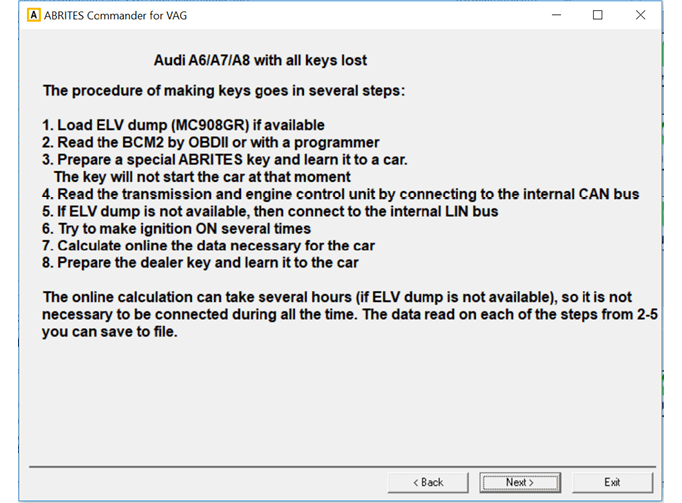
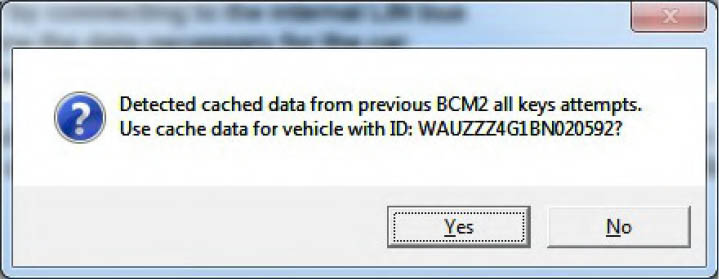
The procedure for calculation takes from 2 to 15 hours, so it is not necessary to wait the whole time online. Normally the software will remember till which step you proceeded last time, and if you start the software anew, it will allow to resume from where the procedure was interrupted. So when you press the “Next” button, if there are some cache data from previous BCM2 all keys lost attempts, the software will give the possibility to continue from where the procedure was stopped. This is dedicated to avoid the very long waiting period (15hours) until the calculation is finished.
Here are some more details about the steps:
-
Load ELV dump (MC908GR) if available - if a dump from the ELV is available the time will be significantly.
-
Read the BCM2 by OBDII (or with a programmer) - Since all keys are lost, the customer will need to disconnect and reconnect the BCM2 from the power supply during this step
-
Prepare and learn a key – for this step a special Abrites key should be used. It is not possible to use other keys for this step.
-
Read the transmission control unit and engine control unit by connecting to the internal CAN bus
For that purpose is necessary first to read the TCU and ECU. The TCU and ECU is not possible to be read by OBDII, but is possible to read it when you connect the TCU and ECU on the table, or when you connect the AVDI to the internal CAN-BUS of the car.
To read from the internal CAN-Bus, find the orange/black and orange/brown CAN wires and make the following connection of the AVDI:
-
Orange/black <-> CAN-H (PIN6 of the OBDII)
-
Orange/brown <-> CAN-L (PIN14 of the OBDII)
-
Ground <-> GND (PIN4 of the OBDII)
-
12V <-> 12V (PIN16 of the OBDII)
NOTE: These are the same wires used for transmission control unit (TCU) adaptation If the ECU is Simos (which cannot be read using a direct connection) it will be possible to program a key to car only if a dump from the ELV is available.
- Read the ELV by connecting to the internal LIN bus – now you’ve to connect to the internal LIN bus. It is found on PIN17 of the T32C connector of the BCM2. To read the ELV by the LIN bus, you need to connect the LIN wire to PIN 7 of the OBDII, to provide also GND to PIN 4 of the OBDII, and 12V on PIN 16 of the OBDII. Once the AVDI is connected to the LIN, you will see indication for this as shown below:
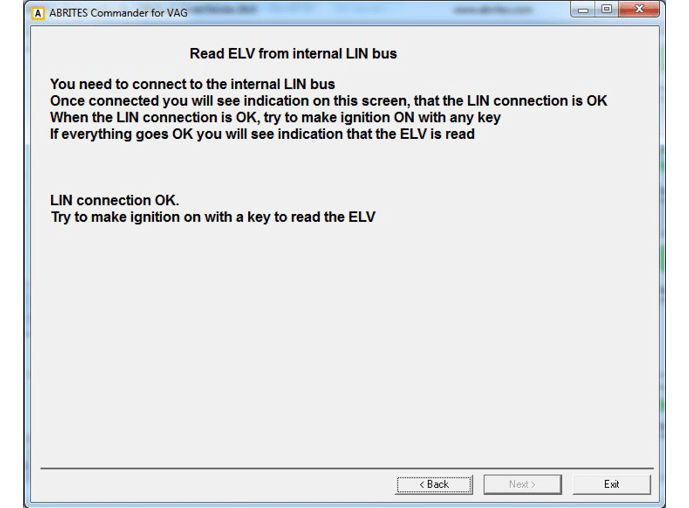
So once you have connection to the line, you should try to make several times ignition ON and again OFF (during these attempts you need to eject the key). Continue to make ignition ON and OFF with the key which you prepared on step 2, until you see the message “ELV read OK”.
Then you can continue with the next step.
- Calculate online the data necessary for programming the key – the calculations can take till 15 hours (if there are no other pending requests) and it is not necessary to hold this window open all the time.
You can close the software, and then later to check if the calculation is ready. For that purpose you just need to select to use the last cached data.
- Prepare the dealer key and learn it to the car - once the calculation was made OK, you can make a dealer key and learn it to a car. You can use the same key from step 2, or you can use any other blank key.