Once you select the “EEPROM” use button “Erase Incr.”.
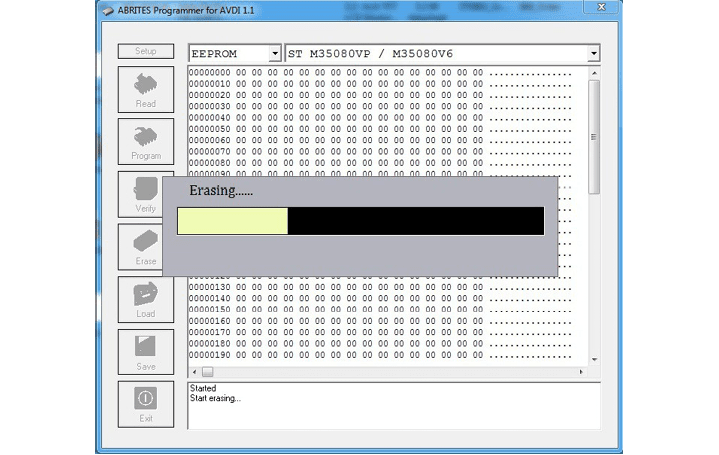
Keep in mind that the time to erase “M35080VP/M35080V6” could reach 90 seconds!
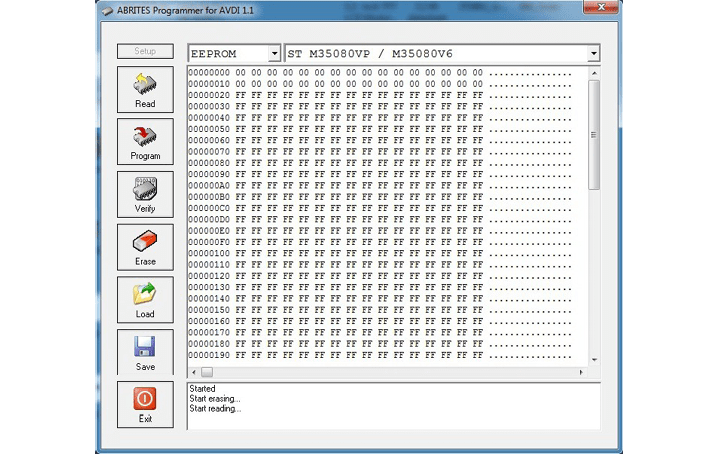
After erase finish you can write the new data using the button “Load” and “Prog Incr.”.
Required equipment
- Abrites AVDI interface
- ZN130 ABPROG programmer set
- ZN031 - ABPROG EEPROM/BCM adapter, or the DB25 connection described below
- The memory to be erased
Step-by-step procedure
1. Select the device family
Once you select the “EEPROM” use button “Erase Incr.”.
2. Wait for the erase
The erase of an “M35080VP/M35080V6” could reach 90 seconds - do not interrupt it and do not disturb the connection while it runs.
3. Load and program the new data
After erase finish you can write the new data using the button “Load” and “Prog Incr.”.
Important notes
- 90 seconds is normal, not a hang. An incremental erase on M35080VP/M35080V6 genuinely takes that long.
- “Erase Incr.” and “Prog Incr.” are the incremental pair - the ordinary read/write buttons do not do the same job on these memories.
Troubleshooting
| Issue | Likely cause | Solution |
|---|---|---|
| The erase appears to hang | It has not finished - M35080 can take up to 90 seconds | Wait for it to complete before touching anything |
| The new data does not stick | The erase did not complete, or "Prog Incr." was not used | Erase again to completion, then “Load” the file and use “Prog Incr.” |