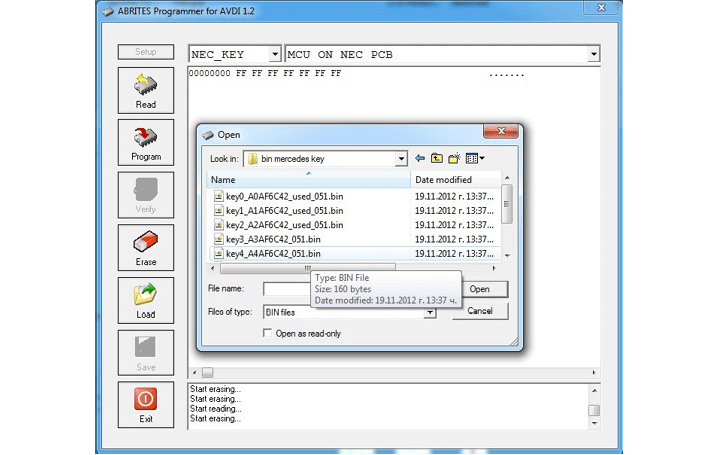
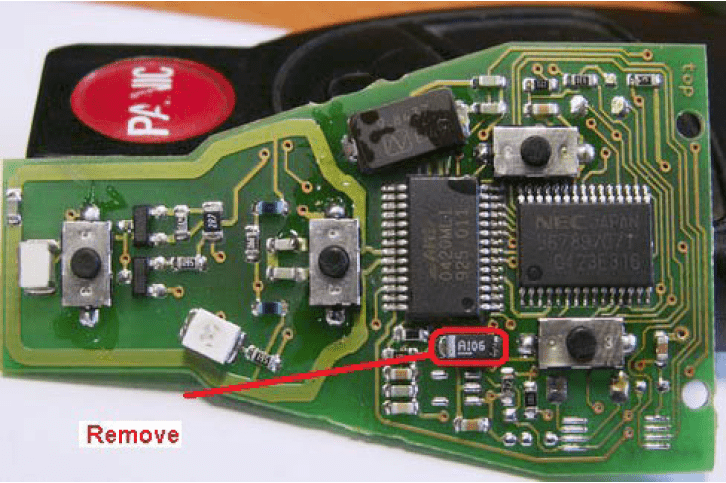
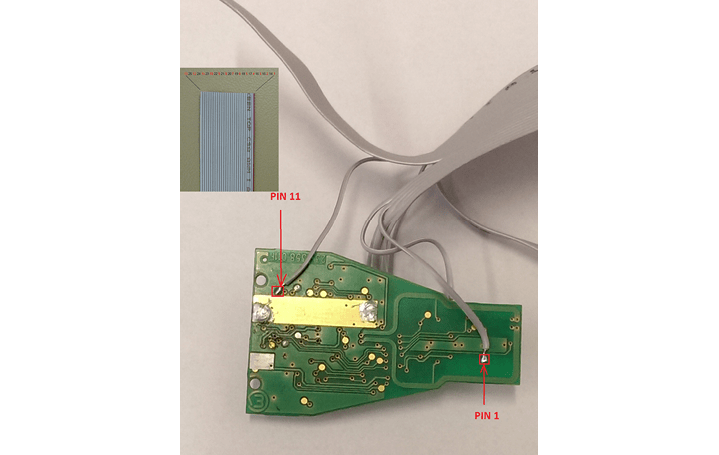
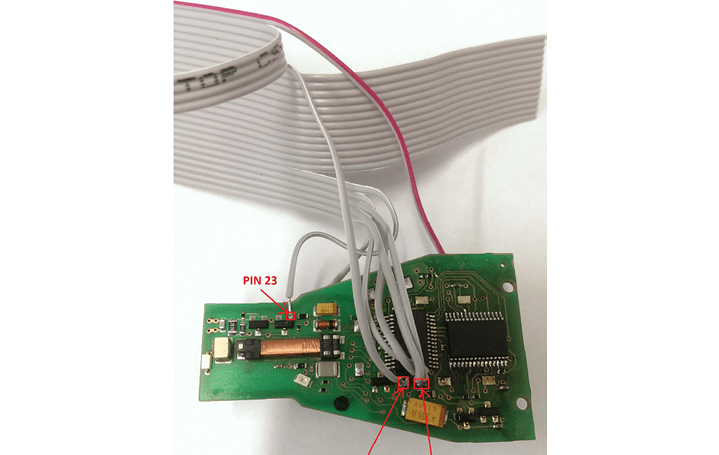
Programming the CPU directly on the key using ABPROG flat cable.
NOTE: FOR CUSTOMERS WHO HAVE “ZN002” AFTER FIRMWARE UPGRADE CAN BE USED AS “ZN130-ABPROG”.
Required equipment
- Abrites AVDI interface
- ZN130 ABPROG programmer, or a “ZN002” after firmware upgrade
- The ABPROG flat cable
- Soldering equipment
Reading a BCM immobiliser with the ABPROG
To read the immobilizer with the ABPROG you need to solder as showed on the pictures below.
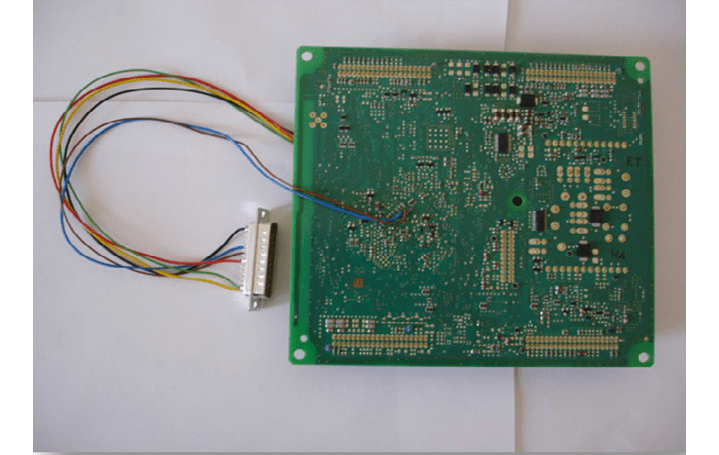
In the ABPROG you should select “MCU” and the “Renault (X95) BCM” option.
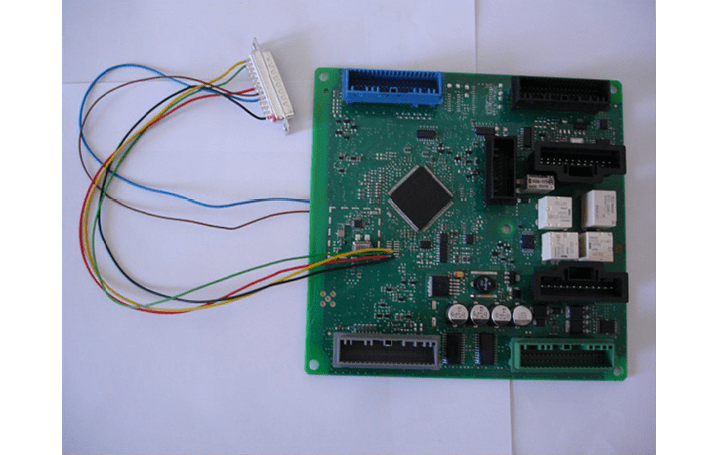
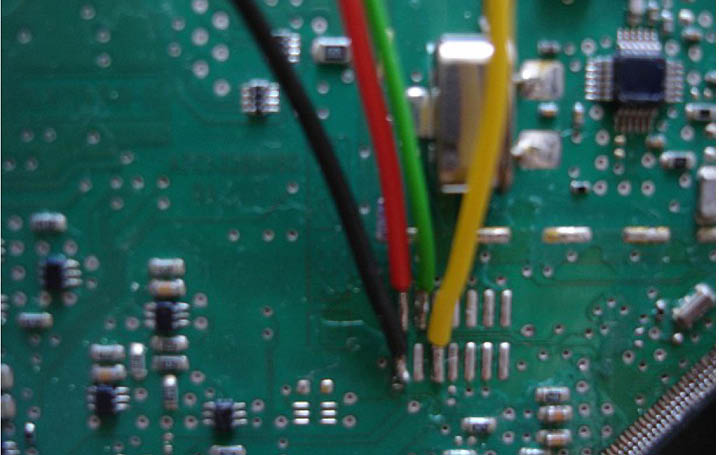
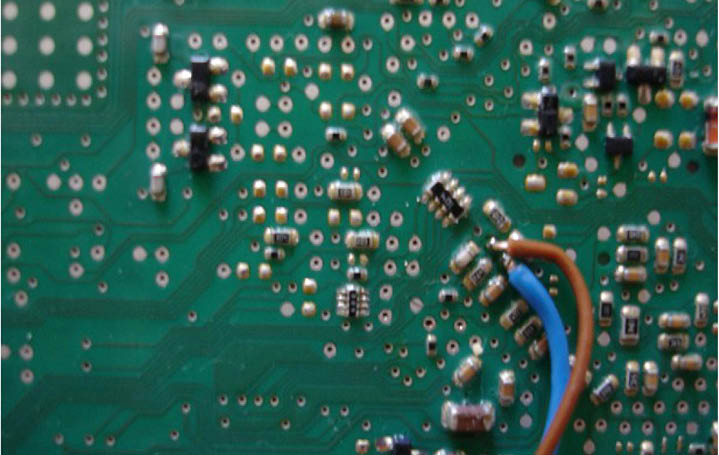
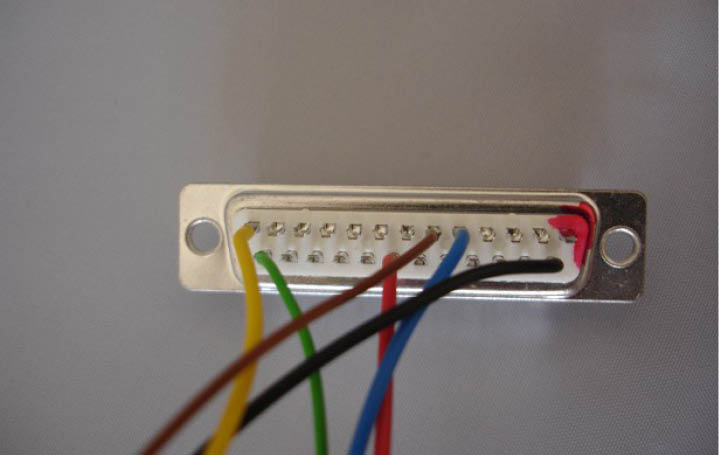
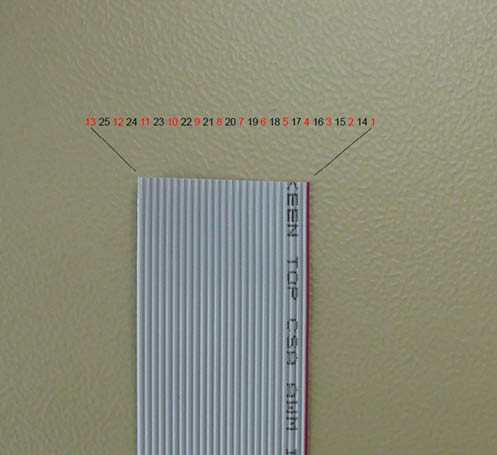
For Renault and Audi BCM
| Wire colour | DB25 pin |
|---|---|
| Blue | 5 |
| Brown | 6 |
| Yellow | 13 |
| Black | 14 |
| Red | 20 |
| Green | 25 |
Important notes
- A “ZN002” can be used as a “ZN130-ABPROG” after a firmware upgrade - existing owners do not necessarily need new hardware.
- The Renault/Audi BCM wire colours above map onto the same DB25 pins documented for the ZN058 and ZN078 adapters - check the pin numbers there before soldering a home-made lead.
- Select “MCU” and then “Renault (X95) BCM” - the NEC key options live under "MB NEC KEY" instead.