The SSID is read from the NEC chip on the ABPROG, with the chip either soldered to the ZN033 or placed in the ZN032 socket.
Required equipment
- Abrites AVDI interface
- ZN130 ABPROG programmer
- ZN032 or ZN033 NEC adapter
- The NEC MCU from the Mercedes-Benz IR key
Step-by-step procedure
1. Connect the NEC
Place the NEC in the ZN032 socket, or solder it to the ZN033.
2. Select MB NEC KEY
Open the software, choose “MB NEC KEY” and the revision of the ABPROG's PCB.
3. Read
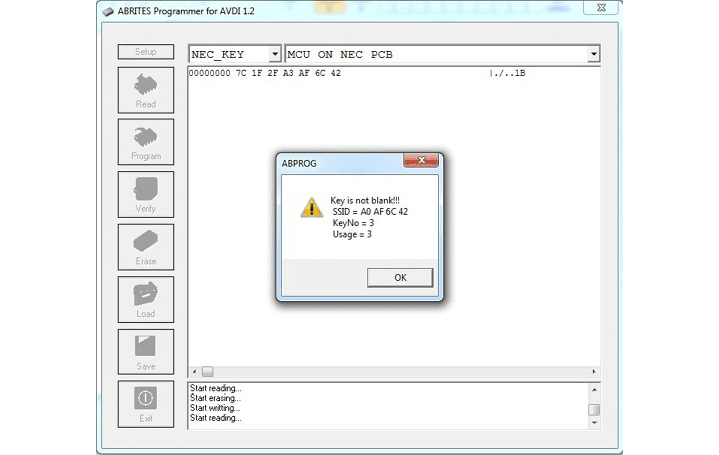
Read the chip. The SSID is displayed among the other details.
Important notes
- Reading the password as well as the SSID - for version 57 MCUs - is done with the ZN076 adapter plate; see 14.2 NEC MCU version 57 password reading.
- With the full dump, the hash files and the password you can save the file and use it later to generate dumps with the Abrites diagnostics for Mercedes.