Extracting an EZS EIS password from the W221, W216, W164, W251 before facelift via DAS manager and the IR adapter when all keys are lost.
In order to complete this operation you will be required to do the following:
-
Connect the ZN151 distribution box to your AVDI and make sure you have your purple cable set connected to CAN H and CAN L (3-11). Connect the OBD cable to the ZN151. Connect your IR adapter to the AVDI and leave it aside.
-
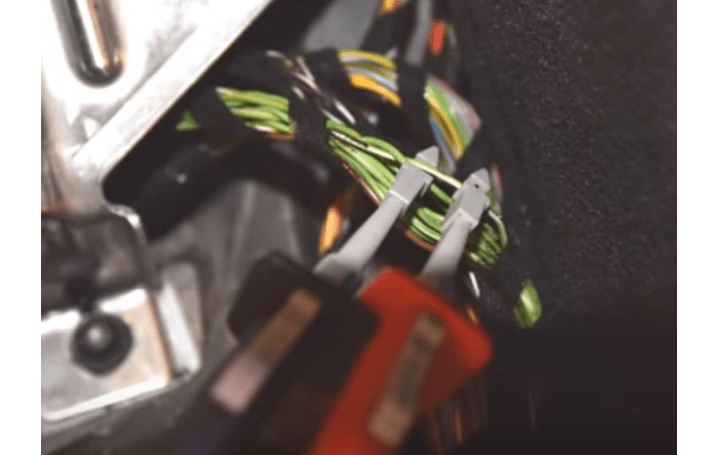
Locate the internal power train CAN (Green/ White – CAN H; Solid Green – CAN L) and connect the purple connection cables to the internal power train CAN using the supplied pinch needle connectors.
-
Start the password extraction process as you would do for any other car – Read the in DAS manager, press “Get EZS pass”, Select IR adapter and PROTAG.
-
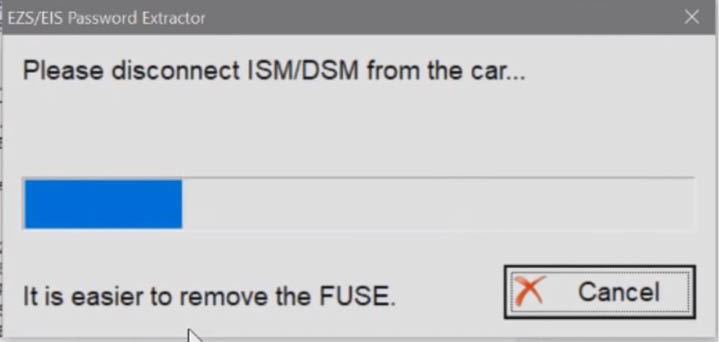
The procedure will start and will suggest that you remove the ISM/DSM. It is always easier to just take the fuse out. Locate and remove the fuse.
For W221 – passenger side No.83, 30A. For W164- Remove ECU fuse if prompted in engine compartment, right front (Petrol - fuses 103, 105, Diesel - fuses 101, 103, 105)
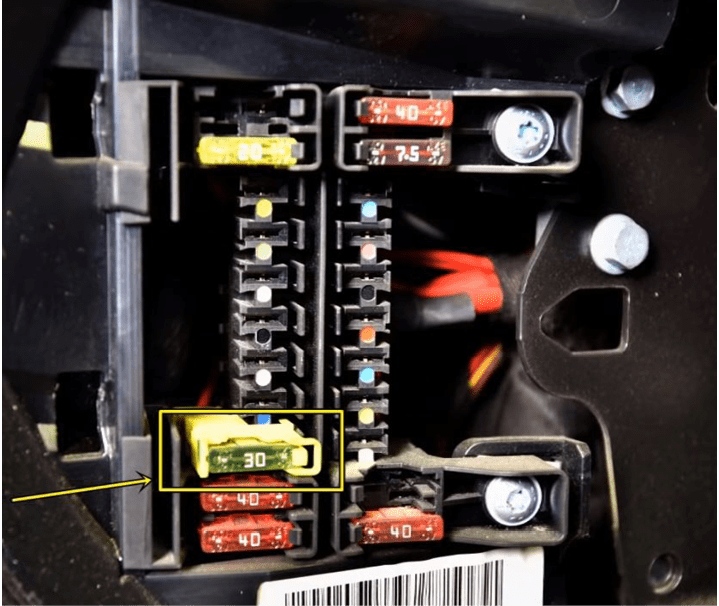
W164 EZS fuse can be found on socket 14 in the passenger side fuse box.
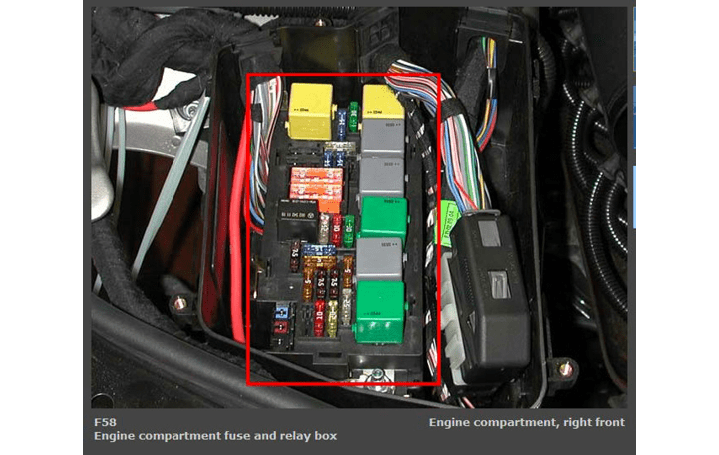
Petrol - fuses 103, 105, Diesel - fuses 101, 103, 105
You need to connect the fuse adapter to the fuse socket and connect the adapter to the DS-Box Relay
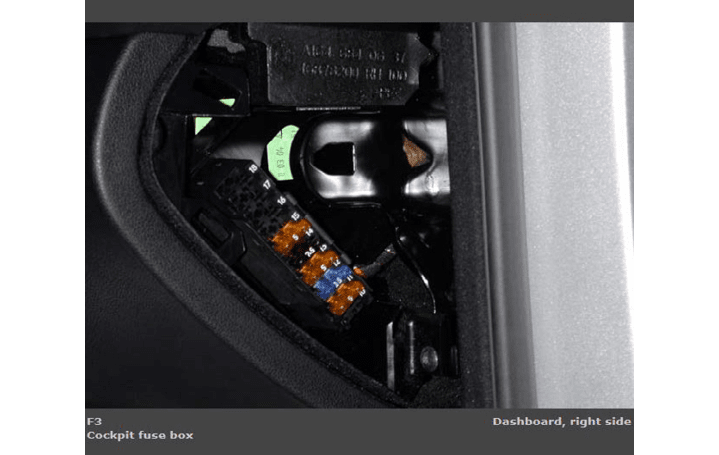
W164 passenger fuse box. EZS fuse is socket 14
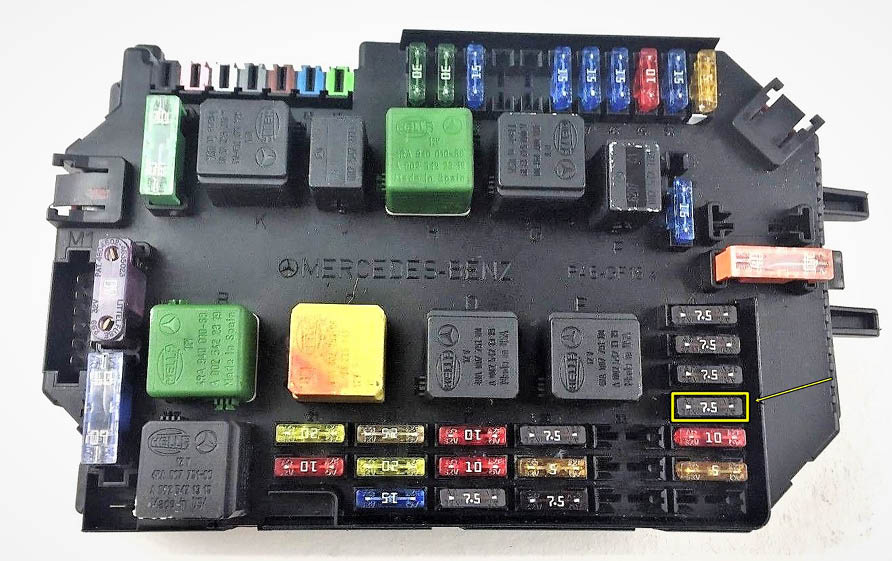
The W221 EZS fuse can be found in the front SAM, fuse 37(7.5A). This fuse is responsible for the backup power of the ISM/DSM. and its socket is connected to the DS-Box Relay via the Fuse Adapter.
-
You will be required to wait for around 5 minutes until the ISM/ DSM is discharged without a fuse.
-
The process for password extraction will be started and you will start seeing the extracts in the bottom of the window.
-
You will require active AMS and internet connection and as always, once the password is extracted, you can program a key to the car via PROTAG.