Mileage calibration with the DAB (Dashboard Adaptation Box)
The Master 3 Ph2 (2021+) is a bit unique when talking about mileage calibration, due to the presence of the DAB (Dashboard Adaptation Box), sometimes called "Cluster Gateway".
Required equipment
- Abrites AVDI interface
- ZN130 ABPROG and the ZN078 adapter - for the DAB module on bench
Procedure
1. Calibrate the mileage in the cluster
Open the Renault Online software > "Mileage" button > calibrate the mileage. Modify the value and save the new mileage into the cluster's memory.
2. Take the DAB module out
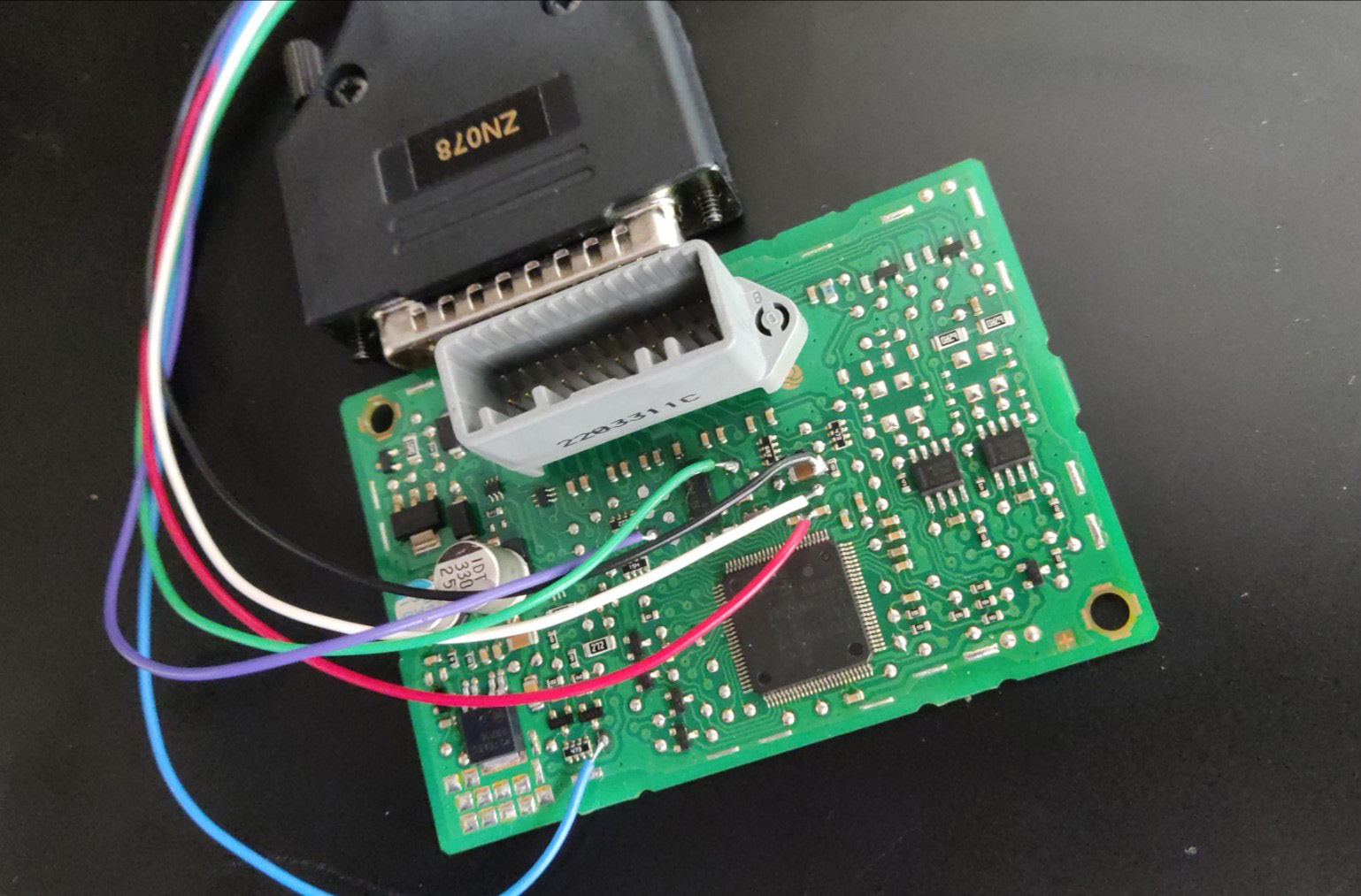
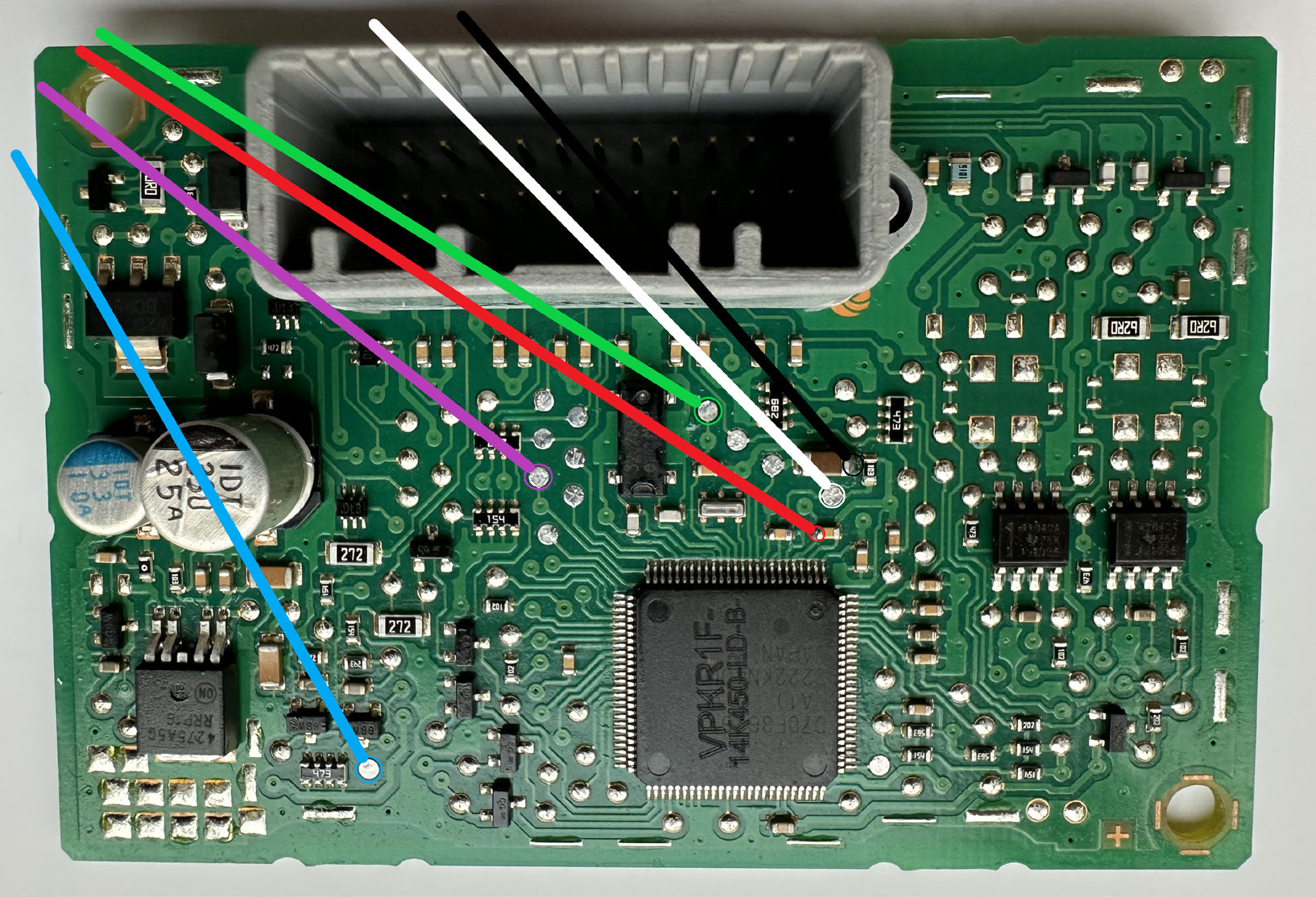
Turn the ignition OFF, disconnect and take the DAB module to read it on bench with the ZN130 ABPROG and the ZN078 (connection details below).
3. Read the V850 processor
Open the ABPROG application, read the V850 processor by selecting D_flash 32KB V850ES, and save the file on your PC.
4. Connect the DAB module back to the vehicle
Connect the DAB module back without unsoldering the ZN078 wires - just the connector.
5. Generate the new file
Open the Renault Online software, enter the "Renew" menu, select the DAB module and press "mileage by Dump". You will be asked to upload the previously read V850ES dump.
A new file is generated - save it with a different file name on your PC.
6. Write the new file on bench
Disconnect the DAB module again and work on bench. Open the ABProg software and write the new file into the processor.
7. Refit the DAB module
Now unsolder the ZN078 adapter's wires, install the DAB module back in the vehicle and connect the connector. The new mileage should be displayed on the dashboard.
DAB module connections with ZN078 and ABProg